
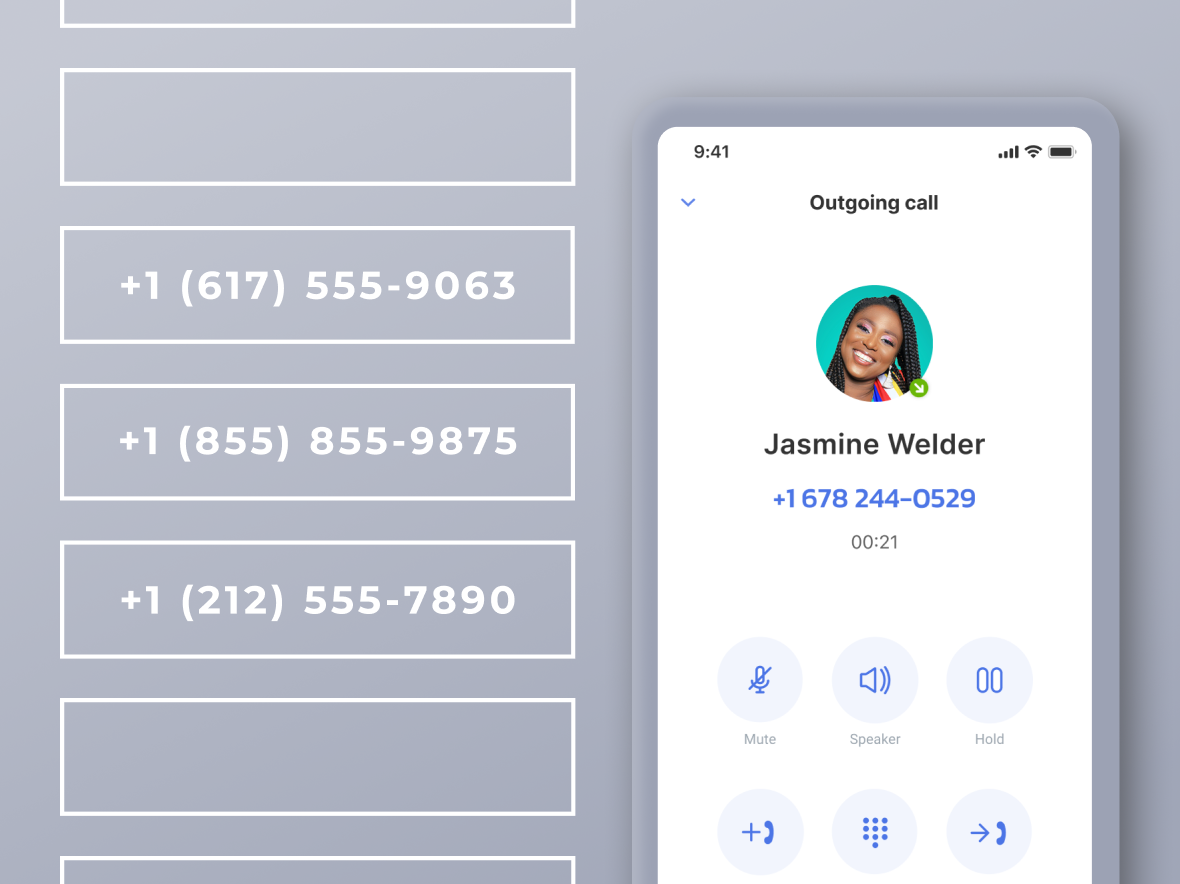
A virtual phone number gives small teams room to breathe. It keeps them from missing calls that cost real money, and it saves everyone from being stuck to a desk phone or risking their private number. When a call slips through, a lead can slip with it, and this is just one potential issue of having no single, steady business identity tying everything together.
If this sounds a bit new, don’t worry, because it all becomes simple once we break it down. We’ll walk you through virtual numbers and their types and explain how a call moves through the system. We’ll discuss setting up and planning a rollout, identify the risks to watch out for, and learn about ROI metrics. Let’s get started!
What Is a Virtual Phone Number?
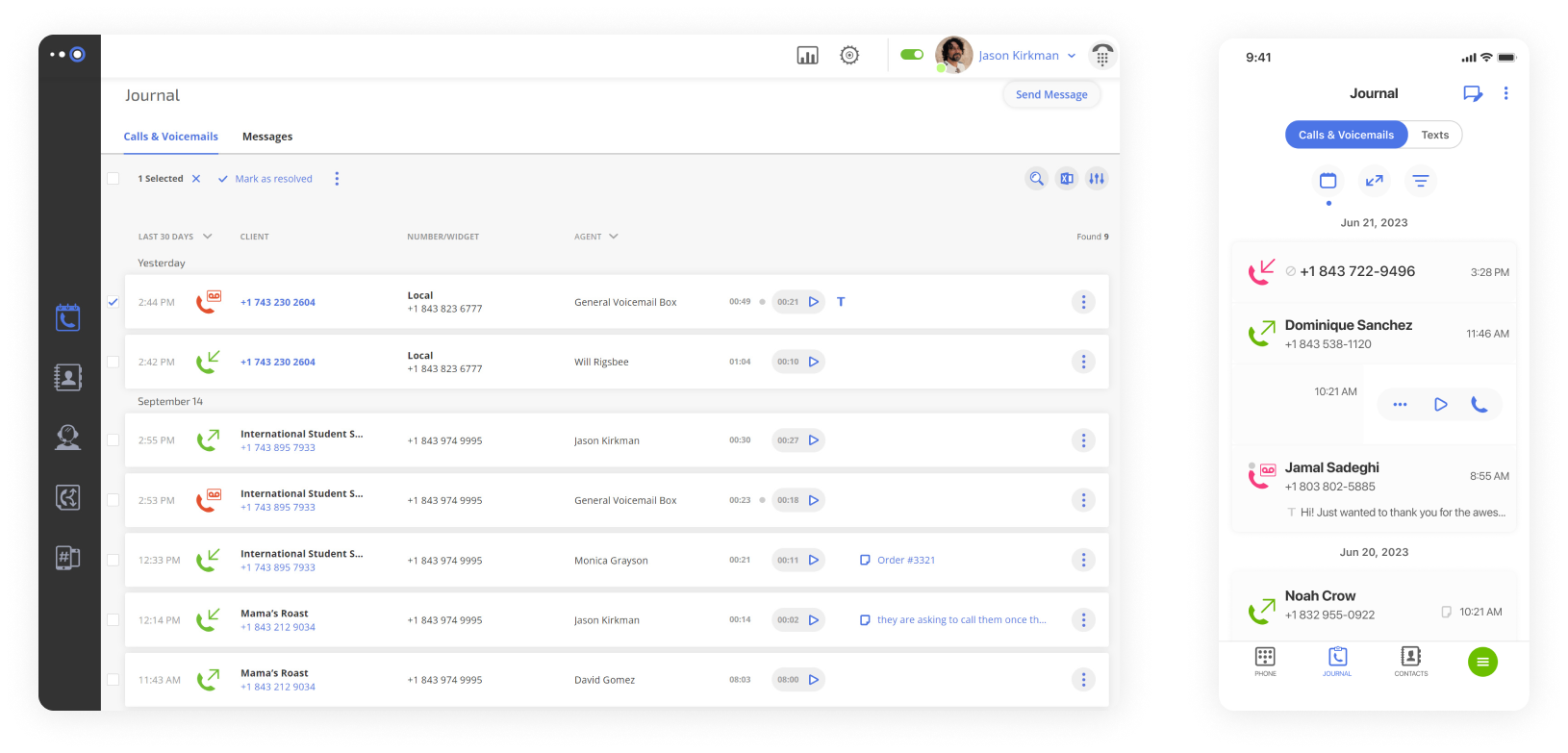
A business virtual phone number is a cloud-based line that is independent of any fixed spot or device. Unlike a traditional phone system, it’s not linked to a desk phone or a physical phone line, and it stays location-independent by design. The same number can alert a smartphone, a computer through a softphone app, or a VoIP desk telephone. Both you and your clients can treat it like any other business number, but it sits entirely in the cloud and moves with the people who use it.
The “virtual” component is responsible for giving a team one stable identity across every device they rely on. Calls shift to the right person, and new numbers or users slot in quickly without new hardware or landline phone lines.
Most virtual numbers run on VoIP (Voice over Internet Protocol) technology, which supports this kind of flexible setup. This reduces uncertainty for remote or hybrid crews and makes it easier to stay reachable as work shifts from place to place.
How a Virtual Phone Number Works
As mentioned, a virtual number works through VoIP, so calls travel through cloud servers. The service provider receives the call, follows your rules, and sends it to the device or person who should take it.
Here’s how virtual numbers work:
- A caller dials your number.
- The incoming call reaches your VoIP provider’s cloud system.
- The system checks your routing rules, such as work hours, teams, or overflow paths.
- It rings the selected devices or users across mobile apps, softphones, or VoIP desk phones.
- If no one answers, the call moves to a queue, voicemail, or the next rule you set.
- The system logs call data so you can review performance later.
For example: customer dials Sales → rings the first rep + senior rep → no answer after a short wait → routes to a backup rep → after-hours calls go to voicemail transcription for quick review.
VoIP turns the human voice into small digital packets. They travel across the internet and then rebuild on the other side. Virtual phone system providers use this technology to support on-the-go communication for any situation.
Types of Virtual Numbers
VoIP phone numbers come in the same familiar formats as any other number, but you take phone calls over the internet. Types of numbers can be grouped as follows:
- Local numbers – Use a recognizable area code to signal proximity and build trust with nearby customers.
- Toll-free numbers – Free to call, so your support team is always within reach.
- Vanity numbers – Spell out brand names or memorable sequences for easier recall and marketing impact.
- International numbers – Provide a local presence in other countries; setup requirements vary by region.
We’ll cover how to choose the right type based on your goal in a moment.
Virtual vs Traditional Phone Numbers: Which Works Better for Your Business?
To customers, virtual numbers and regular phone numbers might seem the same, but they work quite differently behind the scenes.
| Virtual numbers | Traditional numbers | |
|---|---|---|
| Location dependency | None, virtual phone line | Fixed to a physical line |
| Hardware cost | Minimal, mostly apps | Requires phones, PBX, wiring |
| Routing flexibility | Highly customizable | Limited, manual forwarding |
| Remote work readiness | Excellent, any device | Poor, tied to office phone |
| Scalability | Easy to add numbers/users | Slow and costly |
| Admin control | Central dashboard | Requires technicians for changes |
| Analytics | Built-in call logs & reports | Rare or add-on |
| Emergency calling | Supports E911 registration | Standard 911 |
Online phone numbers offer a modern, flexible solution for a small business that prioritizes mobility, simple management, and growth. Traditional phone lines still work but tend to come with extra cost and limited flexibility.
When Should You Use a Virtual Phone Number?
It all comes down to what you want to achieve. A virtual number can help you connect locally, expand your reach, protect personal information, or track calls so every interaction counts. So, let’s make sure you pick it appropriately for the situation.
Use a Local Number When You Need Market Trust
A local virtual number shows customers you are nearby and familiar, which encourages them to answer your calls. It gives your business a hometown presence with no physical office required. For example, a remote consulting team can list a New York area code so clients see a local number, even if the team works from another state.
Use a Toll-Free Number When You Need National Reach
A toll-free number lets customers call without thinking twice and gives you a nationwide presence. It’s perfect for a central support team or a sales hub that handles inquiries from anywhere. You can choose from popular codes like 800, 833, 844, 855, 866, 877, or 888 and have a single number that connects everywhere.
Use Separate Numbers to Protect Your Personal Phone
A second phone number lets you keep your personal mobile number private while staying available for business. It adds a professional touch, especially for founders, solopreneurs, or teams using their own devices. For example, a founder can use a second phone number with a business caller ID or CNAM to keep work and personal life separate.
Use Campaign-Specific Numbers to Track Marketing Calls
Consider getting campaign-specific VoIP numbers to identify which marketing efforts drive calls. Give each ad, landing page, or region its own number and watch where leads come from. For example, one number for Google Ads, another for a billboard, a third for partner referrals, and every call will tell a clear story about what’s working.
Quick summary:
- Local numbers build trust and show you’re nearby.
- Toll-free numbers give nationwide reach and free calls.
- Separate numbers protect personal lines and stay professional.
- Campaign numbers track leads and measure marketing.
How to Get a Virtual Phone Number
It’s easy to get a virtual number once you’re clear on what you need. Done right, it keeps your team in sync and gives any small business a professional edge from the start. Here’s what to do:
- Pick a provider that fits how your team uses calls and offers the features you need.
- Decide on a local, toll-free, or vanity number based on your goals and audience.
- Plan how calls move through your team, voicemail, and after-hours handling before going live.
- Set business rules and team access so everyone has the right controls.
- Run trial calls, monitor performance, and adjust settings to make sure everything works smoothly.
And if you want to see how this looks in practice, Omnivoice makes the whole process simple and quick.
Business Benefits of a Virtual Number
Research from Velocify found that answering a lead’s call within one minute can boost conversion rates by about 391% compared with a slower response. That gap can cost leads and, subsequently, revenue. Cloud-based business phone numbers help you close it, and here’s how:
Never Miss a Revenue-Generating Call
Calls ring on every device, and overflow routing picks up what someone can’t answer. One missed call can mean a lost lead, so letting calls move automatically to the next available teammate keeps opportunities from slipping away.
For example, if a customer calls during a busy morning, the call first goes to the main rep and then is redirected to a backup mobile phone.
Separate Business and Personal Phone Calls
Work calls stay on their own line, which keeps personal numbers private and conversations professional. You can take client calls on your own phone while showing a business number, so you can handle every interaction without giving out personal data.
In other words, a founder can take a client meeting on their personal mobile, but the caller sees only the company number.
Create a Local Presence Without Opening a Local Office
A local number helps you appear established in any city, so teams can start taking “local” calls immediately. For example, a small marketing agency can offer a London number to UK clients, even if the whole team is based in Toronto, making outreach feel familiar and approachable.
Scale Your Phone System as Your Team Grows
Add numbers, users, or queues whenever the team expands. New reps are up and running in minutes, and there’s no extra wiring or hardware to worry about. When a sales team doubles during a product launch, new hires can start taking calls right away without IT support.
Reduce Hardware and Maintenance Costs
Skip the desk phones, cables, and unexpected repair fees. With your provider managing the backend, monthly costs stay steady. All your team needs is a laptop or phone to make calls.
For example, a three-person small business can handle all customer support calls from their personal laptops without buying desk phones or running network wiring.
Virtual Phone Service Features That Improve Customer Experience
Features that virtual phone service providers offer will shape how your system behaves day-to-day: how calls move, how quickly your team can respond, and how your customers experience every moment on the line.
Features That Improve Customer Experience
Here are the cloud phone features that make conversations feel effortless:
Auto Attendant and IVR Menus
An auto attendant answers calls with a clear menu and guides callers to the right place. It reduces manual routing by using preset voice prompts that direct each caller to an option or department. For instance, a small appliance repair shop can set “Press 1 for new service requests” and “Press 2 for repair updates.”
Advanced Call Forwarding and Call Routing Rules
Call forwarding rules determine where each call goes based on your setup. They work through logic you set for hours, overflow, and priority. If the main support rep tackles a surge of calls after a product glitch, the system can pass new callers to a backup rep right away.
Voicemail Transcription and Voicemail-to-Email
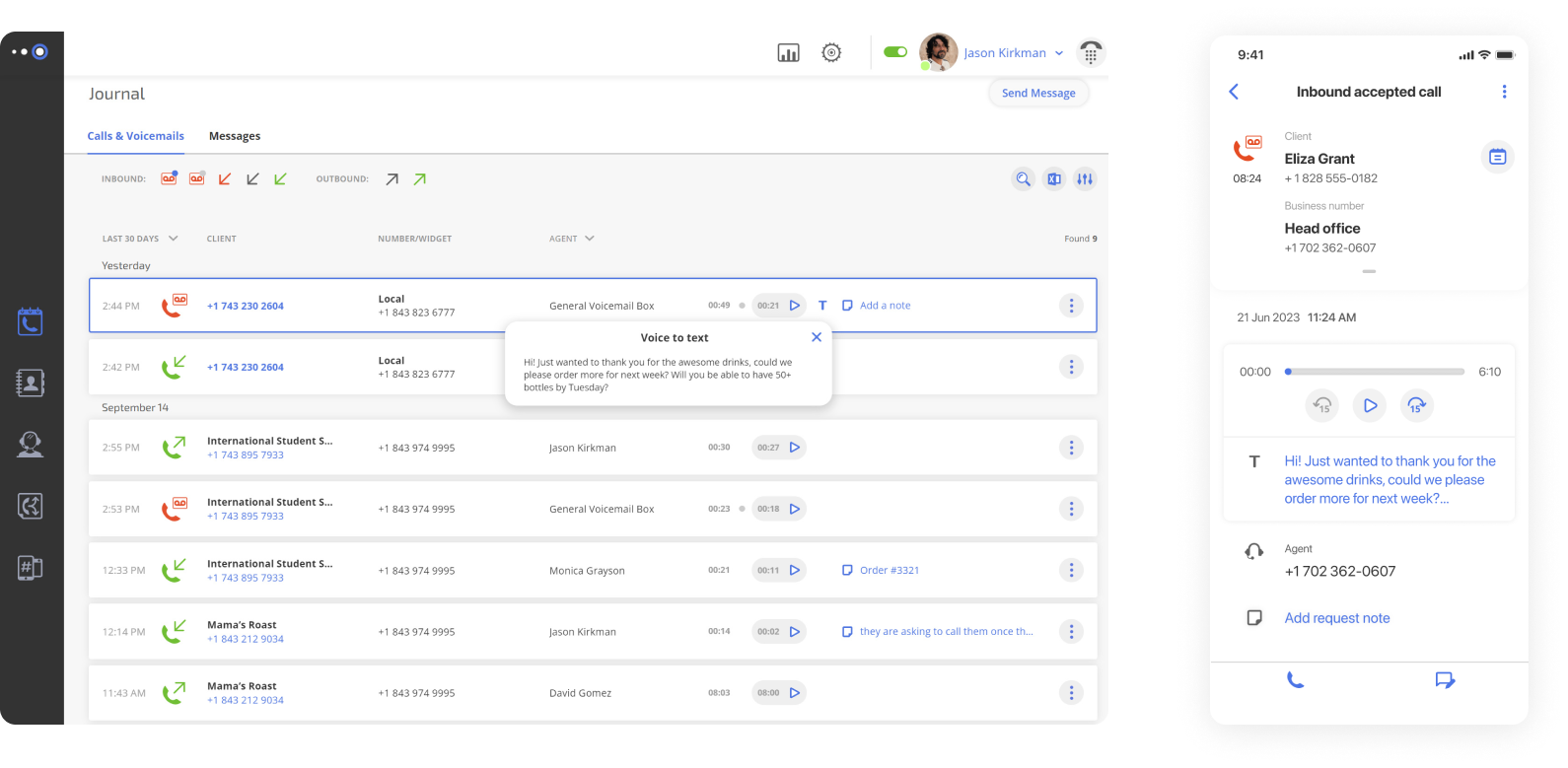
Voicemail transcription turns voice messages into text, and voicemail-to-email sends them straight to your inbox. Both change spoken words into text for quick reference. So, you’ll be able to catch a voicemail early and get back to the client before they move on.
Shared Department Phone Numbers and Call Queues
A shared virtual telephone number places the whole team behind one line, and a queue holds callers until the right person picks up. The call goes where the ring rules say it should instead of falling into voicemail dead ends, so callers reach someone who can help. When multiple clients call at once, the sales queue lines them up and directs each call to the next available account manager.
Features That Help Teams Work Faster
These features improve internal workflows, reduce context switching, and make calls easier to manage:
One Number Across All Devices
You buy one phone number online, and it works on phones, laptops, and tablets, so calls go wherever the person goes. The system keeps devices in sync, which lets a remote account manager take a client call on a laptop while traveling and pick it up on a tablet.
CRM Integrations
CRM integrations connect calls to the right contacts, tickets, or leads automatically, and they tend to carry significant weight when teams choose a provider. Each call is logged and added to the correct record, so a sales rep can see a client’s full history during a conversation and update notes without switching between apps.
Analytics and Reporting Dashboards
Dashboards show call volume, missed calls, routing results, and team performance. They collect data in real time, so a support manager can see when calls spike and adjust staffing to improve response times and get the most out of the team.
Limitations of Virtual Business Phone Numbers
Virtual business phone numbers give you flexibility and control, but they aren’t risk-free. Calls can get interrupted, and security can be tricky. Let’s make sure your system stays reliable and trusted.
Internet Dependency: How to Protect Call Quality
VoIP calls rely on an internet connection, so outages or slow networks can disrupt conversations. You can reduce risk with a few strategies:
- Redundant connection – Keep a backup network ready for critical calls if your regular Wi-Fi falls through.
- Mobile fallback – Forward calls to a mobile device if the primary connection drops.
- Quality of Service (QoS) – Configure your router to prioritize voice traffic so calls stay clear even during heavy network use.
Free Virtual Number Risks and Reputation Issues
Free phone numbers come with limits: some only work on specific devices, may be reassigned, and can carry a bad reputation. If a recycled number was previously abused, your calls or texts may look suspicious, which may reduce customer trust. To keep things professional, use provider-assigned numbers for reliability and credibility.
Security Best Practices for Business Phone Systems
Even with strong provider controls, businesses need basic hygiene:
- Enforce admin access controls and multi-factor authentication.
- Use strong, unique passwords.
- Keep software and devices up to date.
- Maintain clear awareness of call recordings and internal data handling.
Rollout Plan for Small and Mid-Sized Businesses
Take a look at this sample approach for small and mid-sized businesses that keeps teams organized and calls flowing:
| Days 1-3 | Set up a virtual phone number. Map workflows, define goals for trust, privacy, and call attribution, decide on a number strategy (local or toll-free), and shortlist potential virtual phone providers. |
| Week 1 | Configure call routing, build IVR menus, set business hours, and enable voicemail transcription/email notifications. |
| Week 2 | Integrate CRM or help desk tools, test escalation paths, and run team training on call scripts and handling expectations. |
| Weeks 3-4 | Monitor key metrics, adjust routing rules, refine staffing schedules, and document processes for onboarding and offboarding new users. |
How to Measure the ROI of Your Virtual Phone System
Every call carries value, whether revenue or support effort, so metrics help you catch opportunities and prevent unexpected strain on your team.
Core Call Metrics Every SMB Should Track
Focus on the numbers that show how calls move through your system:
- Call answer rate – Percentage of incoming calls answered by a team member.
- Missed call rate – Share of calls not picked up before voicemail or drop-off.
- Average speed of answer – How long it takes before a call is answered.
- Average talk time – Length of conversations; indicates call complexity or efficiency.
- Call volume by source – Tracks which campaigns, ads, or numbers drive traffic.
Track these weekly at first, then switch to monthly once patterns stabilize.
What These Metrics Mean for Growth
Each metric highlights opportunities for a small business to improve and capture more revenue. A high number of missed calls signals a need for overflow routing, long talk times reveal training gaps, and slow responses show where ring groups could help during busy periods. Together, these insights help your team handle calls better and keep customers happy.
Virtual Number Means Smarter Business Communication
A business phone number makes handling calls feel easier. Personal lines stay private, calls reach the right person, and customers get a steady, professional impression. Teams stay focused on actual conversations instead of worrying about who answers what.
Start by looking at how calls happen day to day, and then try a setup that matches the team’s habits, see what works, and adjust as needed. However, the secret to making this system work is choosing the right service provider. Get started with Omnivoice today!
FAQ
Yes, most virtual phone number providers let you port your number . The provider usually guides each step in the number porting process, so the move stays simple. Your customers never face a gap in contact, and you keep the continuity that builds trust over time.
Yes. You can handle calls through a mobile app or use call forwarding while keeping your personal number private, so business calls don’t get mixed with your personal calls.
It depends. Standard virtual numbers don’t always pass accurate location information to emergency services. Omnivoice includes E911 support , but it’s still important to confirm that E911 is enabled on your account, check how your location is registered, and understand any specific procedures for emergencies.
There’s no strict limit. You can scale by adding numbers, users, or extensions as needed. A practical approach:
Start with core lines (main, sales, and support)
Add campaign-specific numbers
Expand as the team or business footprint grows


FAST • SECURE • RELIABLE
business communications
