
More Calls, More Revenue

Customer Care Without Chaos

Run It All in One Place
FAST • SECURE • POWERFUL
99.99%
service uptime
High-quality
sound
Best-in-class UI
All advanced
VoIP features
Business texts & MMS organized in threads
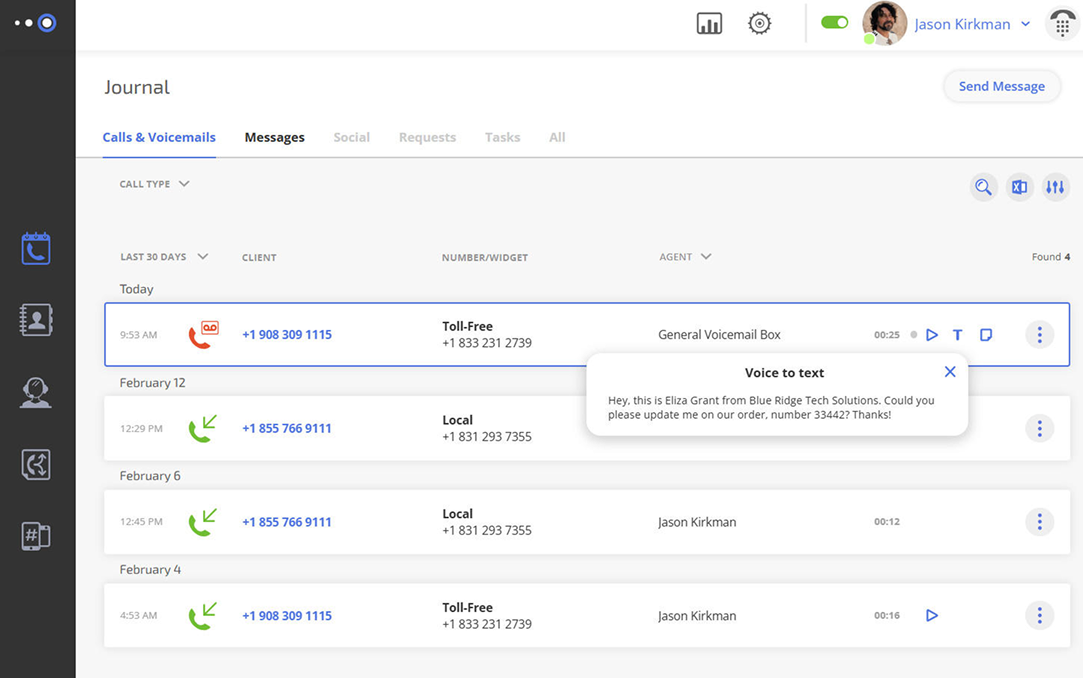
Business calls, voicemails & recordings in one place
Click a number to call
Listen & read your voicemails, add notes
Listen & download your call recordings
See every customer interaction in one place
History of calls, texts, voicemails, notes, and call recordings — all in one place, accessible to every team member regardless of location.
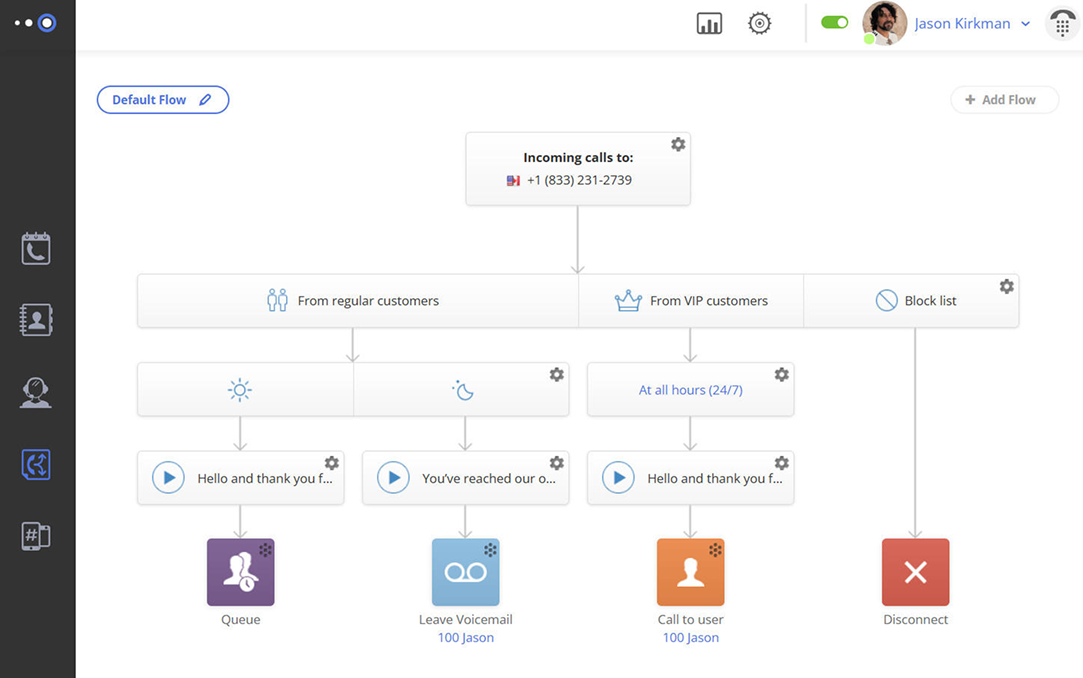
Route calls by business hours
Play custom greeting
Route to IVR, queue, voicemail or team
Send VIP calls first
Block spam calls
Automatically send calls to the right person
Customize your call flows with clear and simple visual flowcharts.
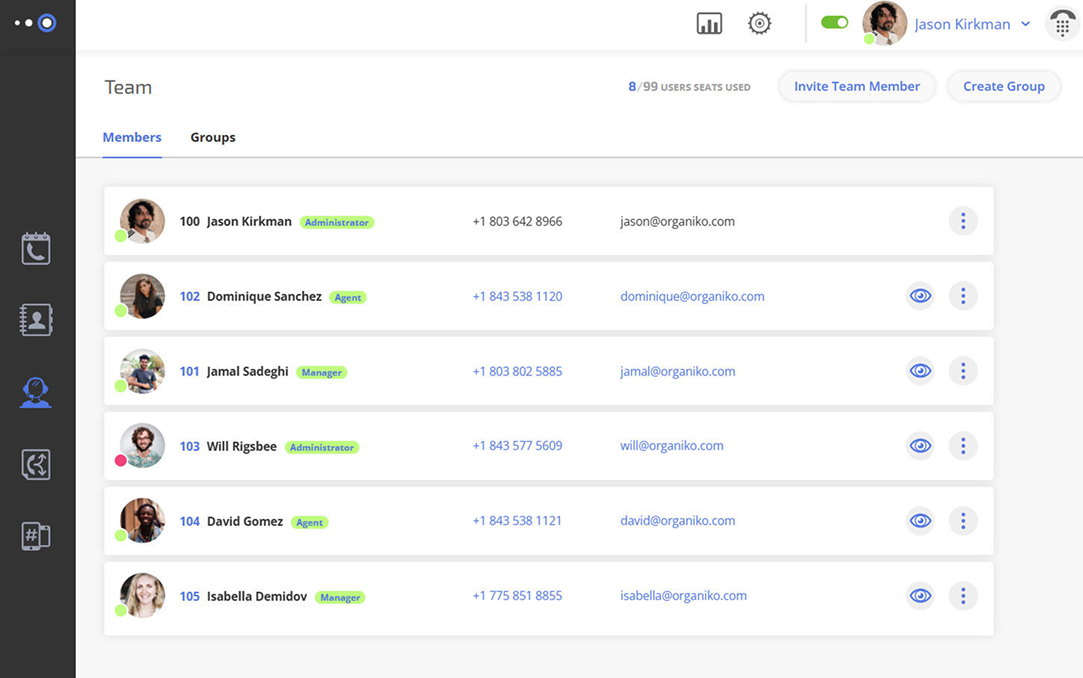
Give every team member their own extension
Define roles & access levels
Invite and organize your team
Monitor team activity
Manage your team
Monitor team members, forward calls to them, and track their performance.
See Omnivoice in action
Our support team goes above
and beyond
and beyond
Experience personalized live assistance from
our expert team
our expert team



FAST • SECURE • RELIABLE
business communications
FAQ
A virtual phone service lets you make and receive business calls over the internet instead of relying on traditional hardware or physical lines. It works through apps on your computer or mobile device, so you can manage calls, messages, and contacts from anywhere without being tied to a desk.
A virtual telephone system routes calls through the internet. When someone calls your number, the system can forward the call to the right person, send it to voicemail, or guide the caller through a voice menu. It lets you work from anywhere, since you’re not tied to a physical office phone, and helps protect your privacy by keeping your personal number private.
When choosing a phone service, look for features that actually support your day-to-day work. Virtual phone system features usually include:
- call routing,
- voicemail and transcription,
- SMS/MMS,
- call queues,
- call recording, and
- simple analytics.
Start by understanding how your team communicates. A good virtual business phone system should match your workflow — whether that’s handling inbound calls, making outbound calls, or both. Look for reliability, clear call quality, and tools that help your team stay organized without adding complexity.
For a small business, a virtual system offers flexibility and cost savings. You can run your office phone from anywhere, keep personal numbers private, and scale as your team grows. It also makes it easier to present a professional business phone service to customers without needing traditional infrastructure or a dedicated phone line.