
We have taken a close look at 10 phone systems built for small businesses and solo operators. Here’s what actually matters:
Key takeaways
- Omnivoice is best for small teams that need affordable pricing with stronger reporting and call insights.
- MightyCall is best for support and sales teams that need live supervision tools and outbound calling features.
- Quo is best for teams that want a modern unified communication system with calls, SMS, team chat, and AI support tools.
- Talkroute is best for small to mid-sized businesses that need reliable call handling with strong routing, voicemail, and optional video meetings.
Here’s a quick overview of what we’ll cover to help you compare your options and choose the right solution.
In this article, we will cover:
Top Alternatives to eVoice
| Alternative | Starting price (billed monthly) | Unlimited calls (US/CA) | SMS/MMS | Business numbers included | Free trial |
|---|---|---|---|---|---|
| eVoice | $14/mo | Yes | Yes (Elite Plus Only) | 3 local & toll-free | No |
| Omnivoice | $9/mo | Yes (Company plan) | Add-on | 2 local or toll-free | Yes |
| MightyCall | $25/mo | Yes | Yes | 3 local or toll-free | Yes |
| Quo | $19/mo | Yes | Yes (registration + monthly fee) | 1 local or toll-free | Yes |
| Grasshopper | $18/mo | Yes | Yes | 1 local or toll-free | Yes |
| Sideline | $14.49/mo | Yes | Yes | 1 local | No |
| Google Voice | $10/mo | Yes | Yes | 1 local | No |
| Line2 | $9.99/mo | Yes | Yes | 1 local | No |
| LinkedPhone | $14.99/mo | Yes | Yes | 1 local | Yes |
| Talkroute | $19/mo | Yes | Yes | 1 local or toll-free | Yes |
| Phone.com | $18/mo | Yes | Yes (Plus and up) | 1 local or toll-free | No |
Disclaimer: Prices listed are the lowest available tiers and accurate at the time of publication.
Many of these eVoice competitors give your team more freedom. You can choose from budget-friendly apps or complete business phone systems, so you can settle on the best eVoice alternative that fits your workflow and the goals you hope to achieve.
Reasons to Explore Alternatives to eVoice
Many small teams start with eVoice because it’s simple, but user feedback consistently shows limitations that become difficult to ignore as a business grows. Below are the most common reasons people end up searching for stronger, more modern eVoice competitors:
- Lack of third-party integrations – Reviewers regularly point out that eVoice doesn’t connect with CRMs, help desk systems, scheduling tools, or productivity apps. Sales and support teams have to deal with work no one needs, and the whole flow slips out of place.
- Limited call analytics – Users say it’s hard to track call volumes, agent performance, or missed-call trends because eVoice mainly offers basic Usage Reports instead of full reporting tools. This becomes a major issue for any business that relies on measurable phone activity.
- Limited call management features – Businesses mention the absence of call queues, multi-level IVR, customizable call flows, and real-time monitoring. These are features that even small teams now rely on to manage higher call volumes.
- Light on automation and AI capabilities – Common complaints include the lack of voicemail transcription, automated call summaries, and intelligent routing, which many modern VoIP platforms now offer by default.
- Simple interface – Users describe eVoice as functional but dated, noting that its dashboard and mobile app feel less intuitive than newer competitor services.
- May feel limiting for growing teams – eVoice works for freelancers, but users report hitting limitations quickly when adding more staff or locations.
Overall, these gaps make eVoice feel too limited for long-term growth.
Our Criteria for Evaluating These eVoice Alternatives
To compare the top eVoice alternatives fairly, we relied on the practical criteria that matter most to growing businesses:
- Price – Pricing tiers or plans offered by each provider.
- Key features – Essential tools like call routing, IVR, voicemail, recording, and analytics.
- Integrations available – Compatibility with CRMs, help desks, and productivity apps.
- Call quality – Reliability, clarity, and uptime based on user feedback.
- User reviews – Insights from real customers on platforms like G2.
Detailed Review of the 10 Best eVoice Alternatives
The right virtual phone system can be hard to pick, so we have put together a list of the top 10 eVoice alternatives. For each service, we include key details to help you compare them quickly.
The best alternatives to eVoice are:
- Omnivoice
- MightyCall
- Quo
- Grasshopper
- Sideline
- Google Voice for Business
- Line2
- LinkedPhone
- Talkroute
- Phone.com
1. Omnivoice
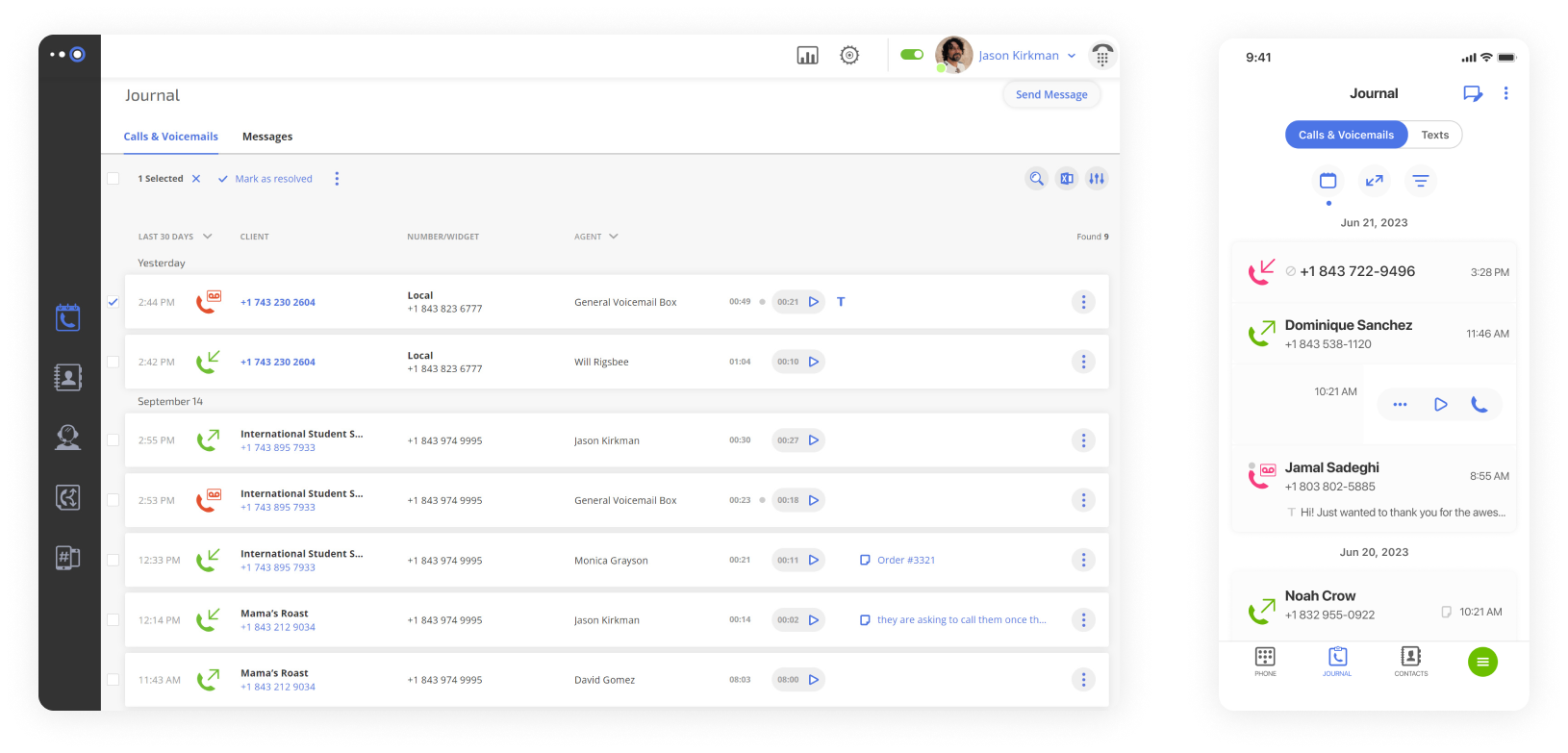
Omnivoice is a cloud-based VoIP solution built to simplify communication for small and medium-sized teams. Since its launch, it has steadily grown and now serves thousands of clients across several industries.
The platform provides flexible call management, professional business phone numbers, and remote access, so teams can work from anywhere. It scales with their requirements and lets companies update their phone systems without a big upfront investment. Plus, Omnivoice’s dedicated support team goes above and beyond, with personalized, live assistance whenever it’s needed.
Features
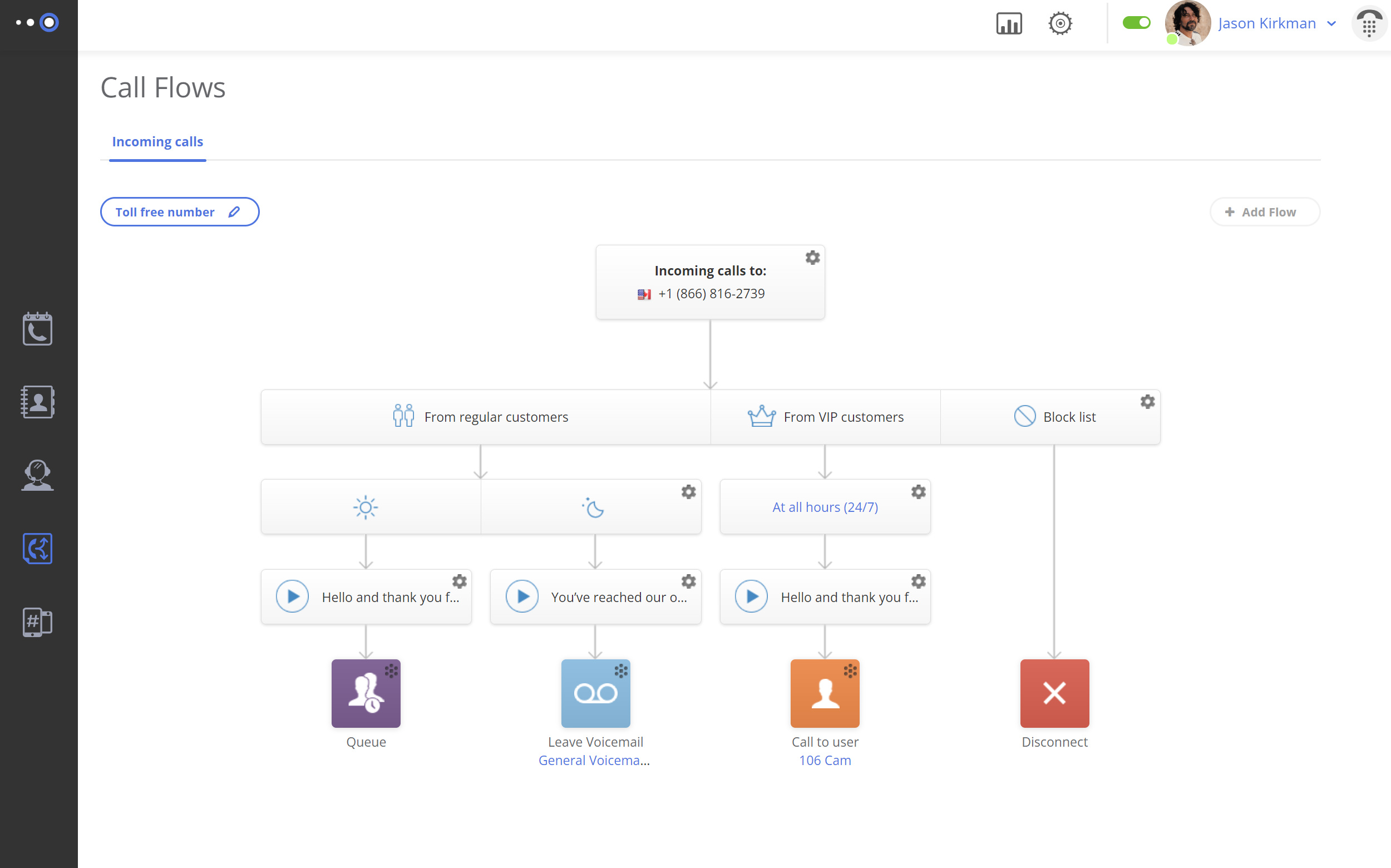
- Call forwarding & routing – Automatically send calls through to the correct contact.
- Multi-level IVR – Makes it easy to connect to the right person based on set criteria.
- Voicemail and voicemail-to-email – Transcribes messages into text.
- Caller ID – Shows the incoming caller’s number and offers tools to tell personal and business calls apart.
- Conference calling – Connect multiple participants in a single call.
- Mobile app support – Manage calls, texts, and settings from iOS or Android.
Integrations
None.
Pricing
- Basic: $9/month (1 user)
- Pro: $19/month (3 users)
- Enterprise: $99/month (unlimited users)
Free trial
Yes, 7 days.
Why is it a good alternative?
- More affordable tiers than eVoice – Offers comparable features at a lower starting price.
- Stronger analytics – Detailed call tracking allows managers to identify trends and improve team performance, with comparisons of connected versus missed calls, average speed of answer and talk time, and volume data for calls and voicemails.
- More flexible call routing – Offers more control over how calls are routed across teams, departments, and business hours than eVoice’s more basic routing setup.
- Mobile-friendly design – Built for remote and hybrid teams, which makes it easier to maintain different communication channels on the go.
Potential drawbacks of Omnivoice
- SMS costs extra – Text messaging is available only as a $5 add-on, so teams that rely heavily on messaging may need to budget for it.
- No integrations included – Productivity and CRM integrations aren’t available at this time.
- No built-in AI tools – Unlike some competitor options, Omnivoice lacks AI call routing or transcription features, so these tasks must be handled manually or through separate services.
Best for
Small teams seeking a reliable cloud-based phone system and businesses that require flexible routing and mobile-friendly features.
2. MightyCall
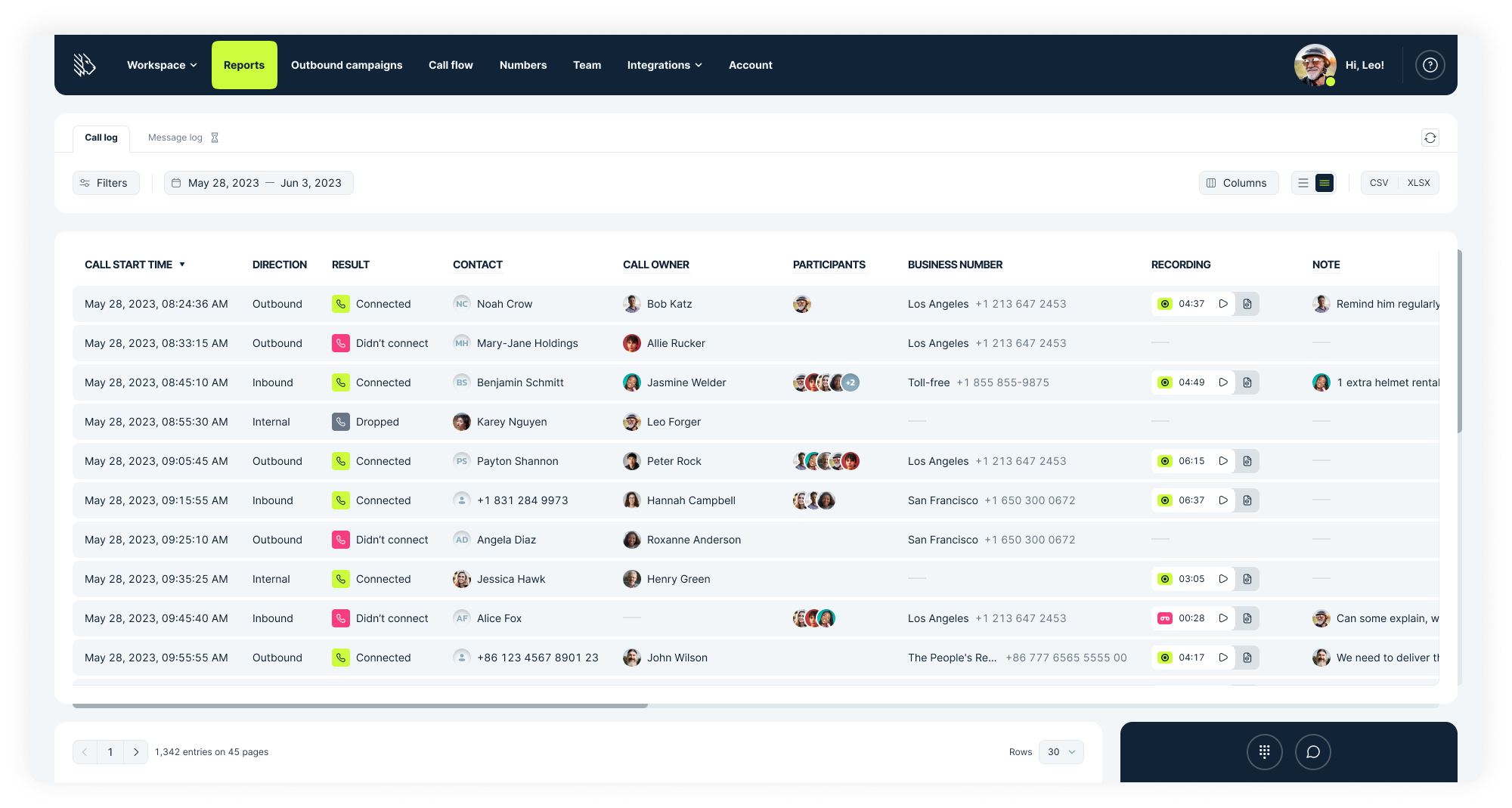
MightyCall is another alternative to eVoice aimed at small businesses that need professional communication without complex hardware. Founded in 2013 and based in the United States, it serves over 100,000 clients worldwide.
MightyCall was founded by telecom veterans with deep enterprise experience. Their goal was to make advanced call center tools simple and accessible for even the smallest teams. That is why the platform focuses on simplicity and ease of use, with essential VoIP features that help teams manage calls, messages, and business numbers efficiently.
Features
- Call forwarding & routing – Directs calls to people, groups, or voicemail based on custom flows.
- Multi-level IVR – Tiered menus guiding callers to the right department.
- Voicemail and voicemail-to-email – Transcription makes it quick and easy to review messages.
- Live call monitoring – Includes call listening, call barging, call whispering, call intercept, and call recording.
- Automated dialers – Predictive, progressive, and preview dialing for outbound campaigns.
- Ring groups – Calls ring multiple agents simultaneously or in a set order.
Integrations
- HubSpot
- Salesforce
- Balto
- Zapier
- API (custom integrations and functionalities)
- Zoho (coming soon)
Pricing
- Core: $25/user/month (3-user minimum)
- Pro: $45/user/month (3-user minimum)
- Power: $65/user/month (3-user minimum)
- Enterprise: Custom
Free trial
Yes, 7 days.
Why is it a good alternative?
- Multi‑level IVR support – MightyCall includes interactive menus that guide callers through options automatically.
- Live call monitoring and coaching – Supervisors can listen in, whisper guidance, or barge in on ongoing calls for quality control and faster training, unlike eVoice, which lacks this level of real-time oversight.
- Automated dialers – Outbound teams can use smart dialing modes to increase connection rates and reduce idle time.
- Dedicated agent & supervisor workspaces – Agents and managers get tailored interfaces for handling calls and performance metrics, which improves workflow organization compared with eVoice’s simpler dashboard.
Potential drawbacks of MightyCall
- Occasional call quality and connection issues – Some users report dropped calls or inconsistent performance during high‑volume times or weaker network conditions.
- Mobile app inconsistencies – Users sometimes report call behavior issues and app glitches on phones that can impact responsiveness.
- CRM and advanced integration gaps – While MightyCall integrates with some tools, reviews indicate that overall integration options are more limited than some competitors, which can hinder workflow automation.
Best for
Small to mid-sized businesses that need a simple, reliable virtual phone system.
3. Quo
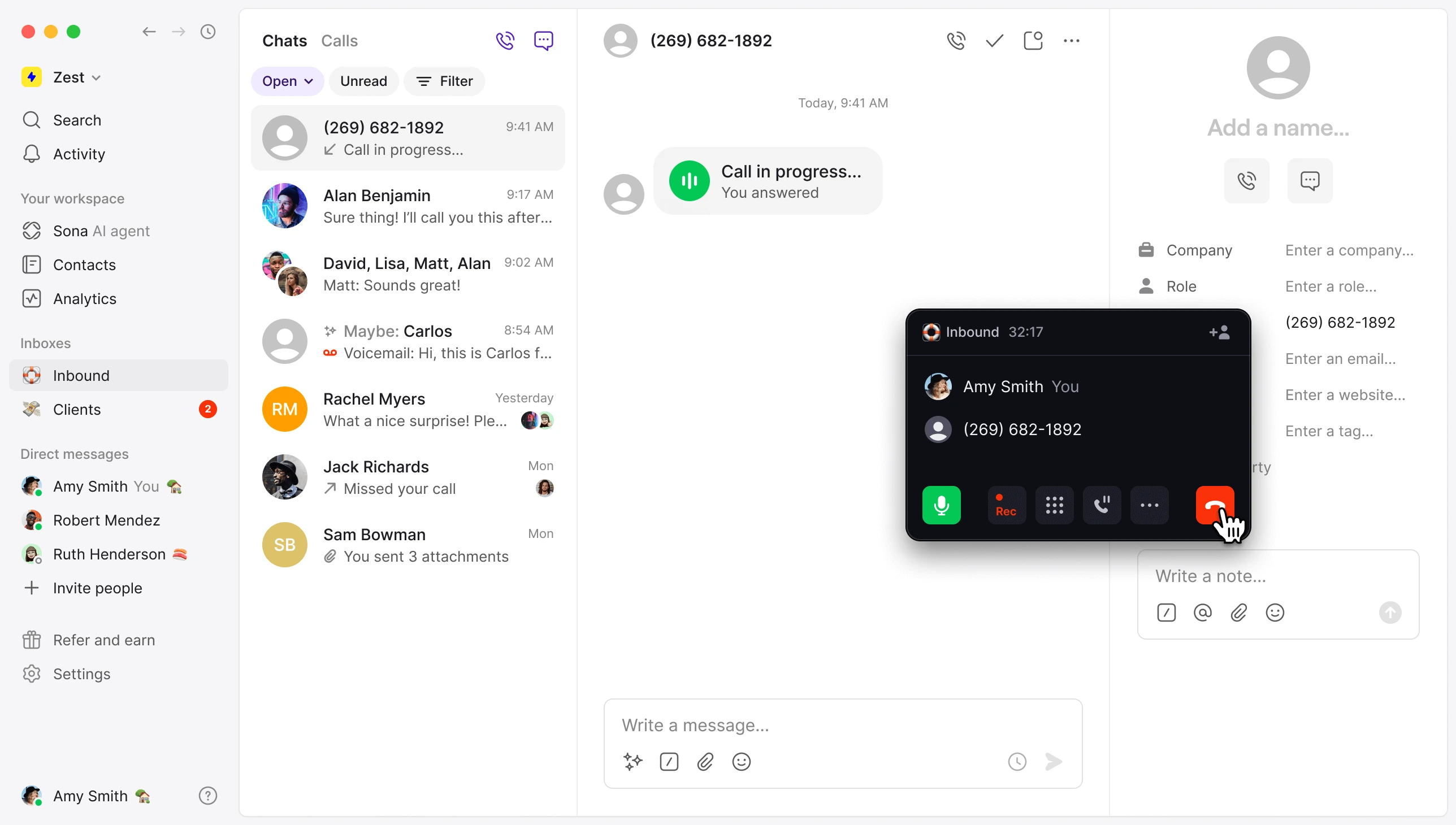
Quo is a U.S.-based company that offers a unified communication platform combining calling, texting, and team messaging in a single app. The service suits teams that want a mobile-first phone solution with modern collaboration tools, and regular updates reflect feedback from users.
This eVoice alternative uses AI to handle tasks like note-taking, call summaries, and automatic tags, freeing your team to focus on customers. You can provide your business details to train Sona and test its responses before launch.
Features
- Team inbox – Gain visibility into responses and ongoing conversations, and collaborate with internal threads, tags, and notes.
- Automated call routing – Set up customizable call flows for holidays, campaigns, or team changes.
- Voicemail & transcription – Quickly access the content of messages for faster context.
- Sona AI assistant – Tailor greetings, prompts, and the information collected from callers.
- Operating hours setup – View automatic status updates and set up varying hours for each day.
Integrations
- HubSpot
- Zapier
- Slack
- Pipedrive
- Gong, and more
Pricing
- Starter: $19/user/month
- Business: $33/user/month
- Scale: $47/user/month
Free trial
Yes, 7 days.
Why is it a good alternative?
- Unified messaging and calling – Unlike eVoice’s separate voicemail and call tools, Quo combines SMS, MMS, and team chat, so all communications are in a single place for easier tracking and reference.
- Modern interface and mobile focus – More intuitive and mobile‑friendly than eVoice’s traditional interface.
- AI call handling – The built‑in assistant (Sona) can answer and log calls, something eVoice does not offer.
- Flexible call routing rules – Better support for variable business hours, queues, and team setups compared with eVoice’s basic routing.
Potential drawbacks of Quo
- Limited advanced analytics – Reporting and metrics are fairly basic on lower plans compared with enterprise‑level systems, and the more detailed analytics and reporting tools are only available on the higher tiers.
- International calling costs – Pricing for calls outside the US/Canada can be higher than some competitor solutions.
- Feature depth at higher tiers – Some collaboration and automation tools require users to upgrade to the Scale plan.
- Learning curve for teams new to unified messaging – Consolidated inbox can feel unfamiliar to users of traditional landlines.
Best for
Startups, small businesses, remote teams, and service‑oriented companies that need a communication tool with texting and shared team messaging integrated with a virtual phone line.
4. Grasshopper
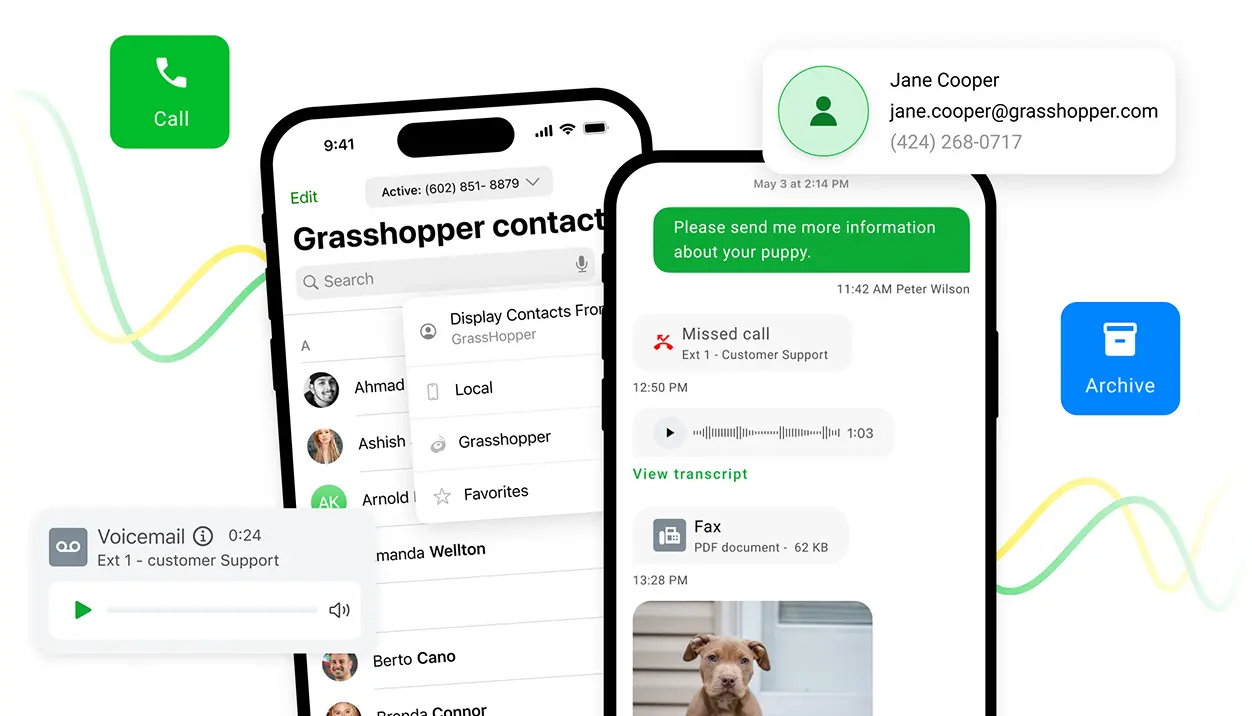
Grasshopper is a phone system built for small businesses, entrepreneurs, and solo professionals. Based in the U.S. and founded in 2003, this eVoice alternative offers a simple, app-based business phone solution that doesn’t require extra hardware.
Grasshopper’s recent updates include a modernized Admin Portal for easy management from desktop or mobile, which lets you set up users, adjust settings, and access the rewards center. Also, its unified conversations feature brings all calls, texts, and voicemails into a single thread per customer, with a global search for quick access to full interaction history.
Features
- Incoming call control and IVR – Set hours, greetings, and direct calls automatically.
- Visual voicemail – Access voicemails, faxes, and missed messages from the cloud.
- Voice studio – Add professionally recorded custom greetings to make the right impression.
- Virtual receptionist – It manages calls just like an in-house receptionist would.
- Digital listings management – Consistent hours, location, and contact info.
Integrations
Google Voice
Pricing
- True Solo: $18/month (1 user)
- Solo Plus: $32/month (unlimited users)
- Small Business: $70/month (unlimited users)
Free trial
Yes, 7 days.
Why is it a good alternative?
- Easy setup for solo users – Grasshopper is often faster to launch than eVoice for individuals and small teams.
- Professional voicemail and extensions – Offers more control over greetings and departmental extensions than eVoice’s basic voicemail system.
- Straightforward interface – Users new to VoIP find Grasshopper’s dashboard more intuitive than eVoice’s.
- Wide range of workflow features – From call forwarding and custom greetings to text messaging and virtual fax, Grasshopper provides tools to keep your team organized and responsive.
Potential drawbacks of Grasshopper
- Limited advanced call routing – Does not support complex call flows or multi‑level IVR.
- Stacked texting fees – SMS use includes a one-time registration charge and a monthly messaging fee, with features varying by plan.
- Fewer CRM integrations out of the box – Requires third‑party tools for deeper CRM connectivity.
Best for
Professionals and businesses that need a straightforward alternative to eVoice without advanced call center features.
5. Sideline

Sideline, launched in 2015 and based in the U.S., helps freelancers, small business owners, and solo professionals keep work and personal communication separate. The app lets users add a dedicated business number to their existing smartphones. Sideline focuses on a quick setup and straightforward interface, which makes it easy to manage business communication on the go.
Sideline is one of the rare eVoice competitors that can work over your cellular network, which allows you to make and receive calls wherever you have signal. You can also toggle between Wi-Fi and your carrier network, which is useful if one signal is weak or if you want to save your carrier minutes.
Features
- Caller ID and call screening – Displays the caller’s phone number or contact name.
- Group messaging – Sharing information with multiple contacts (max of 10 recipients).
- Voicemail – Shown in the chat, playable or transcribed via voicemail-to-text.
- Auto‑reply texting – Replies with up to 160 characters when you’re unavailable.
Integrations
None.
Pricing
Standard advertised plan: $14.49.
Free trial
No free trial is offered, but you can start with a plan at $6.99 for the first month, then pay a standard fee after that.
Why is it a good alternative?
- Easy setup – Sideline works through a simple app-based process that quickly adds a second number to your phone for calling and texting.
- Strong texting support – SMS is integrated at all plan levels, which avoids extra charges that eVoice sometimes imposes.
- Easy mobile communication – Designed for users who primarily use smartphones for business.
- Superior call quality – Users mention that calls sound clear, connections stay stable, and voice comes through without distortion or dropouts, even when you move between locations.
Potential drawbacks of Sideline
- Not a full VoIP system – This phone service lacks advanced VoIP features, such as multi‑level IVR or call queues.
- Fewer business‑oriented tools – Missing features like team messaging or CRM integrations that larger platforms offer.
- Limited desktop support – Designed mainly for phones, not desktops or softphone devices.
- No analytics – Like eVoice, reporting and call metrics are not available.
Best for
Small business owners and independent workers who need a dedicated business line that runs on their current smartphone.
6. Google Voice for Business
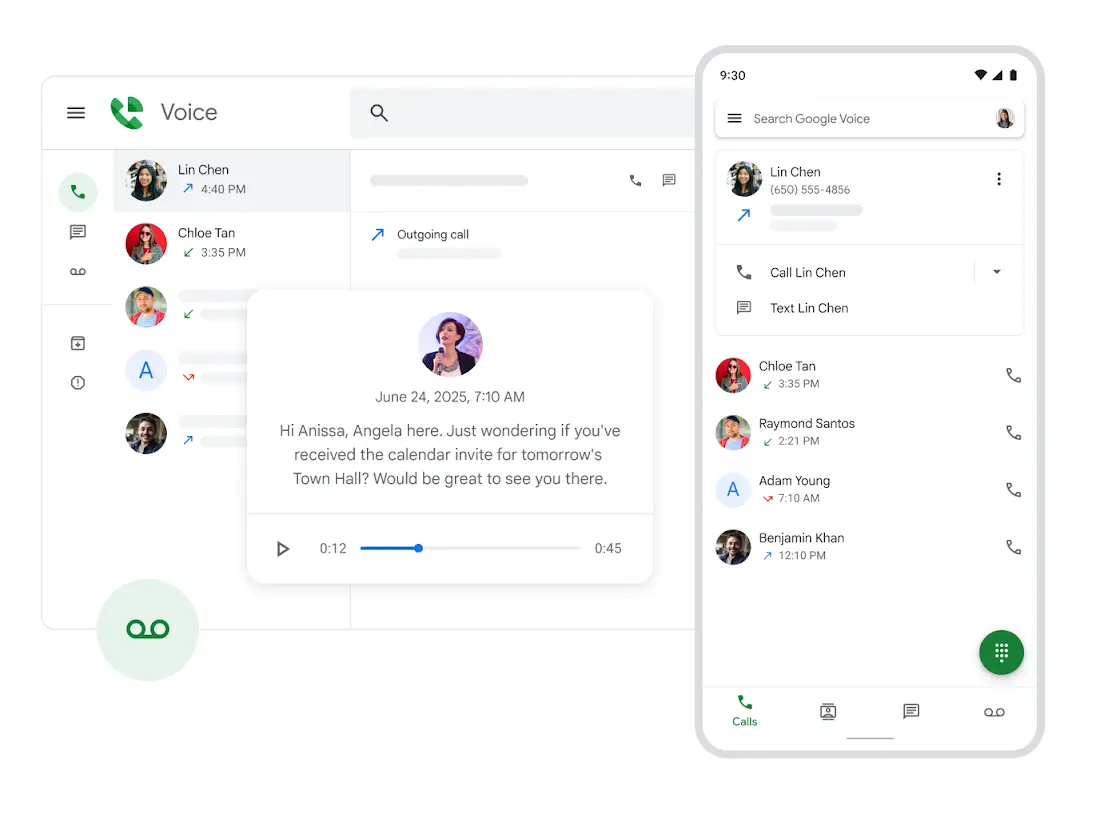
Google Voice for Business is a cloud phone service that comes as part of Google Workspace. It offers calling, text, and voicemail tools that fit naturally into Gmail, Google Calendar, and the rest of the Google ecosystem. The service works best as a paid add-on to an existing Workspace subscription, but it is also available as a standalone voice-only plan.
The service works well for small and midsize teams that already rely on Workspace and want to manage their business communication in the same place as their email and scheduling.
Features
- Voicemail with transcription – Available in English, Danish, Dutch, French, German, Portuguese, and Spanish.
- Call forwarding & screening – Forward, screen, or play custom voicemail for selected contacts.
- Spam protection – Blocked numbers can’t reach you and hear a “Number not in service” message.
- Ring groups – Also known as hunt groups, let members rotate in answering calls.
Integrations
- Gmail
- Google Calendar
- Google Contacts
- Google Meet
- Google Drive
Pricing
Voice only plan:
Starter: $10/user/month (1 user)
As an addition to a Google Workspace plan:
- Starter: $10/user/month (10 users)
- Standard: $20/user/month (unlimited users)
- Premier: $30/user/month (unlimited users)
Free trial
No free trial (Google Workspace trial available)
Why is it a good alternative?
- Native Google integration – Calls, voicemail, and messages connect directly with Google Workspace apps, which allows users to access business communications alongside email, calendar events, and contacts.
- Simplified admin experience – Administrators control users, phone numbers, and settings through the familiar Google Admin console, which reduces setup time and makes management straightforward.
- Reliable infrastructure – Built on Google’s global network, the system provides strong uptime and stable call quality, so teams can depend on consistent performance across locations.
Potential drawbacks of Google Voice for Business
- Limited availability for certain users and regions – While it is offered as a standalone option, access isn’t universal.
- Limited advanced call center tools – Lacks multi-level IVR, predictive dialers, and live call monitoring.
- Basic integrations outside the Google ecosystem – Fewer third-party integrations than its competitors.
Best for
Teams already using Google Workspace and startups with simple communication needs.
7. Line2
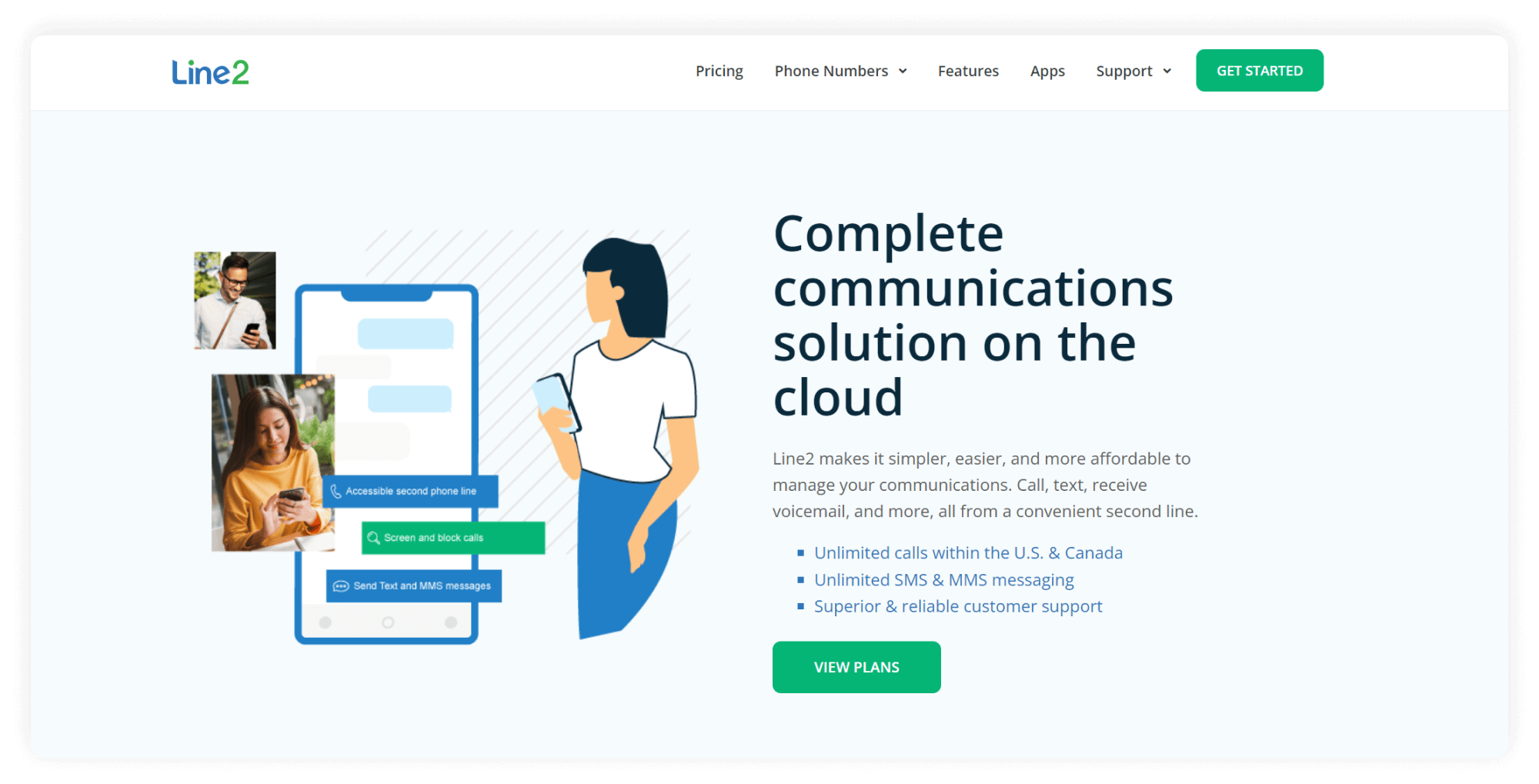
Line2 is a service that lets people handle business phone calls and texts over the internet without any special hardware. Based in San Francisco, it mainly appeals to small teams and solo users who want a straightforward business number they can use on both mobile and desktop.
The service offers core features like unlimited calling and texting in the U.S. and Canada and simple call handling, and it’s easy to set up. Whenever a line needs to be added, removed, or changed, the support team is available at any time to handle the process.
Features
- Auto attendant for basic routing – Callers hear a recorded message with options, each assigned to a keypress.
- Call screening & blocking – Screen calls with a recorded message, accept or send to voicemail, and block unwanted callers.
- Voicemail with transcription – Enabled by default, this sends a copy of each voicemail to your email as an MP3.
Integrations
None.
Pricing
Standard plan: $9.99/month
Free trial
No, but there is a 30-day money-back guarantee on annual billing.
Why is it a good alternative?
- Simple setup and use – Users can start quickly with minimal configuration and get the system running without complex steps.
- Affordable for single users or small teams – Lower entry price than many full business VoIP systems.
- Multi-device support – One virtual phone number works across smartphones and desktops.
- Reliable customer support – Access a dedicated team of customer service representatives who assist with account management and ensure you get the most from your Line2 subscription.
Potential drawbacks of Line2
- Limited advanced features – Lacks true call center tools like IVR queues or detailed analytics.
- No significant integrations – The system offers no connections to third-party apps, so users access most features directly within the platform rather than through external tools.
- Not ideal for larger teams – Designed more for individuals/small businesses, not expansive operations.
Best for
Small teams and independent workers requiring a clean, no-frills business line.
8. LinkedPhone
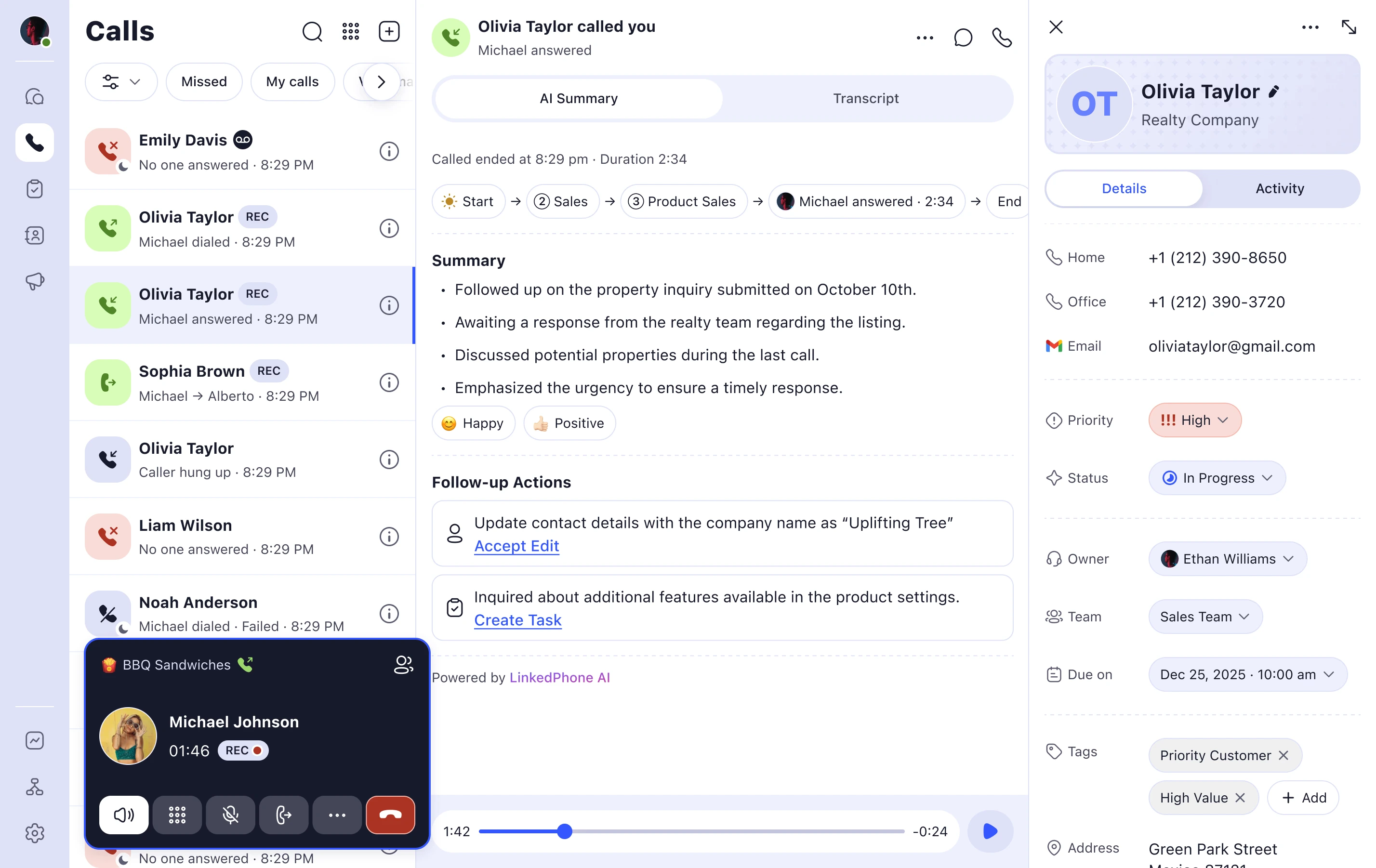
LinkedPhone is a VoIP phone service that helps small businesses and entrepreneurs replace traditional setups with internet-based calling and texting.
The team at LinkedPhone has spent over ten years building complex phone systems for big companies like Apple, IBM, Kaiser Permanente, and Express Scripts, so they know how to handle business communication at scale. Now, the service supports more than 50,000 small business users in the United States and lets people manage their lines from a mobile device, desktop, or office IP phone.
Features
- Auto-attendant / call menu options – Automatically greets callers, routes them, and responds to keypad selections.
- Voicemail with transcription – Delivered immediately to the LinkedPhone app and any email you choose.
- Call routing – Options include simultaneous ringing, sequential ringing, or round-robin call distribution.
- Customer notes view – Newest to oldest: general updates, urgent items, completed tasks, and pending to-dos.
Integrations
8,000+ apps, 450+ AI tools through Zapier
Pricing
- Solopreneur: $14.99/month (1 user)
- Entrepreneur: $19.99/month (up to 3 devices)
- Enterprise Team: $29.99/month (up to 3 devices)
Free trial
Yes, 7 days.
Why is it a good alternative?
- Unified team inbox for calls and texts – LinkedPhone provides a shared space where all team members can see and respond to messages and voicemails.
- Flexible call-routing options – Offers sequential, simultaneous, and round-robin call routing, allowing small teams to balance workloads more effectively than eVoice’s basic forwarding.
- Clear plan structure with unlimited texts – This eVoice alternative includes unlimited texting at its standard tiers.
- Emphasis on team collaboration – Each team member can have an extension, calls can be routed or transferred to colleagues, contacts can be shared, and client notes can be maintained so the team stays coordinated.
Potential drawbacks of LinkedPhone
- Inconsistent call features – While solid for basic business use, LinkedPhone has some buggy features, such as inconsistent caller ID and transcription accuracy, which can be frustrating.
- Interface usability challenges – Some users feel LinkedPhone’s interface can be confusing. Routine tasks like answering calls, adjusting settings, or finding key features can take longer than expected.
- No built-in collaboration beyond calls/text – Unlike some competitors, LinkedPhone doesn’t include video conferencing or task coordination tools within the app.
Best for
Growing teams that want a simple, flexible business phone system.
9. Talkroute
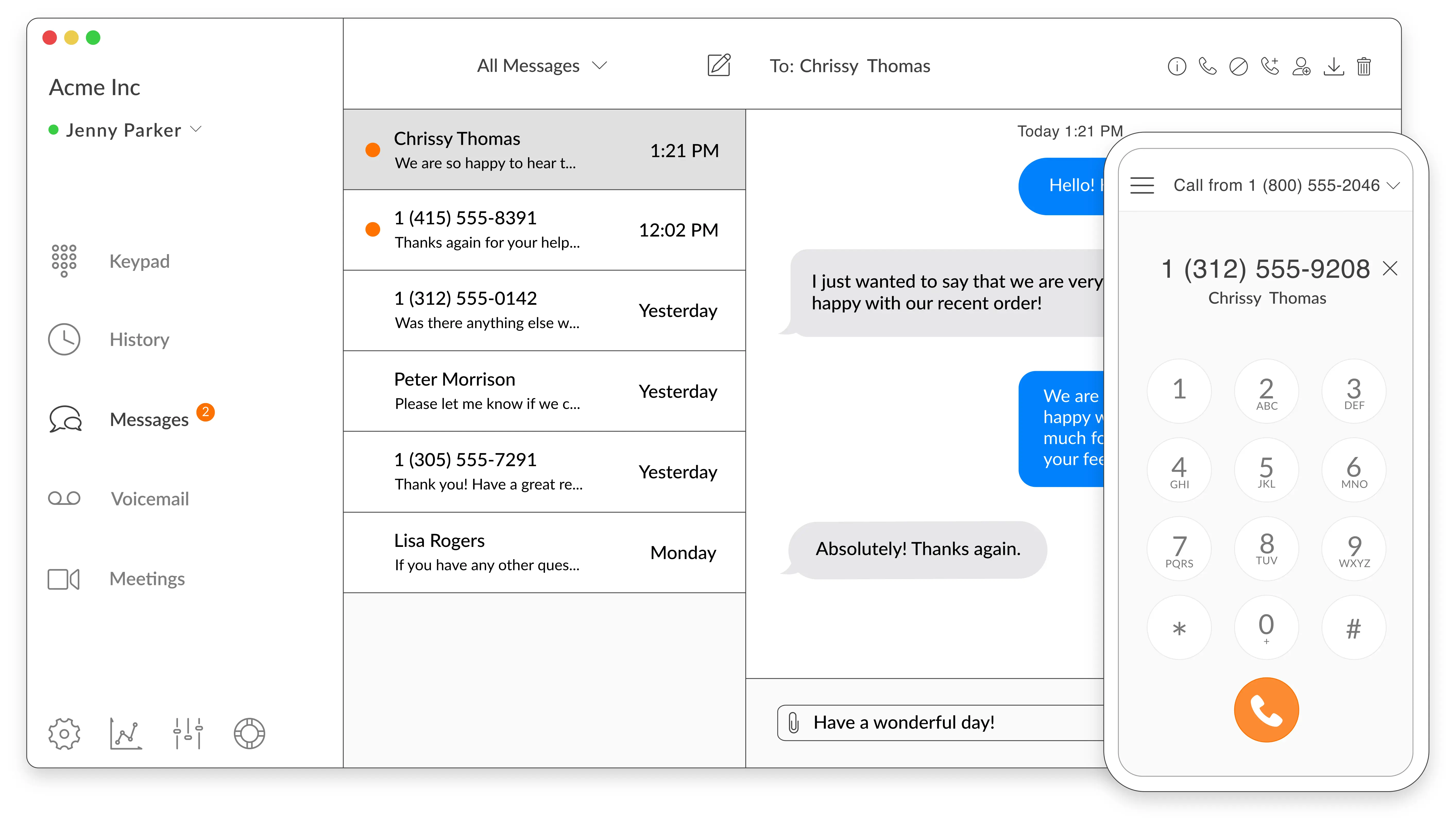
Talkroute is an alternative to eVoice founded in 2013 in the U.S. Teams across different industries use Talkroute for business phone numbers, call handling, and flexible routing, whether they’re working remotely or in the office. It focuses on simplicity and scalability, which ensures that setting up a professional phone presence is quick and straightforward.
Talkroute is one of the few options that includes video in addition to business calls on desktop, web browser, or smartphone. Text messages and voicemail are also accessible everywhere.
Features
- Call forwarding & routing – Rings phones and PCs simultaneously or in order, with optional date and time scheduling.
- Voicemail & voicemail‑to‑email – Notifications come with an .m4a file and a configurable recipient email.
- Custom greetings – With professional in-house voiceover talent for recording.
- Ring in sequence – Set ring time and repeat sequences before sending to voicemail, a menu, or disconnecting.
- Call stacking – Handle multiple calls at once on one phone.
Integrations
- HubSpot
- Slack
- Airtable
- Zoho CRM
- Trello, and more
Pricing
- Basic: $19/month (1 user)
- Plus: $39/month (3 users)
- Pro: $59/month (10 users)
- Enterprise: Custom (20+ users)
Free trial
Yes, 7 days.
Why is it a good alternative?
- Professional call routing – Talkroute’s call forwarding and ring groups provide more flexible call distribution than eVoice’s basic forwarding setup.
- Simpler voicemail and message handling – Voicemail‑to‑email and custom greetings are easier to configure and manage.
- Video conferencing – Lets teams and customers connect through simple, browser-based video meetings with up to 100 participants, screen sharing, and a collaborative whiteboard.
Potential drawbacks of Talkroute
- Limited advanced call center tools – Lacks the multi‑level IVR and live call monitoring found in enterprise‑focused providers.
- Fewer native third‑party integrations – Relies more on connectors like Zapier rather than direct app integrations.
- Basic analytics only – Reporting is functional but not as detailed as higher‑end VoIP reporting dashboards.
Best for
Small and growing companies that want a virtual phone system with strong call routing and forwarding tools that work across phones and apps.
10. Phone.com
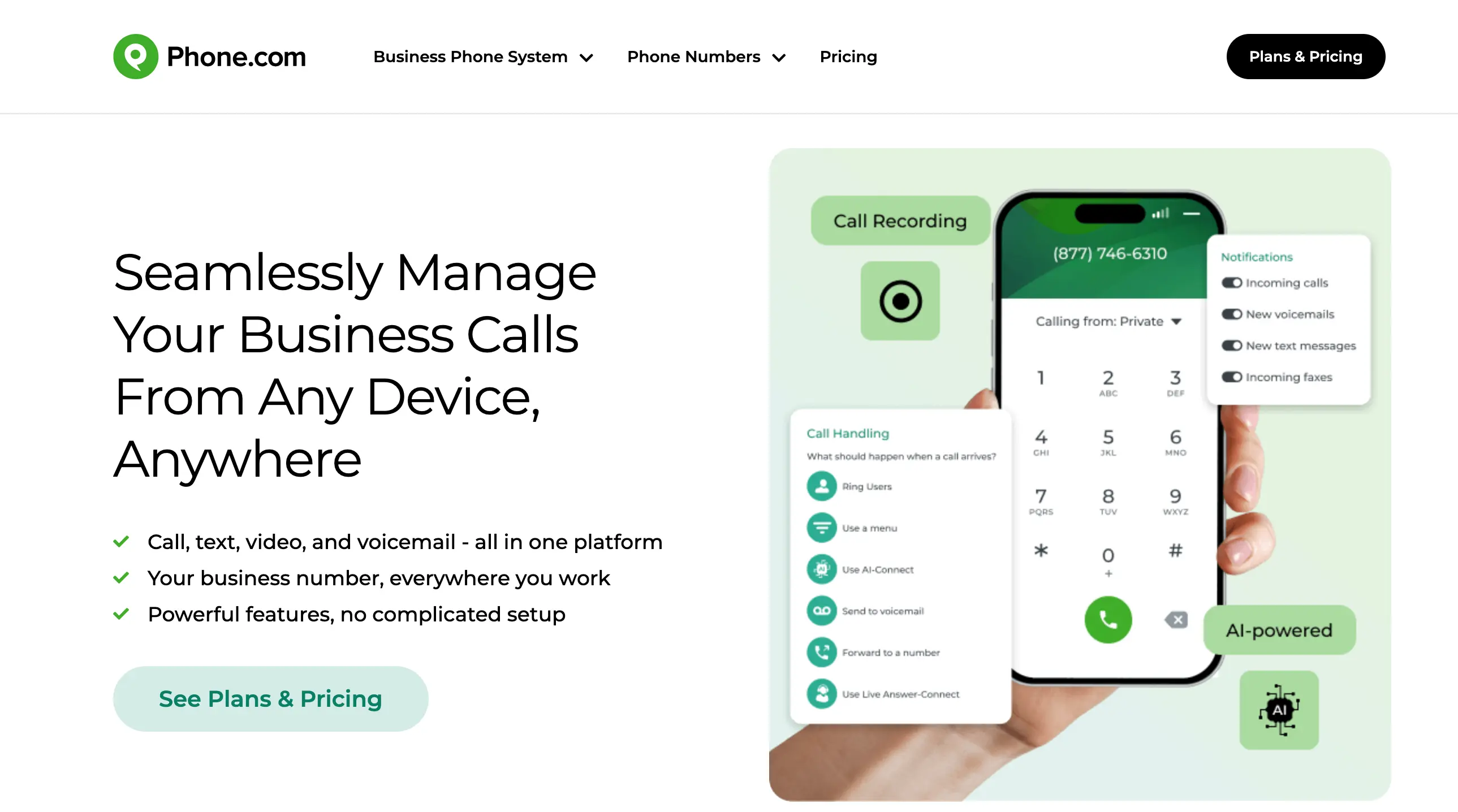
Phone.com is a VoIP service founded in 2007 in the U.S. It gives over 30,000 small and mid-sized teams the tools to manage calls, texts, and virtual numbers from both desktop and mobile devices, all without traditional phone hardware. The platform is easy to set up, scales with your needs, and offers reliable, feature-rich calling at clear pricing.
They work with teams in offices across fields like healthcare, real estate, legal services, and nonprofits. Most of their customers aren’t telephony experts and often don’t have a dedicated IT team.
Features
- Auto‑attendant – Professional voice menu for callers to choose department or contact.
- Call recording – Every 15 seconds, a subtle beep lets parties know the call is being recorded.
- Video conferencing – Includes screen sharing, real-time document collaboration, and in-meeting chat for messages and files.
- AI functionality – AI-Connect analyzes calls via NLP and directs them to the appropriate recipient or voicemail.
Integrations
- Zapier
- Zoho
- Comm100
- AllProWebTools
- Chrometa, and more
Pricing
- Basic: $18/user/month
- Plus: $27/user/month
- Pro: $40/user/month
Free trial
No, but there is a 30-day money-back guarantee.
Why is it a good alternative?
- Video conferencing – Supports meetings with up to 100 participants, unlimited meeting duration, HIPAA-compliant video, and the ability to record sessions for later use.
- AI-powered features – Includes intelligent call routing and appointment scheduling to help streamline workflows and improve efficiency.
- Better call recording options – Built‑in call recording across plans offers more compliance and quality monitoring than eVoice’s limited options.
Potential drawbacks of Phone.com
- Integration depth can be limited – While integrations exist, most require third‑party tools like Zapier for advanced workflows.
- UI and navigation can feel dated – Some users report that the admin dashboard is less intuitive than newer platforms.
- Advanced analytics require higher plans – Detailed reporting and dashboards are reserved for upper tiers.
Best for
Growing businesses that rely on both calls and texts and want built-in phone system features without complex setup.
Find the Right VoIP Solution for Your Business Communication
The right VoIP system matches you with the features, pricing, and reliability that you require. Each alternative we have reviewed brings something different, from simple setups to advanced call management tools. The best options may look slightly different for everyone.
Omnivoice is the best choice for a flexible and easy-to-use business phone service. Its intuitive interface and strong feature set help keep communications simple and efficient, free from the clutter of traditional setups. Give Omnivoice a try and simplify your calls!
FAQ
Yes. eVoice takes technical and organizational steps to protect your personal information from loss, misuse, or unauthorized access. Any partners that handle customer data on their behalf are required to maintain reasonable security measures in line with applicable laws and regulations.
eVoice offers voicemail-to-email notifications and basic transcription, but many users note that transcriptions can be inaccurate for long or accented messages. If accurate voicemail records matter, you might need to review them manually or use another contact center platform.
Yes, you can transfer your local phone number to most eVoice alternative services. The process requires you to keep your eVoice account active until the port is complete. You'll need to give your account details to the new provider and wait for approval, which typically takes about a week.


FAST • SECURE • RELIABLE
business communications