A 210 area code gives your San Antonio business instant local recognition and lasting customer trust from the very first ring. Whether you run a single office or a growing remote team, Omnivoice helps every call sound like it is coming from right around the corner, any hour of the business day.
Where is the 210 Area Code Located?
Many phone area codes are tied to economically active regions and established business hubs. Because area codes shape first impressions, choosing the right one helps small and medium-sized businesses build trust, reach local markets, and grow in regional industries valued by nearby residents.
Areas Served
The 210 area code reaches San Antonio and its surrounding communities, including Alamo Heights, Converse, and Universal City, and extends into Bexar County and the wider Texas region. Businesses serving multiple area codes across this stretch of Texas can rely on one dependable local phone number instead of juggling several separate lines for a single service territory.
The regional economy leans on healthcare, military, tourism, and manufacturing, industries that keep the population working and growing year after year. Residents tend to value businesses that answer quickly and sound familiar.
Time Zone
A San Antonio phone number sits in the Central Time Zone, so typical business hours run from 9 a.m. to 5 p.m. local time. Companies serving customers outside those hours can route after-hours calls to voicemail or a teammate in another time zone, keeping response times short at any hour.
Is It Toll-free?
A 210 phone number is a local number, not a toll-free one. Toll-free numbers use prefixes like 800, 888, or 877, and the business receiving the call pays for the airtime instead of the caller, which is why they tend to cost more to run at scale. Callers dial such a number the same way they dial any other line, and it reads to customers as part of the neighborhood rather than a distant call center.
Why Does Local Area Code Matter?
A local phone number is more than a way to dial in. It shapes how customers feel about a business before the conversation even starts, sometimes before they even pick up the phone, whether that customer is calling for the first time or the tenth time. A few clear advantages explain why this small detail carries weight for a growing company competing for attention in a crowded market.
- Builds instant trust: Customers are more likely to answer or return a call from a local-looking business number than from an unfamiliar toll-free line, since unknown out-of-state numbers are often screened or ignored.
- Supports lead generation: A recognizable prefix makes cold calling and outbound campaigns feel less like spam and more like a neighbor reaching out, improving answer rates over time, especially for teams making a high volume of outbound calls.
- Simplifies pricing: A local prefix typically comes with straightforward, predictable monthly billing instead of the surcharges some providers add for wider coverage, making it easier to budget for any business phone number.
- Strengthens local ties: A 210 area code tells customers a business understands the city, from local events to regional buying habits that outside numbers rarely capture.
- Improves referrals: A familiar local prefix is easier for existing customers to remember and pass along by word of mouth, since people trust a number that already looks familiar.
- Reaches Bexar County partners: Vendors and partners across the county recognize the prefix and treat calls as local outreach rather than out-of-area solicitation, which can shorten the time it takes to close a first deal.
How to Get a 210 Area Code Number for Your Business?
Getting a new area code number with Omnivoice takes just a few simple steps, no matter which area codes your team already serves.
- Search available numbers by city and area code.
- Choose 1-210 as your prefix, then select a number that fits your brand.
- Configure your IVR and routing rules to match your schedule.
- Connect your tools, test call quality, and go live with your new number.

Why Get a 210 Phone Number from Omnivoice
Omnivoice lets a business set up and manage a number entirely online, without the equipment or contracts tied to traditional phone service. Every setting lives in a single dashboard, so teams working remotely or across multiple offices can manage calls from anywhere. There is no waiting for a technician or signing a long contract to make a small change.
Centralized Call Management
Managing multiple 210-area-code phone numbers is simple with Omnivoice. Every greeting and routing rule lives in one dashboard, so admins can adjust settings or add team members in minutes without technician visits or hardware swaps.
Built for Remote and Growing Teams
Because the phone system runs in the cloud, team members can take calls from a laptop, mobile device, or softphone wherever they are working. New hires get access to the same local 210 number set up on their very first day.
Flexible as Your Business Changes
Add extensions, ring groups, or more numbers as headcount grows, or scale down just as easily across any of your area codes. There is no need to replace hardware or renegotiate a contract when business needs shift.
Professional Call Handling
Custom greetings, call menus, call queues, and voicemail transcription keep a business phone system sounding organized, even for a small team answering a high volume of calls. Callers get the same polished experience whether they reach a live person right away or leave a message after hours.
Lower Costs Than Landline Service
Setting up a direct phone line through Omnivoice’s VoIP platform typically costs less than traditional landline service, since there is no on-site equipment to maintain and no installation fee for each new number added to the account.
Reliable Call Quality
Calls are routed over a stable connection built to handle everyday business calls, from quick check-ins to long customer support conversations, without dropped connections during busy hours, no matter which of the area codes your customers call from.
Top Features You Will Get With Your 210 Number
A 210 area code number from Omnivoice comes with a full set of tools built for everyday business use, not just a dial tone. Here are the standout features included with every plan, each one built to keep calls organized and customers happy.
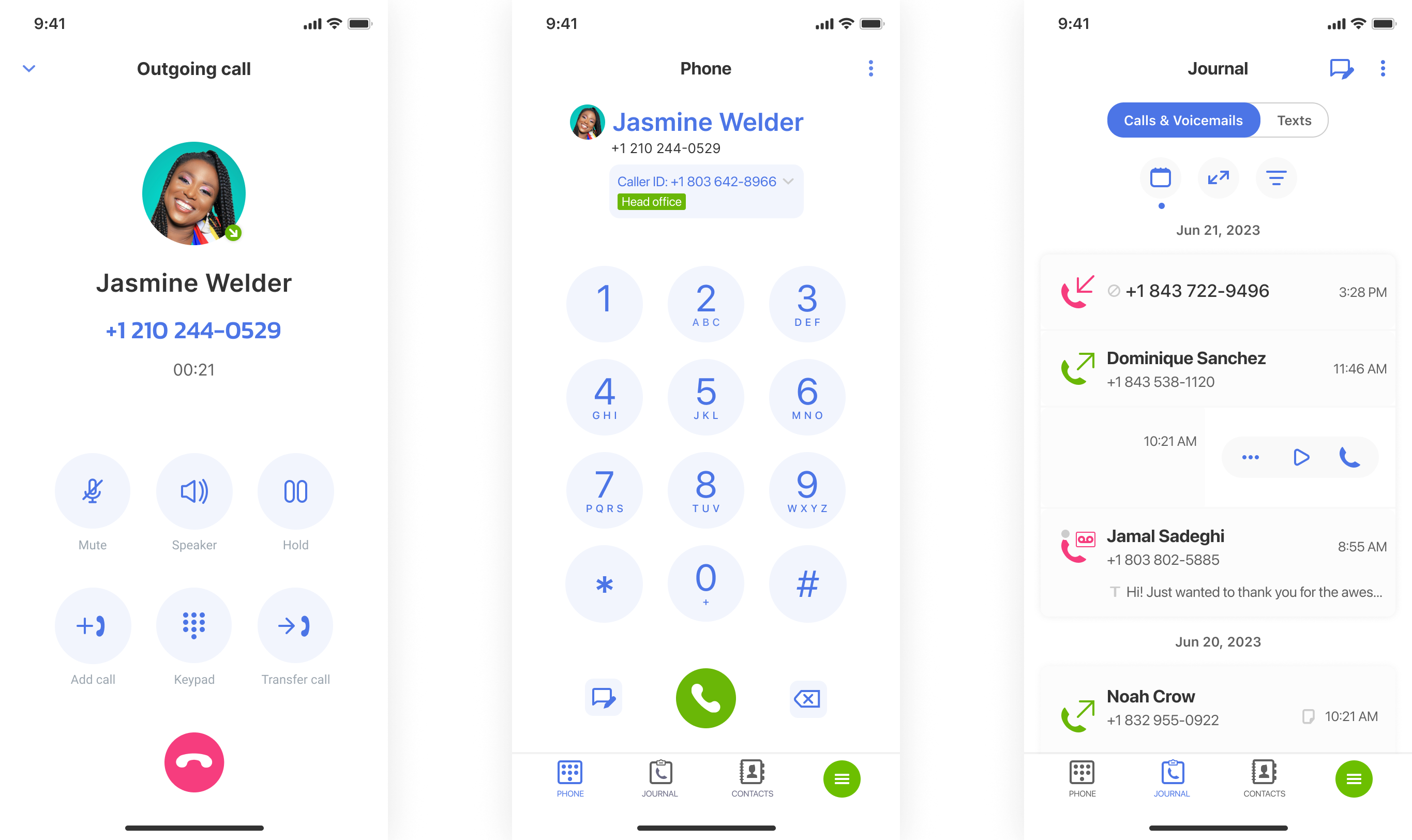
- Webphone: Make and receive calls from a browser on any mobile device or desktop; no separate hardware needed. So a team member can answer a direct phone line from home, the office, or the road with the same number, without ever touching a desk phone or juggling a separate app. It works on any operating system with an internet connection.
- Custom Greeting: Welcome callers with a message that matches your brand and sets expectations before the call connects, letting a business share hours, promotions, contact information, or a warm introduction before a person even picks up the line. Update the recording anytime in just a few clicks.
- Call Queue: Hold incoming calls in an organized queue during peak hours instead of sending them straight to voicemail, so every caller reaching a number with a 210 area code waits their turn and reaches a real person once a line opens up. Hold music keeps callers informed while they wait.
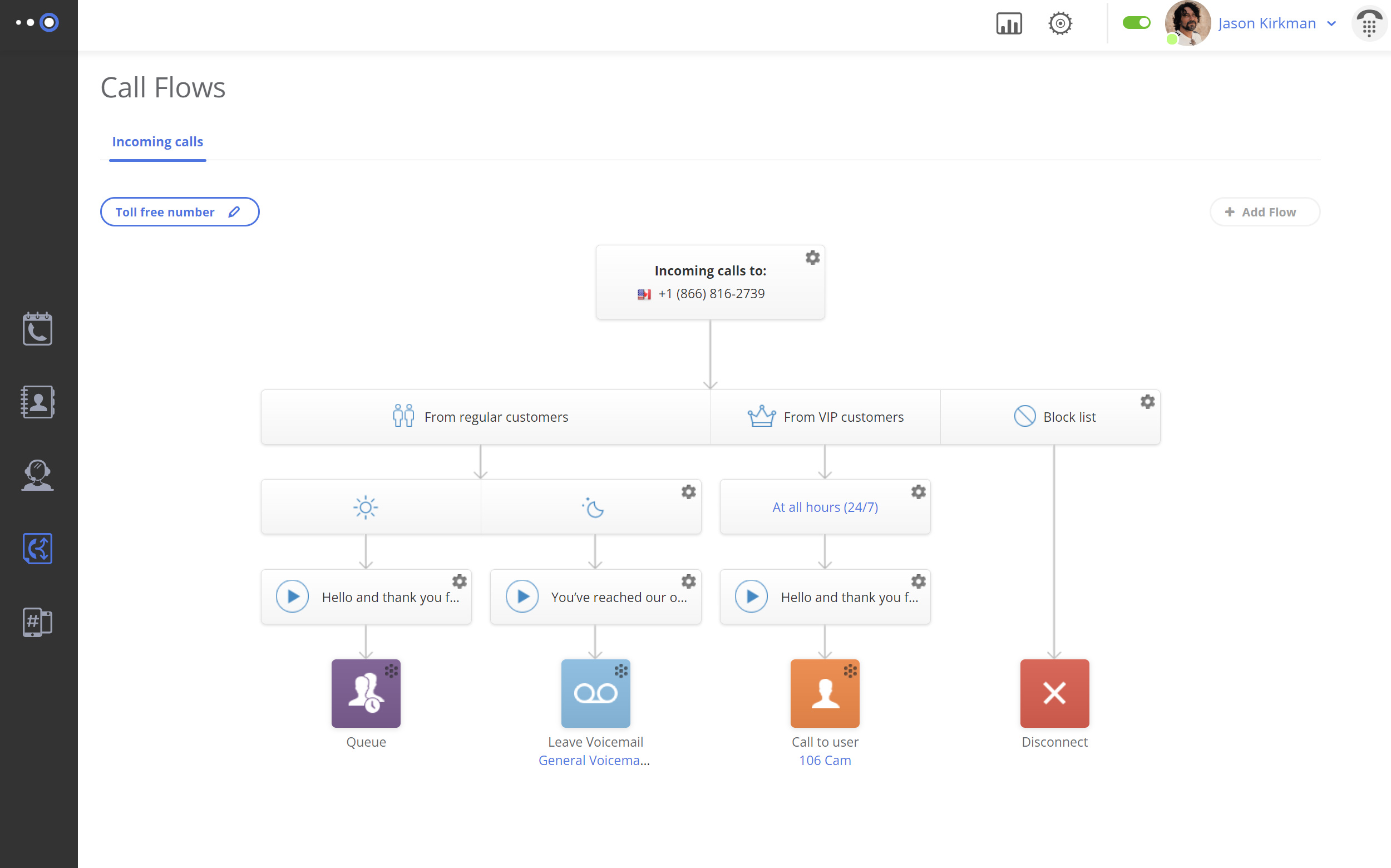
- Call Transfer: Move a caller to the right teammate mid-conversation without dropping the line, making them dial again, or repeating their issue to a second person from the start of the call, keeping the experience smooth on both ends. No extra equipment is needed to complete the transfer.
- Business Hours: Set custom opening and closing schedules; after-hours calls are automatically routed to voicemail or an on-call teammate, keeping the business responsive even outside a typical nine-to-five day. Holiday and weekend schedules can be set well in advance.
- Business Texting: Send and receive text messages from the same line customers already call, so quick updates, confirmations, or reminders do not have to turn into a full phone call for either party. No app download is required on the customer’s end.
You Can Port Your Existing 210 Area Code Phone Number
Switching providers does not mean giving up a number customers already know. Porting an existing 210 number to Omnivoice follows a short process:
- Confirm that your current number is eligible for porting.
- Gather your account information from your existing carrier.
- Submit a porting request through your Omnivoice account dashboard.
- Continue using your existing line with your current provider while the transfer is processed — porting typically takes a few business days.
- Once the port is complete, your number is fully active on Omnivoice and ready to use with all platform features.
210 Area Code History and Overlays
The 210 area code was created in 1992 when San Antonio split off from the wider 512 area code as demand for new phone numbers grew across Texas’s expanding area code system. As available combinations ran low, the 726 overlay was added to the same region in 2014. Overlays allow a city to add a new prefix to its area codes without forcing existing customers to change a number they already use.
| Area Code | Location-Based? | Trust Factor | Known Risks |
|---|---|---|---|
| 210 | Yes, assigned to San Antonio and Bexar County, TX | High: a long-established prefix recognized by local callers | Occasional mix-up with newer 726 numbers in the same overlay region |
| 726 | Yes, overlays the same TX service area | Moderate; newer prefix, less familiar to some residents | Some callers may screen it as unfamiliar since it launched more recently |
Connect with More Texas Customers
A 210 area code gives every business number instant recognition across the region, backed by a cloud phone system built for teams of any size, regardless of location. Omnivoice works the same way whether a business runs from a single office or several branches, and no dedicated IT team is needed to keep it running, since new numbers and extensions can be added the same day. Sign up for Omnivoice today and put a local phone number to work for your business, no matter how many area codes you serve.
Other Texas Area Codes Available in Omnivoice
- 214
- 512
- 713
- 915
- 956
Other USA Phone Codes
FAQ
Area code 210 is a phone area code assigned to a geographic region rather than cell or landline service specifically. Mobile carriers and business phone providers both issue numbers with this prefix, including cloud-based lines used for business calls rather than a physical landline. A telephone number in this area code can belong to a mobile phone, a landline, or a cloud phone system, depending on the provider behind it.
Virtual numbers built on a VoIP phone system handle high call volumes well, since calls route through online infrastructure rather than a single physical line. Features like call queues and IVR spread calls evenly, even for businesses juggling calls across multiple area codes. Adding capacity usually means adjusting a setting rather than installing new phone lines or waiting on a technician visit.
Yes, multiple team members can answer the same 210 phone number using ring groups, user extensions, or shared call queues. Each person takes calls from their own device, so calls get answered quickly without one person handling every call alone. New team members can be added to the same number in minutes.
No special equipment is required. A number with the 210 area code can be routed through a softphone or webphone on a computer or mobile device, so a business can start taking calls without buying desk phones or installing extra lines. A headset and a stable internet connection are usually all a team needs to get started right away.
Omnivoice keeps calls reliable by routing traffic through a stable cloud network with automatic failover; a single connection issue does not take down the entire phone system. Regular monitoring helps catch and resolve problems before they affect a call. Redundant routing and consistent uptime checks help keep a business reachable during peak hours, holidays, and unexpected local outages alike.


FAST • SECURE • RELIABLE
business communications