We have tested and compared 10 phone platforms made for small teams, and here’s what stood out in real use:
Key takeaways
- Omnivoice is best for entrepreneurs and small teams who want all their business communications in one place, while keeping costs manageable.
- Quo (OpenPhone) is best for teams that want unified communication across calls and internal messaging with AI-assisted summaries and automation.
- MightyCall is best for outbound-focused SMBs that rely on high call volumes, performance tracking, and supervisor oversight tools.
- WhatsApp Business is best for teams that handle sales and customer support directly through WhatsApp, and want a free, familiar tool to manage those conversations.
Here’s a brief overview to help you compare alternatives and choose a solution that fits your business needs.
In this article, we will cover:
- Top Alternatives to Line2
- Reasons to Explore Alternatives to Line2
- Our Criteria for Evaluating These Line2 Alternatives
- Detailed Review of 10 Best Line2 Alternatives
- Upgrade Your Business Communication
Top Alternatives to Line2
| Alternative | Starting price (billed monthly) | Unlimited calls (US/CA) | SMS/MMS | Business numbers included | Free trial |
|---|---|---|---|---|---|
| Grasshopper | $9.99/mo | Yes | Yes | 1 local | No |
| Omnivoice | $9/mo | Yes (Company plan) | Add-on | 2 local or toll-free | Yes |
| MightyCall | $25/mo | Yes | Yes | 3 local or toll-free | Yes |
| Quo | $19/mo | Yes | Yes (registration + monthly fee) | 1 local or toll-free | Yes |
| Microsoft Teams Phone | $10/mo (annual subscription only) | No | Yes | 1 local | Yes |
| Sideline | $14.49/mo | Yes | Yes | 1 local or toll-free | No |
| Google Voice | $10/mo | Yes | Yes | 1 local | No |
| eVoice | $14/mo | Yes | Yes (Elite Plus only) | 3 local or toll-free | No |
| LinkedPhone | $14.99/mo | Yes | Yes | 1 local or toll-free | Yes |
| Zoom Phone | $18/mo | Yes | Yes | 1 local or toll-free | Yes |
| WhatsApp Business | Pay-as-you-go | No | No | No | No |
Disclaimer: Prices listed are the lowest available tiers and are accurate at the time of publication.
Many of these Line2 alternatives give your team a little more breathing room. Some are lightweight and budget-friendly, perfect if you just need something simple and reliable. Others feel more like full business phone systems that can grow right alongside you. With so many options offering flexible features, it gets a lot easier to find the best Line2 alternative that fits the way your team communicates.
Reasons to Explore Alternatives to Line2
Many businesses begin exploring alternatives when they encounter limitations that affect daily communication or hinder growth. The most commonly cited reasons for seeking a more robust VoIP solution are:
- Limited advanced calling tools – Line2 lacks call routing, queues, and ring groups that larger teams need to manage high call volumes efficiently.
- Minimal integration support – Without native CRM or helpdesk integrations, automating workflows or syncing communication data with core business systems is challenging.
- Scalability constraints – Made primarily for solo users or very small teams, its administrative controls and multi-user management don’t meet the needs of growing organizations.
- Performance reliability issues – Some users report sporadic service interruptions and occasional call or text glitches.
- Outdated interface and basic feature set – The user interface feels dated, and even core features, such as messaging, can be limited compared with some VoIP platforms.
- Inconsistent customer support – Customer support experiences are mixed. Some users praise quick, helpful responses, but others report long wait times or unresolved issues.
Given these factors, many teams opt for providers that deliver more advanced business calling tools, deeper integrations, and more reliable performance to better support evolving communication needs.
Our Criteria for Evaluating These Line2 Alternatives
When comparing the best alternatives to Line2, we focused on a few key factors to determine which services stand out for everyday business use and help choose the best VoIP service:
- Price – For each Line2 alternative, we looked at starting plans and overall affordability, including whether the service offers flexible billing or free trials.
- Key features – Essential VoIP tools like call forwarding, voicemail, SMS, and advanced options, such as IVR or call monitoring.
- Integrations available – How easily the platform connects with CRMs, productivity apps, and other business tools.
- Call quality – Reliability of voice connections and minimal disruptions or dropped calls.
- User reviews – Feedback from real customers, including ease of use, support quality, and satisfaction.
Detailed Review of 10 Best Line2 Alternatives
Even if you focus only on solutions for small businesses, the options can be overwhelming. To make the selection process simpler, we’ve highlighted the top 10 virtual phone services, with the key details to evaluate and choose the right Line2 alternative:
- Omnivoice
- MightyCall
- Quo
- MS Teams Phone
- Sideline
- Google Voice for Business
- eVoice
- LinkedPhone
- Zoom Phone
- WhatsApp Business
1. Omnivoice
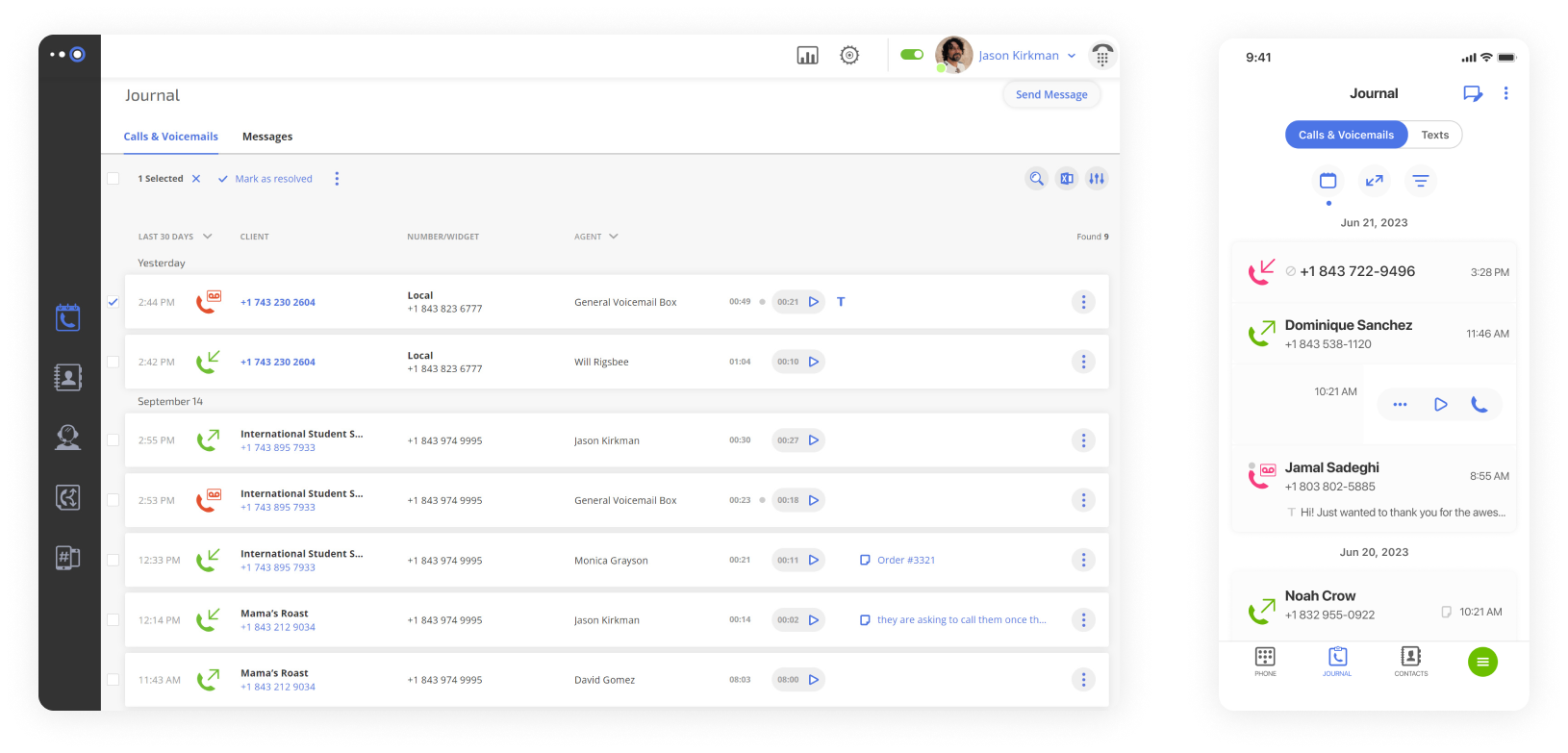
Omnivoice, a key competitor to Line2, is a virtual phone system that simplifies communication for small teams. Since its launch, it has grown steadily and now serves thousands of clients across various industries.
The service offers flexible call management, professional business phone numbers, and full remote access, so teams can work from anywhere. It scales with a company’s needs and allows updates to phone systems without high upfront costs. Omnivoice also provides a dedicated support team that delivers live, personalized assistance whenever it is required.
Features
- Call forwarding & routing – Sends incoming calls to the correct person or team automatically.
- Multi-level IVR – Multiple menu layers guide callers and help separate messages efficiently.
- Voicemail and voicemail-to-email – Captures messages and forwards them to email for convenient access.
- Caller ID – Shows who is calling and helps distinguish personal calls from business ones.
- Conference calling – Allows several participants to join the same call for group discussions.
- Mobile app support – Manage calls, texts, and system settings directly from iOS or Android devices.
Integrations
None.
Pricing
- Basic: $9/month (1 user)
- Pro: $19/month (3 users)
- Enterprise: $99/month (unlimited users)
Free trial
Yes, 7 days.
Why is it a good alternative?
- More robust call handling – Supports call routing and forwarding that’s more flexible than Line2’s basic options.
- Better virtual phone number options – Even entry-level plans include multiple local or toll-free number options, whereas Line2 only offers a single business line.
- Free trial available – You can try Omnivoice’s features, from call routing to voicemail, before committing. Line2 doesn’t provide a true trial, so you must subscribe first to see whether it fits your workflow.
- Higher sound quality – Delivers clear, reliable, enterprise-grade audio that feels noticeably more professional than Line2.
Potential drawbacks of Omnivoice
- Add‑ons required for SMS – Text and MMS may cost extra, while Line2 includes unlimited messaging.
- No integrations included – Productivity and CRM integrations aren’t available at this time.
- No advanced AI tools yet – Omnivoice lacks built‑in AI voicemail or smart automation features that competitors are adding.
Best for
SMBs and startups seeking an easy-to-manage platform for calls, messages, and business numbers.
2. MightyCall
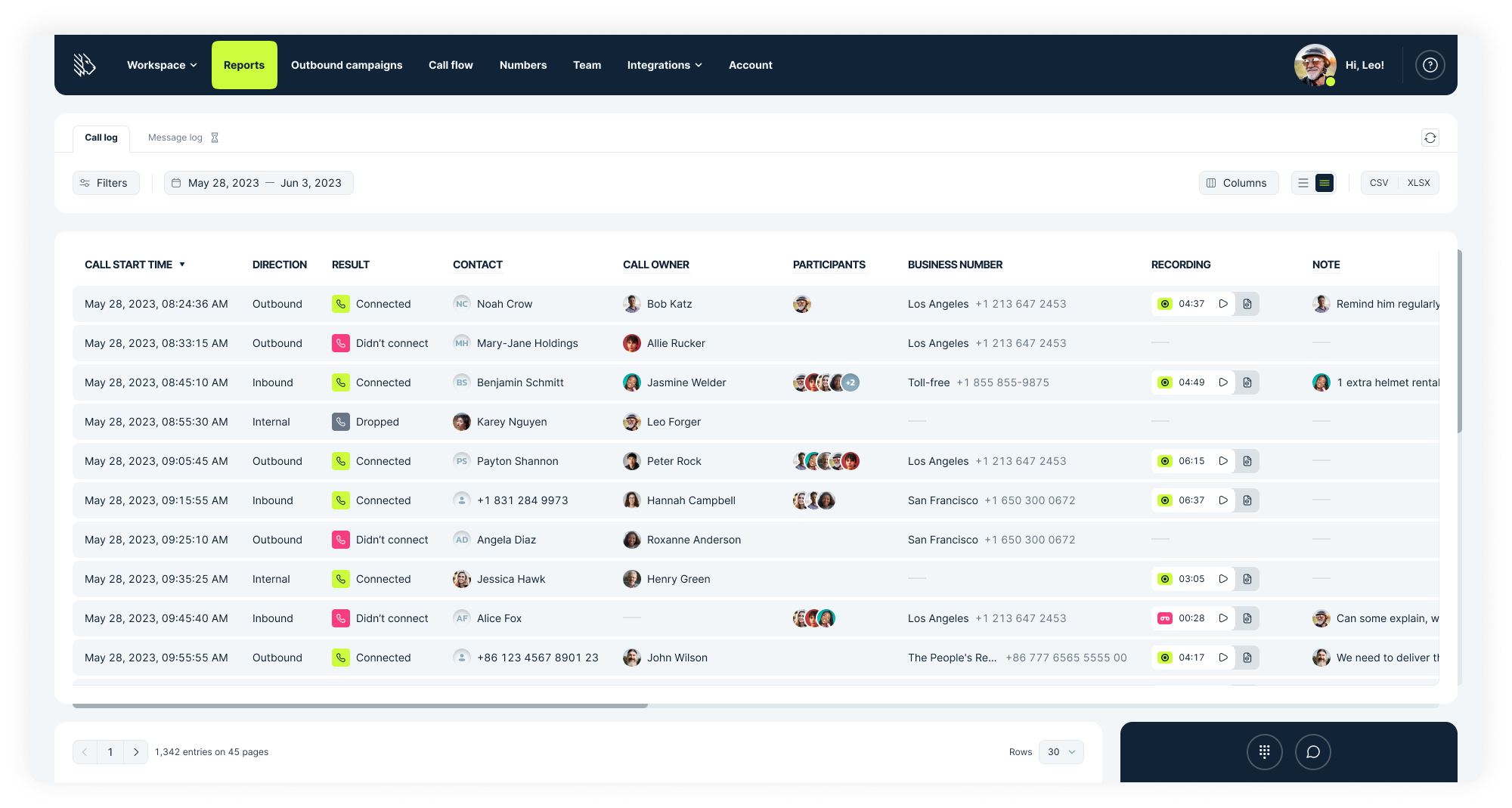
Founded in 2013 in the United States, MightyCall now serves more than thousands of clients worldwide. The platform provides startups and small businesses with professional business communication without the need for complex hardware.
Built by telecom specialists with deep experience in enterprise systems, this Line2 alternative emphasizes ease of use and essential call center tools. Teams can manage business telephone numbers, calls, and messages from a single interface, which gives even the smallest organizations access to reliable, professional VoIP features.
Features
- Call forwarding & routing – Sends incoming calls to specific people, teams, or voicemail according to predefined rules.
- Multi-level IVR – Multiple menu layers that guide callers to the correct department or option.
- Voicemail and voicemail-to-email – Captures messages and delivers them to email.
- Live call monitoring – Allows supervisors to listen, join, whisper advice, intercept, or record calls for quality control.
- Automated dialers – Outbound calling tools using predictive, progressive, or preview modes to streamline campaigns.
- Ring groups – Incoming calls reach several agents at once or in a specific sequence.
Integrations
- HubSpot
- Salesforce
- Balto
- Zapier support with 8,000+ apps and 450+ AI tools available.
- API (custom integrations and functionalities)
- Zoho (coming soon)
Pricing
- Core: $25/user/month (3-user minimum)
- Pro: $45/user/month (3-user minimum)
- Power: $65/user/month (3-user minimum)
- Enterprise: Custom
Free trial
Yes, 7 days.
Why is it a good alternative?
- Advanced call center features – Includes auto dialers, number reputation management, local presence dialing, and call center reporting, which are capabilities that Line2 doesn’t offer.
- Custom routing and automation – With configurable call queues and intelligent IVR, MightyCall gives businesses more control over how calls are handled.
- Live call monitoring – MightyCall’s real-time dashboards and live supervision features help teams track calls as they happen and improve overall efficiency and outcomes.
- Multi‑user workspace – Supports user roles and team organization tools that help manage multiple agents or departments, whereas Line2 is more focused on individual users.
Potential drawbacks of MightyCall
- Higher cost for full features – Many advanced capabilities, like auto dialers or live monitoring, are only available on higher‑tier plans, which raises the overall price.
- Mobile app inconsistencies – Some users report occasional glitches in the mobile app experience, which can affect responsiveness for field or on‑the‑go teams.
- Less focus on collaboration tools – MightyCall does not include built‑in team collaboration features (like internal chat, shared task boards, or document sharing), which some unified communication platforms now bundle.
Best for
Small and mid-sized businesses that need a reliable outbound call center solution with flexible call management and mobile-friendly tools.
3. Quo (OpenPhone)
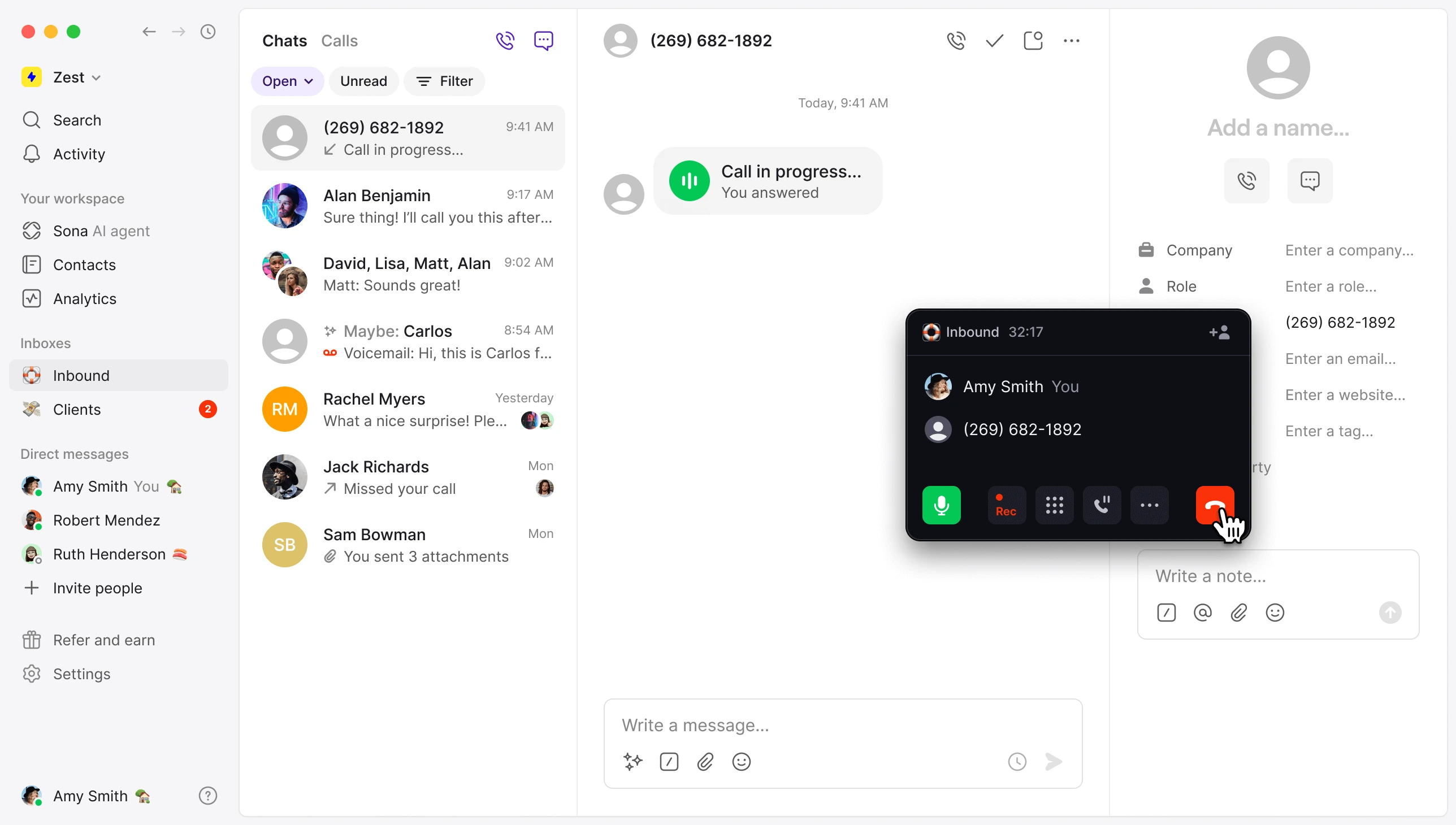
Quo (formerly OpenPhone) is a US-based unified communication platform provider that brings calls, texts, and team messaging together in a single app. The service targets teams seeking a mobile-first phone solution with modern collaboration tools, and updates are regularly released based on user feedback.
Quo leverages Sona AI to handle tasks, such as note-taking, generating call summaries, and applying automatic tags, allowing teams to focus on customer interactions. Businesses can provide their own information to train it and preview the responses before going live.
Features
- Automated call routing – Calls follow tailored flows that adapt to holidays, campaigns, or team changes.
- Team inbox – A complete overview of all conversations and replies is available, with tags, notes, and internal threads.
- Operating hours setup – Different hours can be set up for each day, with automatic status updates reflecting team availability.
- Voicemail & transcription – Messages are captured and transcribed for quick reference and easier follow-up.
- Sona AI assistant – Users can personalize prompts, greetings, and the information gathered from callers.
Integrations
- HubSpot
- Zapier
- Slack
- Pipedrive
- Gong, and more
Pricing
- Starter: $19/user/month
- Business: $33/user/month
- Scale: $47/user/month
Free trial
Yes, 7 days.
Why is it a good alternative?
- Unified communication in one app – Combines calling, texting, and team messaging into a single inbox, whereas Line2 separates these functions and lacks shared team messaging.
- AI‑powered call handling – Quo’s built‑in AI assistant (Sona) can transcribe voicemails, summarize calls, and manage greetings.
- Flexible call routing and operating hours – Offers more sophisticated routing logic based on team availability and working hours.
- Collaborative team features – Shared tags, internal threads, and team inbox views help multiple users coordinate responses.
Potential drawbacks of Quo
- Credit‑based calling limits with Sona – Sona uses a credit system for calls, with 1,000 free automation credits (equivalent to 10 calls). Teams that make many calls may find this system confusing or potentially more expensive once free credits run out.
- Limited advanced analytics – Provides call summaries and logs, but it doesn’t offer deep performance dashboards or historical analytics like enterprise‑grade VoIP systems.
- Limited advanced call center features – Quo doesn’t offer full call center tools, such as call queues, real‑time agent performance dashboards, or whisper/barge/takeover functions.
Best for
Companies looking for a flexible, all-in-one alternative to Line2 for managing their calls and staying connected.
4. MS Teams Phone
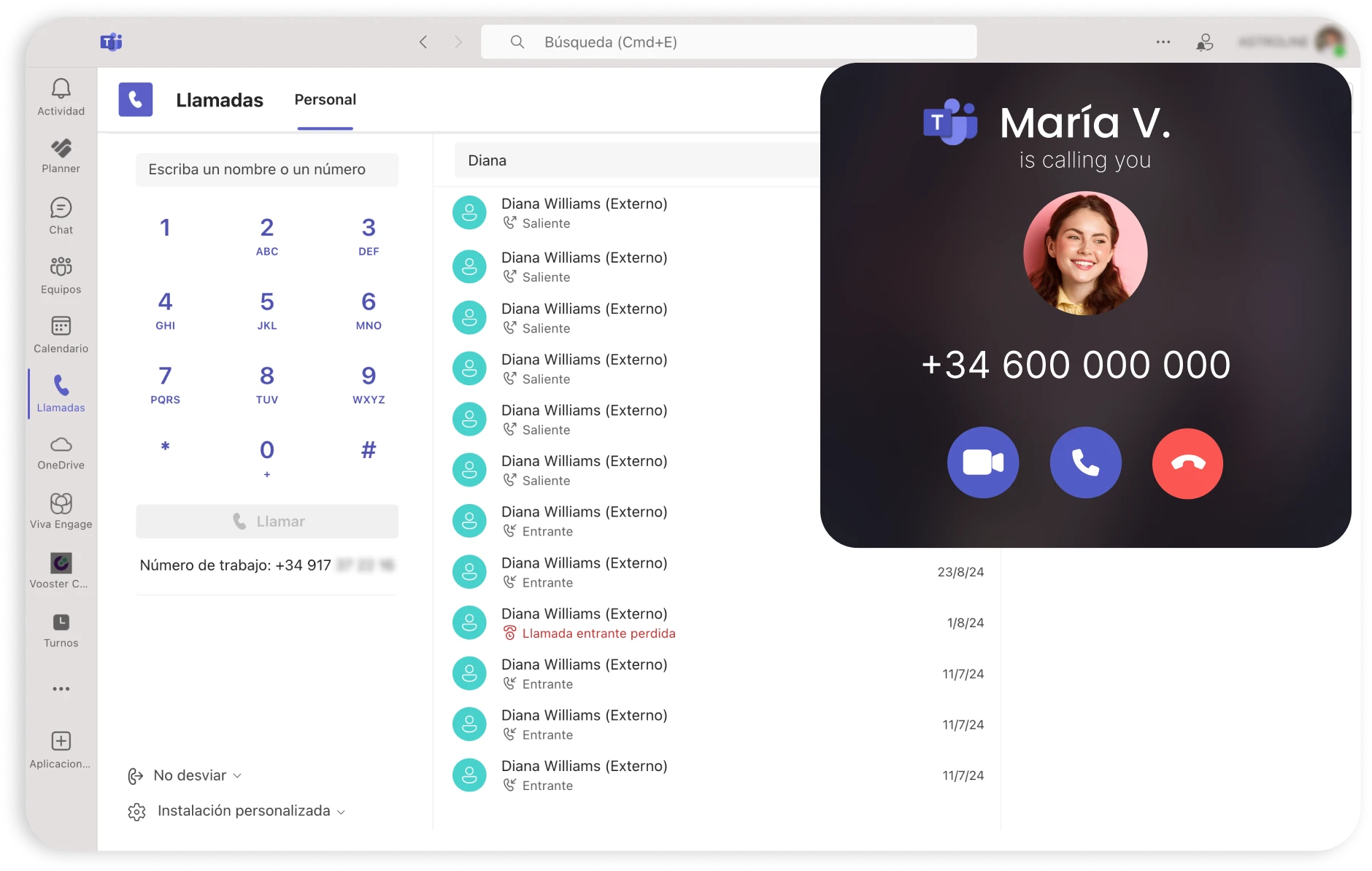
MS Teams Phone is a cloud phone system that allows users to make calls directly from the Microsoft Teams interface.
Since its launch in 2017, Teams has been updated continuously, and Microsoft has placed a strong focus on evolving Teams Phone and improving its cloud calling capabilities. It supports both internal VoIP calls and connections to the public switched telephone network. Fully integrated with Teams, it enables employees to manage calls, meetings, and collaboration from a single, unified platform.
Features
- Accessible calling features – Offers recordings, transcripts, voicemails, and captions in preferred languages, unlike Line2.
- Collaborative calling – Facilitates call transfers, forwarding, simultaneous ringing, and busy-on-busy handling.
- AI features – Provides AI-generated notes, real-time summaries, call insights, intelligent recaps with Copilot, and speech enhancements like voice isolation and background noise suppression.
Integrations
None.
Pricing
- Standard: $10/user/month
- Pay-as-you-go calling: $13/user/month
- Calling plan: $17/user/month
- Domestic and international calling: $34/user/month
Free trial
Yes, Teams Phone Standard and the Calling Plan option both come with a one-month free trial.
Why is it a good alternative?
- Advanced calling and management tools – Includes call transfer, hold/park, voicemail with transcription, and busy‑on‑busy handling, which are more powerful and business‑ready.
- Scalable for organizations – With support for large user counts, shared line groups, and centralized admin controls through Microsoft 365, Teams Phone is better suited for mid‑sized and enterprise deployments.
- AI‑enhanced voice features – Integrated AI delivers real‑time call insights, summaries, and voice enhancements, such as noise suppression.
Potential drawbacks of MS Teams Phone
- Requires Microsoft 365 ecosystem – To get full functionality, Teams Phone relies on a Microsoft 365 subscription, which can be a barrier for businesses not already invested in that ecosystem.
- Higher overall cost – This alternative to Line2 requires add‑ons for calling plans, international minutes, and premium features, making it more expensive than basic VoIP alternatives, especially for smaller workgroups.
- Steeper learning curve – The combined Teams platform has many features and settings, which can feel overwhelming for users accustomed to simple phone apps like Line2.
Best for
Businesses that already use Microsoft Teams and want a unified platform for calls, meetings, and collaboration.
5. Sideline

Launched in 2015 and headquartered in the USA, Sideline provides freelancers and small business owners with a way to separate work and personal calls. The app adds a second number to your existing smartphone, which makes professional communication simple and manageable on the go.
Sideline works directly over your cellular network, so calls can be made and received wherever there is a signal. Users can also switch between Wi-Fi and mobile networks. This can be useful in areas with a weak signal.
Features
- Caller ID and call screening – Shows the phone number or saved contact name of incoming calls.
- Group messaging – Send messages to several contacts at once (up to 10 recipients).
- Voicemail – Access messages directly in chat, with playback or text transcription.
- Auto-reply texting – Sends a quick response of up to 160 characters when you’re away.
Integrations
No.
Pricing
Standard advertised plan: $14.49.
Free trial
No free trial is available; plans begin at $6.99 for the first month, with regular pricing applying afterward.
Why is it a good alternative?
- Simple business number setup – Sideline quickly adds a dedicated business number to your existing phone without requiring separate softphone installations or complex setup steps.
- Unified inbox – All messaging is included at every plan level and appears in a single inbox, with no extra credits or add-ons required.
- Designed for mobile professionals – Sideline’s feature set (caller ID, auto‑reply, group texting) is optimized for on‑the‑go communication.
Potential drawbacks of Sideline
- No full VoIP feature set – Sideline lacks advanced phone system features like multi‑level IVR, call queues, or business extensions that larger teams may need.
- Limited desktop support – Sideline is primarily mobile‑centric, with minimal functionality on desktop devices compared to traditional VoIP systems.
- No robust analytics or reporting – Sideline doesn’t offer deep call metrics or dashboards, which makes it less suitable for teams that require performance insights and tracking.
Best for
Mobile-first professionals who need quick setup and simple call management on the go.
6. Google Voice for Business
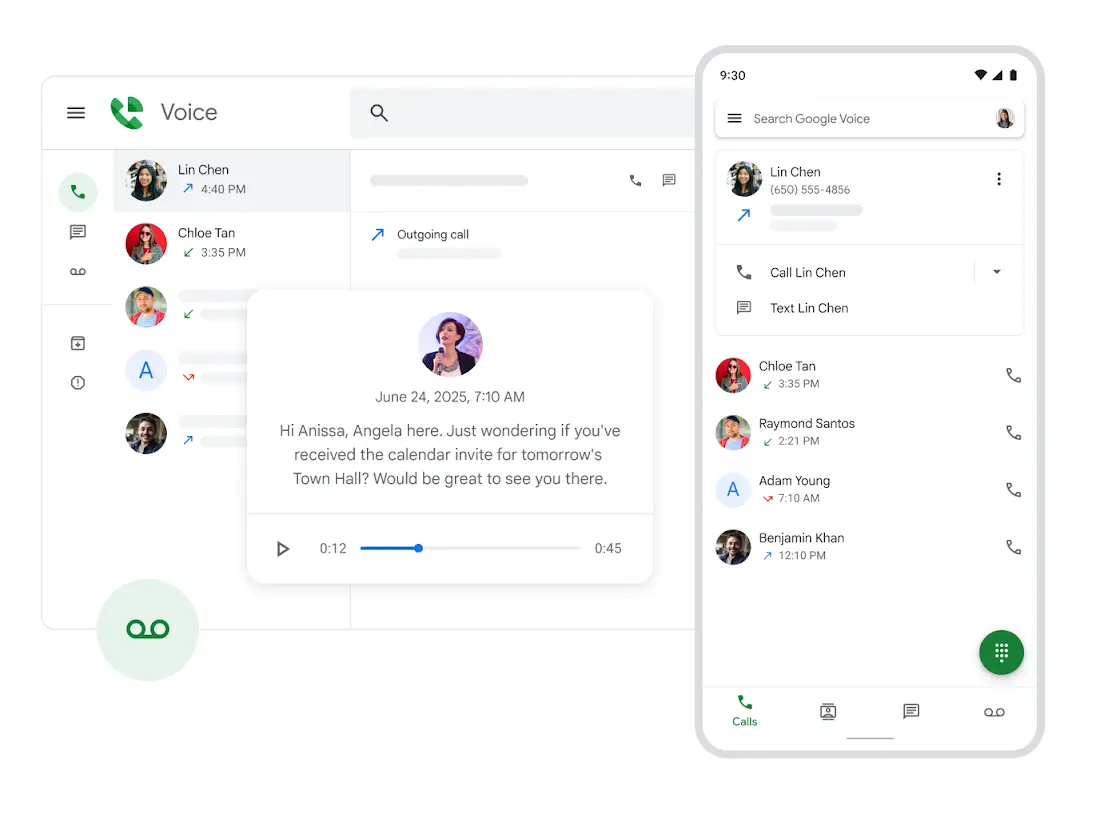
Google Voice for Business is a VoIP phone service integrated with Google Workspace, providing calling, texting, and voicemail alongside Gmail, Calendar, and other Workspace tools. While it functions best as an add-on to an existing Workspace subscription, a standalone voice-only option is also available.
Google Voice is a well-known and established name in cloud telephony, familiar to many in the market, but its primary focus is on smaller teams rather than large enterprises.
Features
- Call forwarding & screening – Forward calls, screen them, or play a personalized voicemail for specific contacts.
- Voicemail – Transcriptions available in English, Danish, Dutch, French, German, Portuguese, and Spanish.
- Spam protection – Blocked numbers receive a “Number not in service” message and cannot reach you.
- Ring groups – Also called hunt groups, calls rotate among group members for answering.
Integrations
- Gmail
- Google Calendar
- Google Contacts
- Google Meet
- Google Drive
Pricing
Voice-only option:
- Starter: $10 per user each month, covering 1 user
Add-on for Google Workspace:
- Starter: $10 per user/month, minimum 10 users
- Standard: $20 per user/month, unlimited users
- Premier: $30 per user/month, unlimited users
Free trial
No standalone trial for Google Voice, though Google Workspace offers one.
Why is it a good alternative?
- Native integration with Google Workspace – Google Voice works directly with Gmail, Calendar, Contacts, and Meet, which gives teams a unified communication experience.
- Stronger spam protection and screening – Built‑in spam filtering and customizable screening offer better protection against unwanted calls compared to Line2.
- Reliable infrastructure and uptime – Google’s global network delivers consistent call quality and availability.
Potential drawbacks of Google Voice for Business
- Limited third‑party integrations – Outside of Google’s ecosystem, Voice has fewer native connections to major CRMs and helpdesk platforms.
- No advanced contact center tools – Features like multi‑level IVR, detailed analytics, or live agent monitoring aren’t available, which limits suitability for larger support operations.
- Limited branding customization – Has fewer options for customizing prompts, greetings, and voicemail branding compared with traditional VoIP systems that offer more control.
Best for
Professionals and small companies that prefer cloud-based communication tied directly to their existing Google apps.
7. eVoice
eVoice has been around since 2000, with a full relaunch in 2010. Behind this service provider is J2 Global, a long-established provider of cloud-based business tools founded in 1995. Over the years, J2 Global has built a global network of more than 11 million subscribers in thousands of cities across nearly every continent. The same company powers eFax for digital faxing, Campaigner for marketing automation, and KeepItSafe for secure cloud backup.
eVoice helps small businesses manage calls easily, look professional to customers, and work from anywhere.
Features
- Auto-attendant – A menu-driven system with unlimited extensions for self-directed caller routing.
- Multiple extensions – Support for multiple extensions within one account for colleague-specific call routing.
- Merged calling – Capacity to merge up to 94 participants into a single conference call.
- Call scheduling – Flexible routing schedules based on the time of day or the day of the week.
- Usage reports – Call history and duration summaries for clear activity visibility.
Integrations
None.
Pricing
- Elite: $14/month
- Elite Plus: $21/month
Free trial
No, but both plans include a 30-day money-back guarantee.
Why is it a good alternative?
- More robust auto‑attendant features – Offers a customizable auto‑attendant and menu system for routing calls to departments or extensions.
- Higher conferencing capacity – Supports large multi‑participant conference calls, which gives businesses more flexibility for team calls and client meetings.
- Professional call screening tools – Includes advanced call screening and routing options that help manage inbound traffic more effectively.
Potential drawbacks of eVoice
- Outdated user interface – The platform’s design and dashboard feel dated compared to those of modern VoIP providers.
- No native CRM or helpdesk integrations – This Line2 competitor does not offer built‑in connections to popular business systems.
- Minimal advanced analytics – While it provides basic usage reports, eVoice lacks the detailed dashboards and call performance analytics offered by many competitors.
Best for
Small teams that prefer a communication platform supported by a global company with decades of experience.
8. LinkedPhone
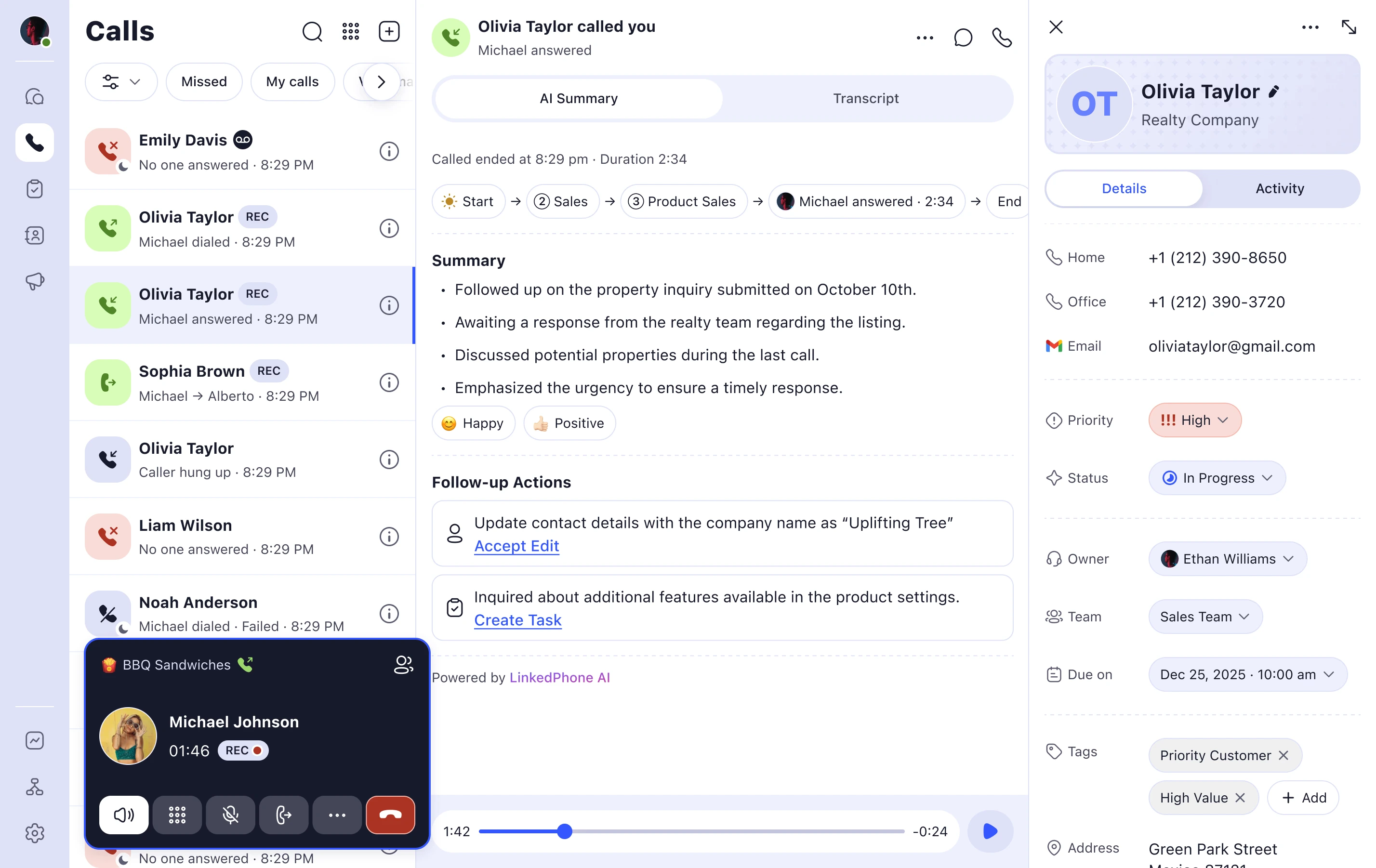
LinkedPhone offers small businesses and solo entrepreneurs a way to handle calls and texts over the internet, which is more convenient than traditional phone lines.
The team behind the service has built large-scale phone systems for major corporations such as Apple, IBM, and Kaiser Permanente, and brought that experience to smaller teams. Today, more than 50,000 US-based users manage their business telephone numbers from smartphones, desktop computers, or office IP phones.
Features
- Auto-attendant – Automatically greets callers, routes them, and responds to keypad selections.
- Voicemail with transcription – Delivered immediately to the app and any email address you choose.
- Call routing – Options include simultaneous or sequential ringing, or round-robin call distribution.
- Customer notes view – Newest to oldest: general updates, urgent items, completed tasks, and pending to-dos.
Integrations
Zapier support with 8,000+ apps and 450+ AI tools available.
Pricing
- Solopreneur: $14.99/month (1 user)
- Entrepreneur: $19.99/month (up to 3 devices)
- Enterprise Team: $29.99/month (up to 3 devices)
Free trial
Yes, 7 days.
Why is it a good alternative?
- Stronger shared team workspace – Offers a shared call and message inbox with notes and status tags, which makes it easier for multiple users to collaborate.
- Flexible call routing options – Supports simultaneous, sequential, and round‑robin ringing for more control over how calls are distributed.
- Built‑in voicemail transcription and logs – LinkedPhone delivers voicemails with transcription and detailed call logs for better visibility into past interactions compared with Line2’s simpler records.
Potential drawbacks of LinkedPhone
- No true desktop application – The platform runs in mobile apps and web browsers but lacks a dedicated desktop program, which can be a drawback for office teams that prefer native desktop tools.
- Call forwarding inconsistencies reported – Some users note issues with forwarding reliability and caller ID behavior.
- Feature gaps for advanced call centers – Lacks some advanced features like live call monitoring, call queues, or predictive dialing that larger teams may need.
Best for
Businesses looking for a reliable phone solution that can grow with their team.
9. Zoom Phone
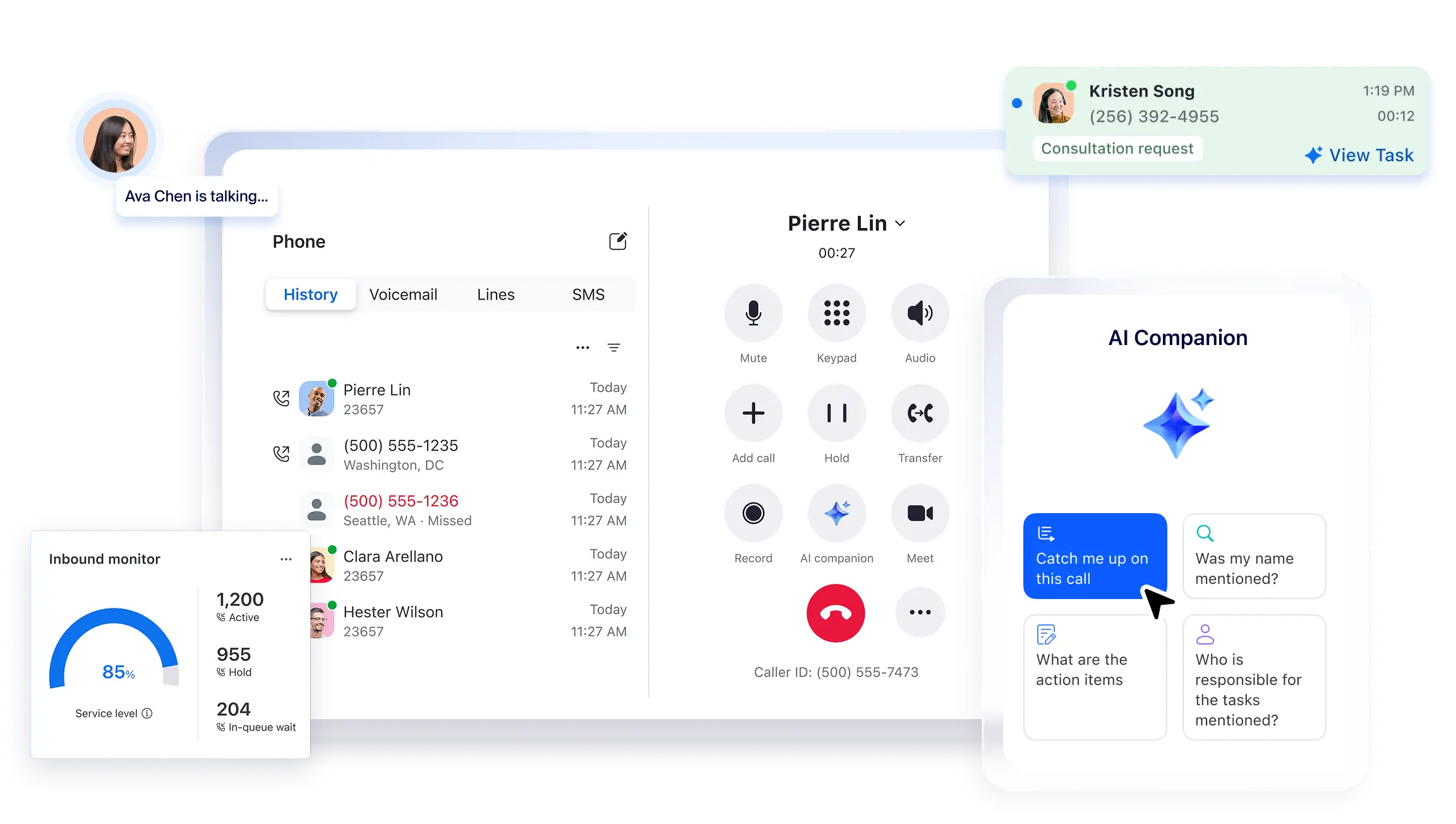
Zoom Phone is a VoIP phone system that provides unlimited domestic calling, SMS messaging, voicemail transcription, call recording, and integrations with popular business apps. Originally launched as part of Zoom’s communications platform, it was added in 2019 and reached four million users by 2022.
The service is available for domestic telephone coverage in 47 countries. Users can answer, transfer, and route calls, or switch a phone call into a Zoom meeting when a deeper discussion is needed. Call notes can be shared directly in Zoom Chat to keep teams aligned across conversations.
Features
- Automatic distribution groups with call queueing – Sends calls to available agents and holds overflow callers.
- Barge/monitor/whisper/takeover – Lets supervisors be there and help during calls.
- Chat – Group messaging, file sharing, images, voice notes, formatted text, GIFs, emojis, and presence status.
- Video conferencing – Meetings from 30 minutes on lower plans, up to 30 hours on higher tiers.
- AI Companion – AI note-taking, speaker identification, automated meeting summaries, and real-time in-meeting questions.
Integrations
- Salesforce
- Microsoft Teams
- Slack
- Bullhorn CRM
- HubSpot, and more
Pricing
- US & CA Unlimited: $18/user/month
- Pro Plus: $24/user/month
- Business Plus: $29/user/month
Free trial
Yes, 30 days.
Why is it a good alternative?
- Integrated voice + video communications – Zoom Phone is part of the broader Zoom platform, so teams get voice calling along with access to video meetings and messaging.
- Unified admin and reporting – Centralized management through the Zoom Admin dashboard gives teams visibility into usage and performance across voice and meetings.
- Global coverage and hardware support – Supports international calling and desk phone provisioning, which makes it suitable for distributed teams and office environments.
Potential drawbacks of Zoom Phone
- Occasional app or quality issues – Some users report mobile app instability or inconsistent call quality under certain conditions.
- Email and support limitations – Support responsiveness and assistance quality vary by plan tier.
Best for
Support and sales teams on Zoom who require organized call handling as well as built-in chat and video.
10. WhatsApp Business
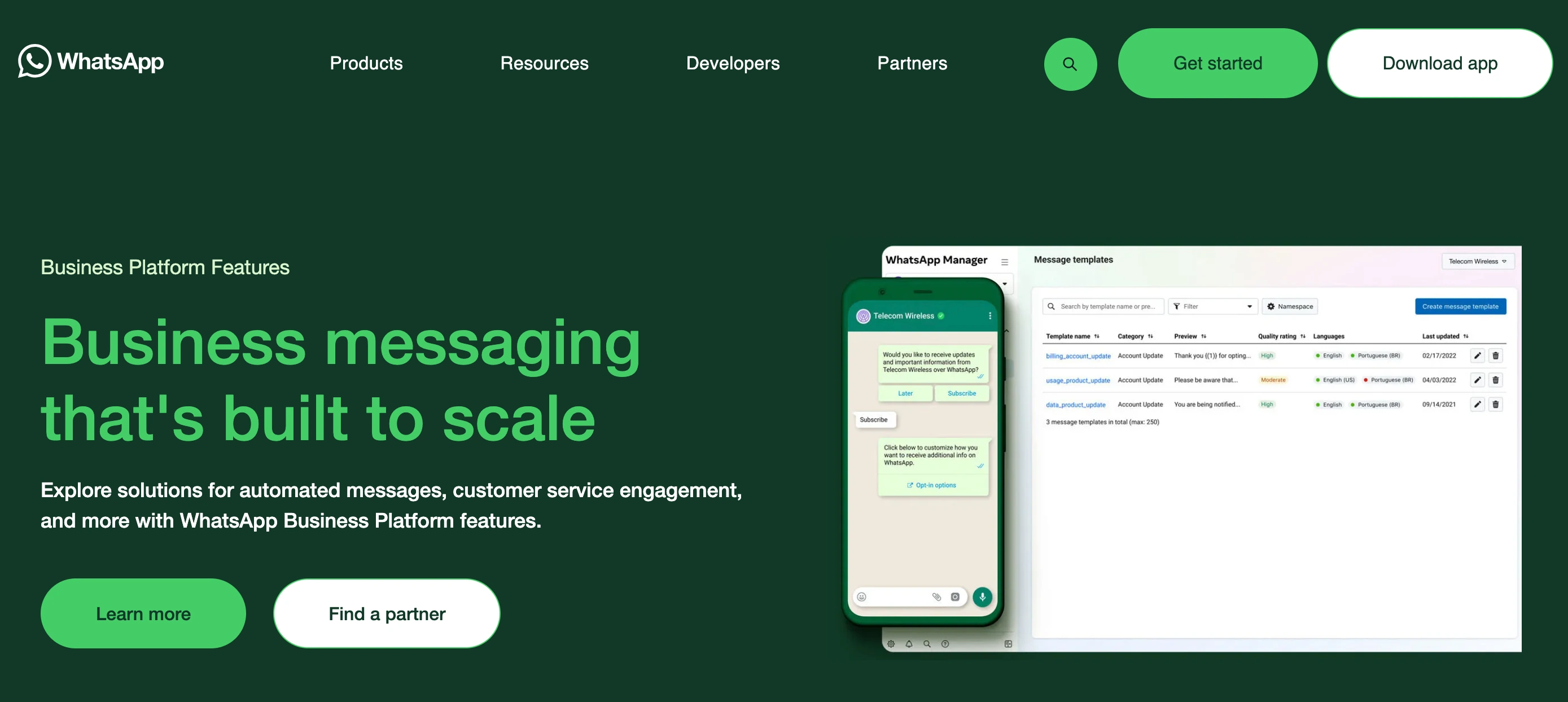
WhatsApp Business is Meta’s messaging solution for companies that want to communicate with customers on WhatsApp. WhatsApp itself launched in 2009, and in 2018, Meta introduced the WhatsApp Business app so small businesses could message customers using a dedicated business profile. Today, it has around 200 million monthly users.
In 2022, Meta expanded this with the Cloud API, now called the WhatsApp Business Platform, built for larger companies that need integrations, multi-user access, and automation. Because the API has no built-in interface, businesses must access it through an approved Meta Business Solution Provider.
Features
- Greeting – Auto-send a welcome message to new customers.
- Measure performance – Engagement metrics to improve messaging.
- Catalog / business profile – A virtual storefront with products plus your logo, description, hours, and website.
- Labels – Organize and filter key customer conversations.
Integrations
WhatsApp API
Pricing
Businesses are charged for calls with no monthly calling plan required. Pricing is based on three factors:
- Call duration, billed in six-second pulses.
- The destination’s country code.
- Your monthly volume tier, using the same tiering accrual system as messaging.
Non-template and utility messages are free within the service window, high-volume templates get lower rates, and all messages are free for 72 hours via a free entry point.
Free trial
No.
Why is it a good alternative?
- Ubiquitous customer reach – Connects with a massive global user base, so businesses can communicate with customers wherever WhatsApp is already used.
- Rich messaging capabilities – Supports text, images, video, documents, and interactive message templates, which go far beyond Line2’s basic SMS/MMS texting.
- Automated customer interactions – Built‑in features such as greeting messages, quick replies, and labels help businesses automate engagement without additional tools.
Potential drawbacks of WhatsApp Business
- Not a complete business phone service – WhatsApp Business is messaging‑centric and lacks native voice calling or business phone number management, so it cannot fully replace a phone line for many teams.
- Verification and API setup barriers – Access to the Business API requires approval and sometimes the involvement of a solution provider.
- Pricing variability – Costs depend on message volume, country codes, and template usage rather than a predictable monthly plan.
Best for
Small to medium businesses that want to communicate with customers via messaging and automate simple interactions within WhatsApp.
Upgrade Your Business Communication
Line2 covers most of the basics you’d expect from a desktop phone, including voice calls, texting, some contact integration, and limited faxing. The real question is whether that’s enough for your team.
If your business needs more, like advanced call routing, collaboration tools, or video conferencing, then exploring more robust alternatives makes sense. Among them, Omnivoice is worth a look. It’s one of the best Line2 alternatives for business, offering flexible plans and reliable US/Canada calling while keeping messaging and business numbers simple and accessible. Explore Omnivoice plans and features for a smarter way to manage calls.
FAQ
Yes. You can log in on phones, tablets, and computers. All devices may receive alerts simultaneously. To manage this, you can:
Turn off notifications on secondary devices.
Keep one device active for calls.
Sign out on devices you’re not using.
Yes, but it uses VoIP-based 911, which relies on your registered address. Your physical location isn’t automatically detected.
No. Line2 focuses on basic calling and messaging, so its collaboration tools are limited. Some competitors offer stronger options, especially when it comes to shared inboxes, coordinated team workflows, and more flexible call-handling setups.


FAST • SECURE • RELIABLE
business communications