We have reviewed 10 business phone systems for solopreneurs and small teams, and this is our honest opinion.
Key takeaways
- Omnivoice is best for small teams that require flexible call routing, multi-level IVR, and simple remote access.
- Quo is best for teams that want a modern all-in-one communication system with calls, SMS, team chat, and AI support tools.
- MightyCall is best for outbound-focused SMBs that rely on calling campaigns, dialers, and call monitoring tools.
- CallHippo is best for fast-scaling sales and support teams that need global virtual numbers, power dialers, and advanced call analytics.
Here’s a quick look at what we’ll go through to help you evaluate better options and find the right fit for your business.
In this article, we will cover:
- Top Alternatives to Grasshopper
- Reasons to Explore Alternatives to Grasshopper
- Our Criteria for Evaluating These Grasshopper Alternatives
- Detailed Review of 10 Best Grasshopper Alternatives
- Level Up Your Team’s Communication Today
Top Alternatives to Grasshopper
| Alternative | Starting price (billed monthly) | Unlimited calls (US/CA) | SMS/MMS | Business numbers included | Free trial |
|---|---|---|---|---|---|
| Grasshopper | $18/mo | Yes | Yes (registration + monthly fee) | 1 local & toll-free | Yes |
| Omnivoice | $9/mo | Yes (Company plan) | Add-on | 2 local or toll-free | Yes |
| MightyCall | $25/mo | Yes | Yes | 3 local or toll-free | Yes |
| Quo | $19/mo | Yes | Yes (registration + monthly fee) | 1 local or toll-free | Yes |
| MS Teams Phone | $10/mo (annual subscription only) | No | Yes | 1 local | Yes |
| Phone.com | $18/mo | Yes | Yes (Plus and up) | 1 local or toll-free | No |
| Google Voice | $10/mo | Yes | Yes | 1 local | No |
| eVoice | $14/mo | Yes | Yes (Elite Plus only) | 3 local or toll-free | No |
| CallHippo | $1/mo | Yes (Starter and up) | Yes (Starter and up) | 1 local | Yes |
| Zoom Phone | $18/mo | Yes | Yes | 1 local or toll-free | Yes |
| Zadarma | $0/mo | Yes (Office and up) | No | 4 local and 1 toll-free (in Office) | Free plan (limited functionality) |
Disclaimer: Prices listed are the lowest available tiers and accurate at the time of publication.
You can go for lean, budget-friendly options or full-featured business phone platforms. At the end of the day, the variety here means you’re not stuck with just one way of doing things. Whether you want something simple to keep calls and texts in order or a more robust system with advanced features, you can find the best Grasshopper alternative that can grow with your team and support your communication goals.
Reasons to Explore Alternatives to Grasshopper
Many businesses start with Grasshopper because it’s simple to set up and covers the basics of VoIP calling. However, as teams grow and communication gets more complicated, people may run into limitations that make them look for other options.
Reviews on sites like G2 and Trustpilot show the pain points that arise most often:
- Limited integrations – Grasshopper only supports a small number of third-party apps, which makes it difficult to connect calls and messages with CRMs, productivity tools, or automated workflows.
- Basic feature set – While adequate for small teams, Grasshopper lacks advanced call handling options like IVR menus, call queues, and detailed analytics. This can slow response times and reduce efficiency in larger operations.
- Outdated interface – Users describe the dashboard and mobile app as dated or unintuitive.
- Support challenges – Customer service can be slow or hard to reach, with some users struggling to resolve billing, setup, or technical issues promptly.
- App reliability issues – Mobile apps sometimes experience bugs, freezes, or inconsistent SMS/MMS delivery, which interrupts communication and frustrates staff.
For growing teams, Grasshopper’s basic tools can feel restrictive. Companies may want to look for platforms with richer features, better collaboration tools, and more robust administration options.
Our Criteria for Evaluating These Grasshopper Alternatives
When checking out top Grasshopper alternatives, we zeroed in on a handful of factors that make a difference for a business phone system. These points provide a clearer sense of the options and will help you identify the best one:
- Price – We checked starting plans and overall value, so you know which options give the most bang for your buck.
- Key features – Tools like call routing, voicemail, SMS, recording, and many others were considered to make sure the service can handle everyday business needs.
- Integrations available – The ability of the service to work with CRMs, productivity apps, and other software can save time and keep workflows smooth.
- Call quality – Clear, reliable calls without drops or lag are essential for professional communication.
- User reviews – Feedback from real customers gives a practical sense of usability and overall satisfaction.
Detailed Review of 10 Best Grasshopper Alternatives
Grasshopper offers most of the features small businesses need, but it’s not one-size-fits-all. Depending on your business, one of these alternatives may be a better fit:
- Omnivoice
- MightyCall
- Quo
- MS Teams Phone
- Phone.com
- Google Voice for Business
- eVoice
- CallHippo
- Zoom Phone
- Zadarma
1. Omnivoice
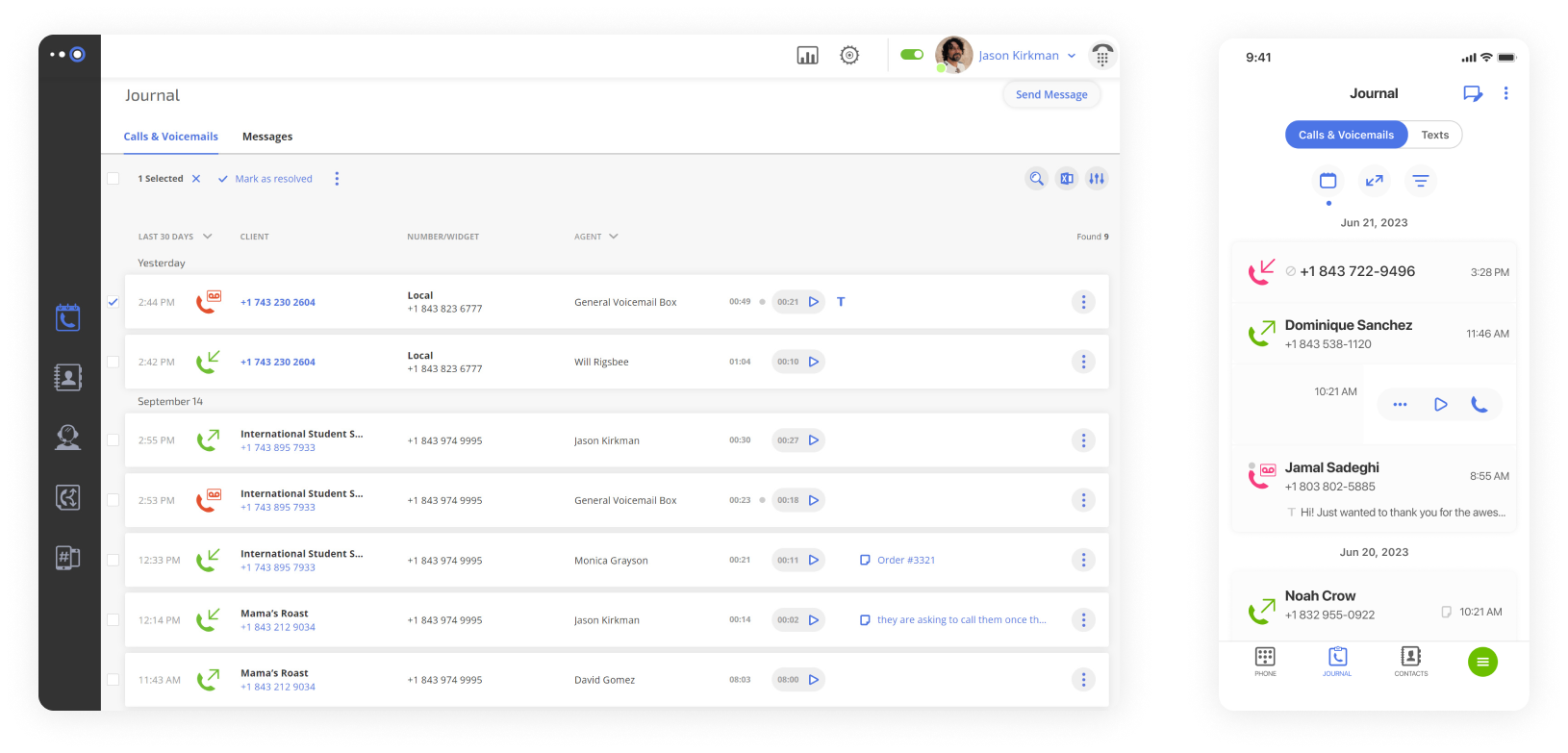
Omnivoice is a virtual phone system built to make communication simpler for small and mid-sized teams. Since its debut, it has steadily expanded, serving thousands of clients across multiple industries.
The platform offers versatile call management, professional business phone numbers, and remote access for teams to work from any location. It grows with business requirements and supports phone system updates without heavy upfront costs. On top of that, Omnivoice provides a dedicated support team that delivers live, tailored assistance whenever clients need help.
Features
- Call management – Automatically sends incoming calls to the right team or individual.
- Advanced IVR – Multiple menu levels to filter and organize messages efficiently.
- Voicemail handling – Receives messages and can forward them to email for easy access.
- Caller ID – Shows incoming numbers and separates personal from business calls.
- Conference calling – Bring several participants into a single conversation.
- Mobile access – Control calls, texts, and settings directly from iOS or Android apps.
Integrations
None.
Pricing
- Basic: $9/month (1 user)
- Pro: $19/month (3 users)
- Enterprise: $99/month (unlimited users)
Free trial
Yes, 7 days.
Why is it a good alternative?
- More advanced call routing and IVR – Supports multi-level IVR and smarter call routing rules (e.g., time-based flows and department filters).
- Better voicemail handling – Offers shared voicemail boxes, voicemail-to-email, and organized message access. Grasshopper’s voicemail features are more basic and harder to centralize for teams.
- Richer reporting and analytics – Includes deeper call analytics (like call outcomes, response metrics, volume data), which helps teams manage performance.
- More scalable for growing teams – Supports multi-user workflows and role-based permissions, while Grasshopper is geared toward very small teams with simpler needs.
Potential drawbacks of Omnivoice
- Mid-tier plan required for key features – Several useful business functions (like multi-level IVR and full integrations) are only available on higher-level plans, which limits value on the lowest tier.
- No built-in AI tools – Omnivoice currently lacks AI features like automatic voicemail transcription or AI-assisted call summaries that some modern phone systems include.
- No third-party integrations – The overall ecosystem is still smaller than what some UCaaS vendors offer.
Best for
Small teams needing a dependable cloud phone system with flexible call routing and mobile access.
2. MightyCall
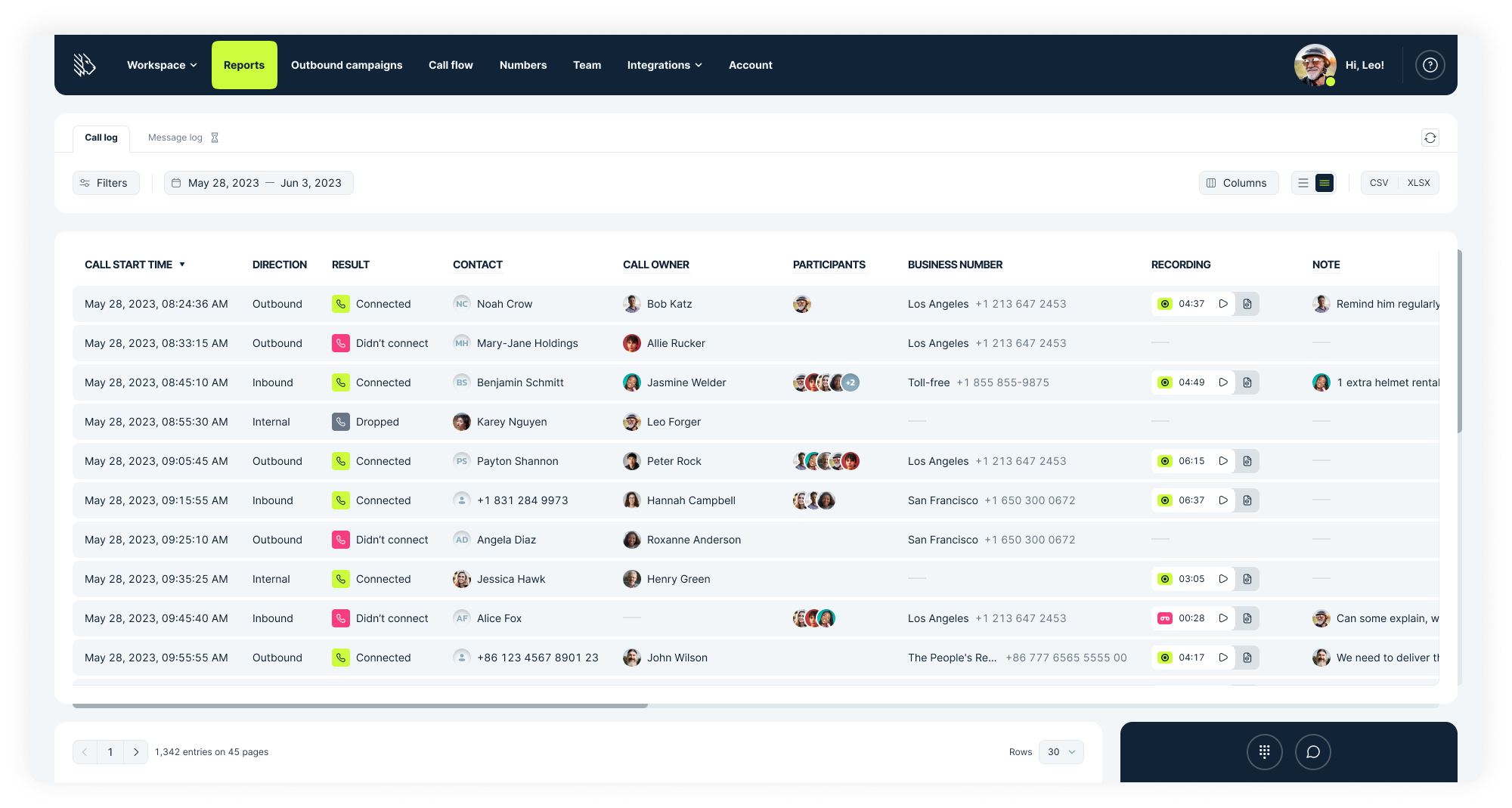
MightyCall is a strong Grasshopper competitor built for startups and small businesses that want professional communication without the need for complex hardware. Headquartered in the United States and launched in 2013 by telecom experts with extensive experience in enterprise communications, it now serves over 100,000 clients around the world.
The platform emphasizes simplicity but still offers the key tools needed for call management. Teams can manage calls, messages, and business numbers in one place, which gives even the smallest businesses access to the essential functions of a professional VoIP system.
Features
- Call forwarding & routing – Routes calls automatically to the right team member, group, or voicemail based on set rules.
- Multi-level IVR – Layered phone menus that direct callers to the appropriate department or service.
- Voicemail and voicemail-to-email – Records messages and sends them to email for convenient review.
- Automated dialers – Outbound calling tools that use predictive, progressive, or preview dialing to optimize campaigns.
- Live call monitoring – Supervisors can listen in, join, coach, take over, or record calls.
- Ring groups – Calls reach multiple agents at the same time or follow a defined sequence.
Integrations
- HubSpot
- Salesforce
- Balto
- Zapier
- API (custom integrations and functionalities)
- Zoho (coming soon)
Pricing
- Core: $25/user/month (3-user minimum)
- Pro: $45/user/month (3-user minimum)
- Power: $65/user/month (3-user minimum)
- Enterprise: Custom
Free trial
Yes, 7 days.
Why is it a good alternative?
- Advanced call center features – Supports call queues, multi‑level IVR, automated dialers, and supervisor tools (call barge, listen, whisper), whereas Grasshopper only offers basic forwarding and greetings.
- Built‑in performance analytics – Includes real‑time call analytics, team performance insights, and detailed activity logs.
- Flexible user roles & permissions – Allows role‑based access and team hierarchies, which makes it easier to manage large teams.
Potential drawbacks of MightyCall
- Higher starting cost for full feature access – Many advanced features, like automated dialers and supervisor tools, require mid‑tier or higher plans, so entry pricing doesn’t unlock the full platform.
- Occasional mobile app instability – Some users report glitches or inconsistent behavior in MightyCall’s mobile apps, especially during high call volumes.
- Limited CRM integrations compared to enterprise platforms – While MightyCall works with major CRMs, its integration ecosystem isn’t as extensive as some larger unified communications systems.
Best for
Small and mid-sized businesses that require a simple, cloud-based phone system to manage customer communications
3. Quo
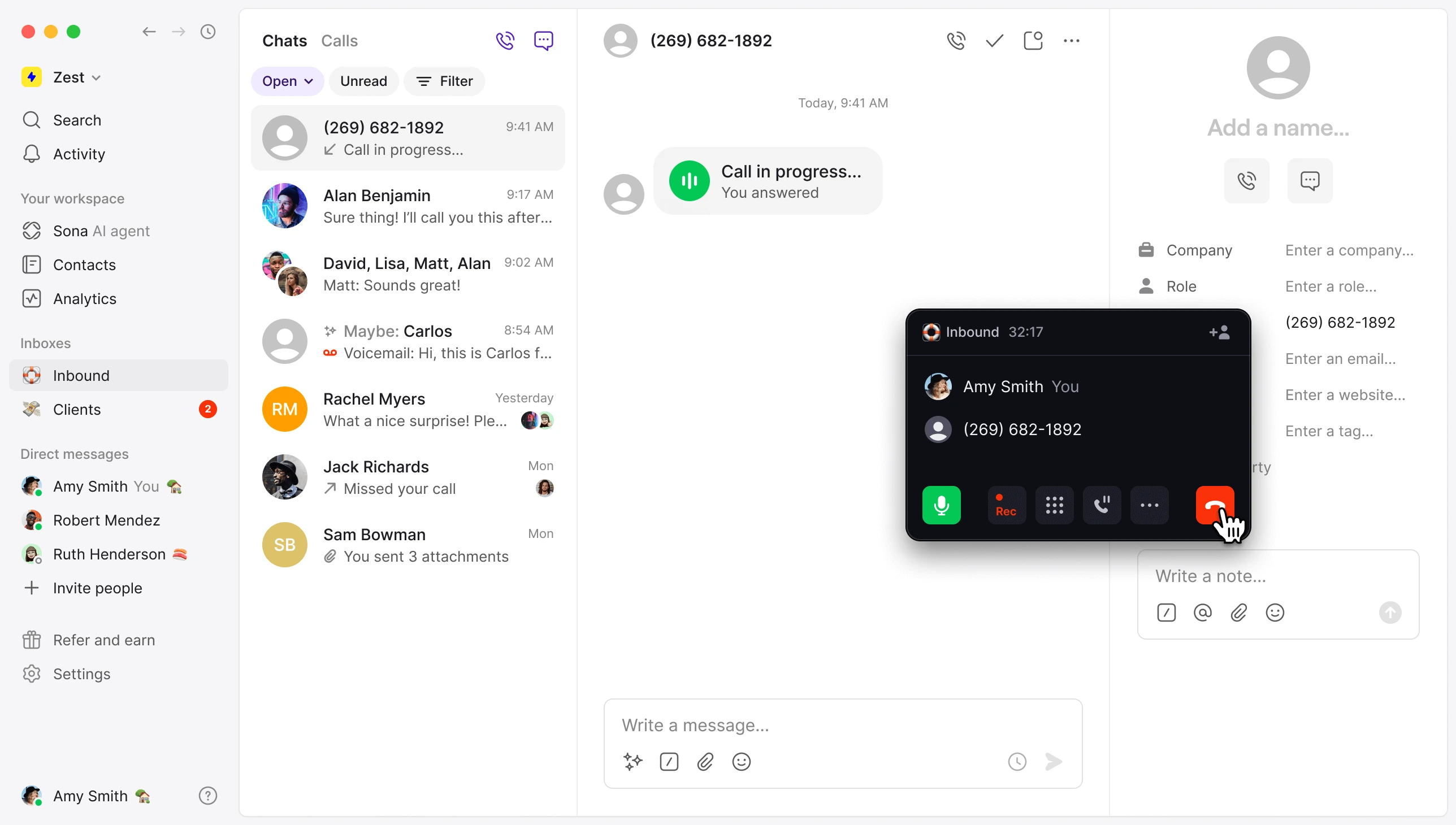
Quo is a cloud-based VoIP service that unites calls, texts, and team messaging in one platform. Updates arrive regularly, shaped by user feedback, which keeps the system practical and aligned with team needs.
One of Quo’s best-designed features is the AI assistant, Sona, which handles call summaries, note-taking, and automatic tagging to reduce manual work. Businesses can provide their details to train Sona and preview the responses before fully deploying the tool.
Features
- Automated call routing – Flexible call flows that adjust for holidays, campaigns, or team changes.
- Operating hours setup – Set different hours for each day with automatic status updates for availability.
- Team inbox – Central hub to view all responses and active conversations, with internal threads, tags, and notes for collaboration.
- Voicemail & transcription – Immediate access to message content through transcriptions for faster context.
- Sona AI assistant – Customize greetings, prompts, and the data collected from callers.
Integrations
- HubSpot
- Zapier
- Slack
- Pipedrive
- Gong, and more
Pricing
- Starter: $19/user/month
- Business: $33/user/month
- Scale: $47/user/month
Free trial
Yes, 7 days.
Why is it a good alternative?
- Unified communication (calls + texting + team chat) – Quo combines phone calls, SMS/MMS, and internal team messaging in one shared inbox.
- AI‑assisted call handling – As an AI-focused alternative to Grasshopper, Quo offers Sona for answering calls, taking notes, summarizing conversations, and tagging callers automatically.
- Modern contact and routing tools – Quo allows flexible routing based on business hours, availability, and customized flows.
- Shared team workflows – Quo includes shared notes, tags, and collaborative inbox tools that help teams stay coordinated. Grasshopper lacks integrated collaboration features.
Potential drawbacks of Quo
- Basic call analytics on lower plans – While Quo offers reporting, detailed performance metrics may be limited unless you upgrade to higher tiers.
- Learning curve for unified messaging – Teams used only to traditional phone systems may take time to adapt to combined messaging and calling workflows.
- Customer support response times vary – Some users report slower support responses outside business hours or on lower plan tiers, which can be a problem when facing urgent issues.
Best for
Small to mid-sized companies that need a unified phone system with modern collaboration tools and some automation.
4. MS Teams Phone
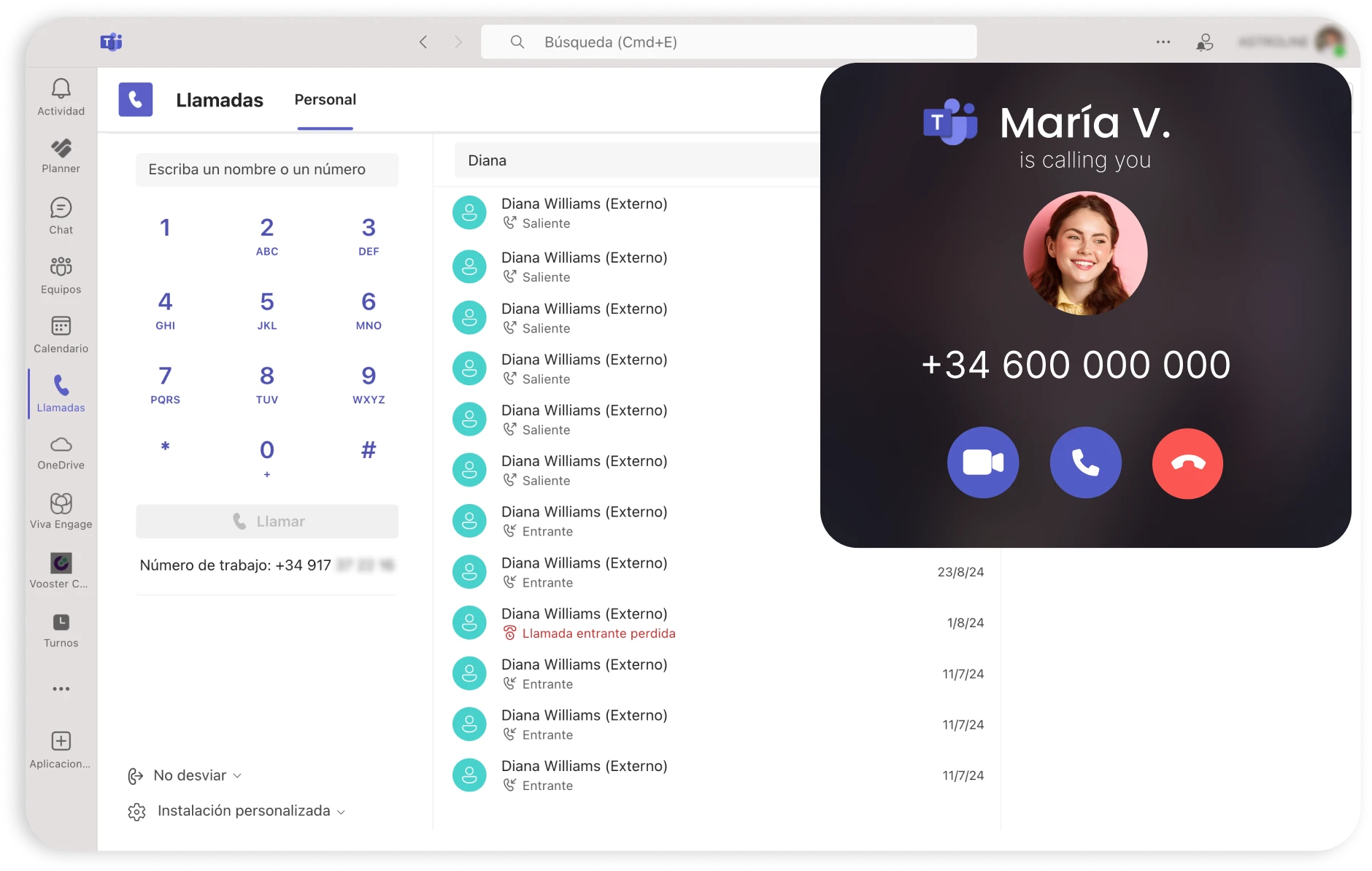
MS Teams Phone provides cloud-based calling directly within Microsoft Teams, which gives employees a single platform for meetings, calls, and collaboration.
Introduced in 2017, Teams Phone has received ongoing updates to expand its cloud calling capabilities. The service supports both VoIP calls between internal users and connections to the public telephone network. By keeping all communication tools within Teams, employees can manage calls and teamwork without switching between separate apps.
Features
- Accessible calling – Voicemails, call recordings, transcripts, and captions available in the user’s preferred language.
- Collaborative features – Options for call forwarding, transferring, simultaneous ringing, and handling multiple busy lines.
- AI features – Automatic call notes, live summaries, actionable insights, and intelligent recaps through Copilot, plus enhanced audio with background noise suppression and voice isolation.
Integrations
None.
Pricing
- Standard: $10/user/month
- Pay-as-you-go calling: $13/user/month
- Calling plan: $17/user/month
- Domestic and international calling: $34/user/month
Free trial
Both Teams Phone Standard and the Calling Plan option include a free trial period of one month.
Why is it a good alternative?
- Integrated communication ecosystem – This Grasshopper alternative is part of the Microsoft 365 suite, so calls, meetings, chat, and collaboration all live in one platform.
- Robust enterprise‑level calling features – Supports advanced call functionality like call queues, delegated calling, simultaneous ringing, and supervisory tools.
- Scalable for organizations of all sizes – Whether you’re a small team or a global enterprise, MS Teams Phone scales with your infrastructure. Grasshopper is better suited for solo or very small business use.
Potential drawbacks of MS Teams Phone
- Complex setup and administration – Teams Phone requires more configuration (number porting, policies, Teams admin center setup) compared with Grasshopper’s simple plug‑and‑play approach.
- Dependent on the Microsoft ecosystem – To get the most value, organizations generally need to be invested in Microsoft 365. Otherwise, they may not realize the benefits.
- Potential for feature overload – The depth of features and settings can overwhelm small business users who prefer straightforward phone systems like Grasshopper.
Best for
Organizations using Microsoft Teams that want to handle calls, meetings, and teamwork in one place.
5. Phone.com
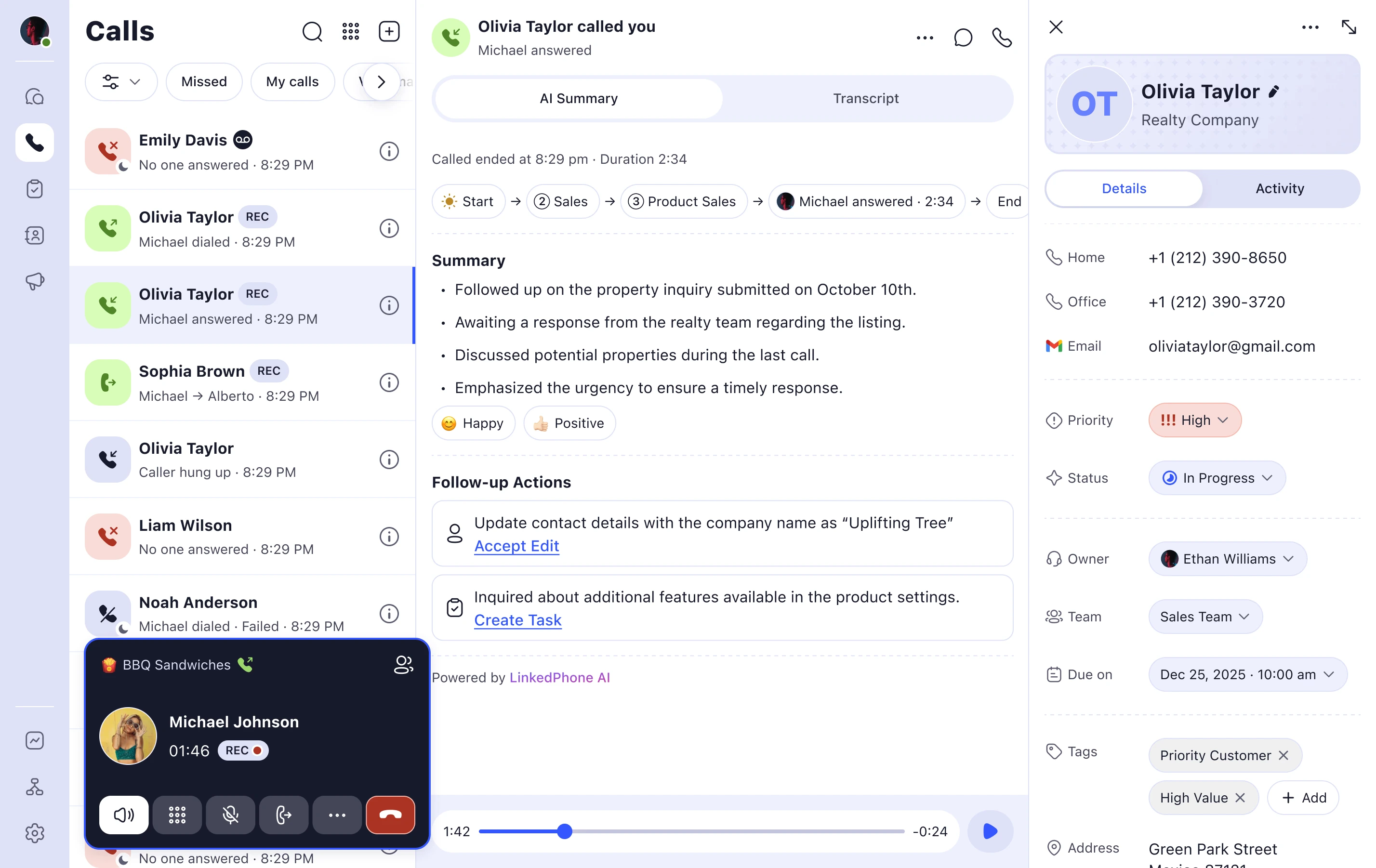
Phone.com, founded in 2007 in the U.S., offers a VoIP phone service for small and mid-sized teams.
The service supports organizations in healthcare, real estate, legal, and nonprofit work that lack dedicated IT staff or telephony experience. More than 30,000 businesses use it to handle calls, text messages, and virtual numbers on desktops or mobile devices, effectively turning any phone into a business softphone.
The Phone.com platform is simple to set up, grows with your team, and provides reliable, fully featured calling with transparent pricing.
Features
- Auto-attendant – Provides a professional menu for callers to select the right department or contact.
- Call recording – Captures conversations with a discreet beep every 15 seconds to notify participants.
- Video conferencing – Supports screen sharing, live document collaboration, and in-meeting chat for messages and files.
- AI-Connect – Reviews calls using natural language processing and routes them to the correct person or voicemail.
Integrations
- Zapier
- Zoho
- Comm100
- AllProWebTools
- Chrometa
Pricing
- Basic: $18/user/month
- Plus: $27/user/month
- Pro: $40/user/month
Free trial
No free trial is offered; a 30-day money-back guarantee applies.
Why is it a good alternative?
- Supports a wide range of devices – This Grasshopper competitor works with any physical SIP/VoIP desk phone and has reliable VoIP apps for desktop and mobile.
- More flexible calling features – Includes call recording, auto attendants, and customizable call handling.
- Built-in collaboration tools – Some plans include video conferencing and shared team messaging alongside voice.
Potential drawbacks of Phone.com
- Mobile app quality varies – Users sometimes report that the Phone.com app experience isn’t as polished as those of its competitors, especially on lower plans.
- Older interface – The admin dashboard isn’t as modern, which makes setup and daily management slower.
- No traditional free trial – Only a money-back guarantee, so users must pay before they can fully test the service.
Best for
Companies looking for a straightforward phone solution to handle calls and texts as they scale.
6. Google Voice for Business
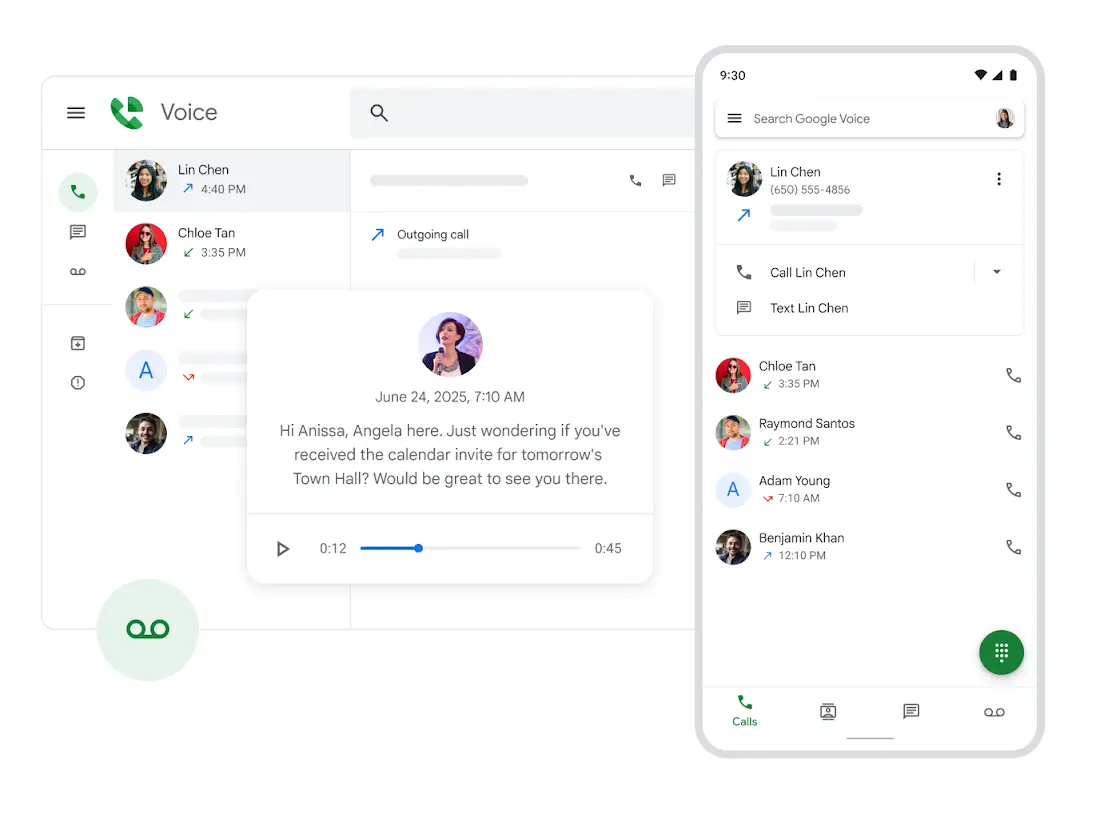
Google Voice for Business is a VoIP phone system that integrates tightly with Google Workspace, offering calling, texting, and voicemail features that fit with Gmail, Google Calendar, and the rest of Google’s productivity tools. The service is designed to work most effectively as a paid add-on for existing Workspace subscriptions, but it is also available independently as a voice-only plan for teams that just want the calling and messaging features.
Google Voice brings experience and brand recognition to business calling, but its offerings focus on smaller operations rather than enterprise-level users.
Features
- Call forwarding & screening – Options to forward calls, filter them, or deliver a custom voicemail to chosen contacts.
- Voicemail with transcription – Messages converted to text in English, Danish, Dutch, French, German, Portuguese, and Spanish.
- Ring groups – Calls are distributed among members in rotation, also known as hunt groups.
- Spam protection – Numbers on the block list cannot connect and hear a “Number not in service” notification.
Integrations
- Gmail
- Google Calendar
- Google Contacts
- Google Meet
- Google Drive
Pricing
Voice-only option:
Starter: $10 per user each month, covers 1 user
Add-on for Google Workspace:
- Starter: $10 per user/month, minimum 10 users
- Standard: $20 per user/month, unlimited users
- Premier: $30 per user/month, unlimited users
Free trial
No standalone trial for Google Voice, though Google Workspace offers its own trial.
Why is it a good alternative?
- Google Workspace integration – Works natively with Gmail, Google Calendar, Google Contacts, and Google Meet, which gives teams a unified experience within tools they already use.
- Smart call features powered by Google AI – Includes voicemail transcription and spam call protection by default, unlike Grasshopper.
- Built‑in ring groups and call handling – Supports hunt groups and call forwarding rules that are more intuitive than Grasshopper’s options.
Potential drawbacks of Google Voice for Business
- Limited advanced call‑center tools – This phone service doesn’t offer multi‑level IVR, live call monitoring, or supervisor coaching tools that many contact‑centric organizations need.
- CRM and third‑party integrations are limited – While excellent within Google Workspace, Voice has fewer native connections to apps like external CRMs and helpdesk platforms.
- Limited branding options – Fewer ways to customize greetings, prompts, and voicemail than full-featured VoIP systems.
Best for
Small businesses looking to keep their email, calendar, and phone communication under a single Google account.
7. eVoice
eVoice was originally founded in 2000 and re-launched in March 2010. The virtual phone service is powered by J2 Global, a cutting-edge provider of cloud-based unified communications for businesses worldwide. Formed in 1995, the J2 Global network now delivers virtual office solutions to more than 11 million subscribers across 4,700+ cities, 49 countries, and six continents. The company also operates other business communication services, namely eFax, Campaigner, and KeepItSafe.
With this ecosystem behind it, eVoice helps small businesses maintain a polished, professional image and enjoy the freedom to work from anywhere.
Features
- Auto-attendant – An automated menu system with unlimited extensions for self-guided call routing and hold music.
- Multiple extensions – A setup with individual extensions under one account for team-wide call distribution.
- Merged calling – A conferencing option that supports up to 94 participants.
- Call scheduling – Routing rules that shift automatically based on the time of day or day of the week.
- Usage reports – A consolidated view of call activity, including call history and duration details.
Integrations
None.
Pricing
- Elite: $14/month
- Elite Plus: $21/month
Free trial
No, but eVoice offers a 30-day money-back guarantee on both plans.
Why is it a good alternative?
- More flexible call handling – Supports multiple extensions, call forwarding options, and virtual receptionist features that give teams a lot of control over call routing.
- Higher conference call capacity – Supports up to 94 participants per call, which lets larger teams collaborate without other tools.
- Simpler setup process – Auto attendant and call routing are easier to configure than Grasshopper’s more manual workflows.
Potential drawbacks of eVoice
- Interface can feel outdated – Some users report the dashboard and mobile app are less modern and intuitive than those of newer competitors.
- Not enough plan choices – Has fewer tier options, which can limit flexibility for businesses with specific needs or budgets.
- No built-in AI tools – This Grasshopper alternative doesn’t currently include AI-powered features like smart voicemail summaries or call insights, which some competitors now offer.
Best for
Small businesses seeking a phone service with decades of experience in virtual communications.
8. CallHippo
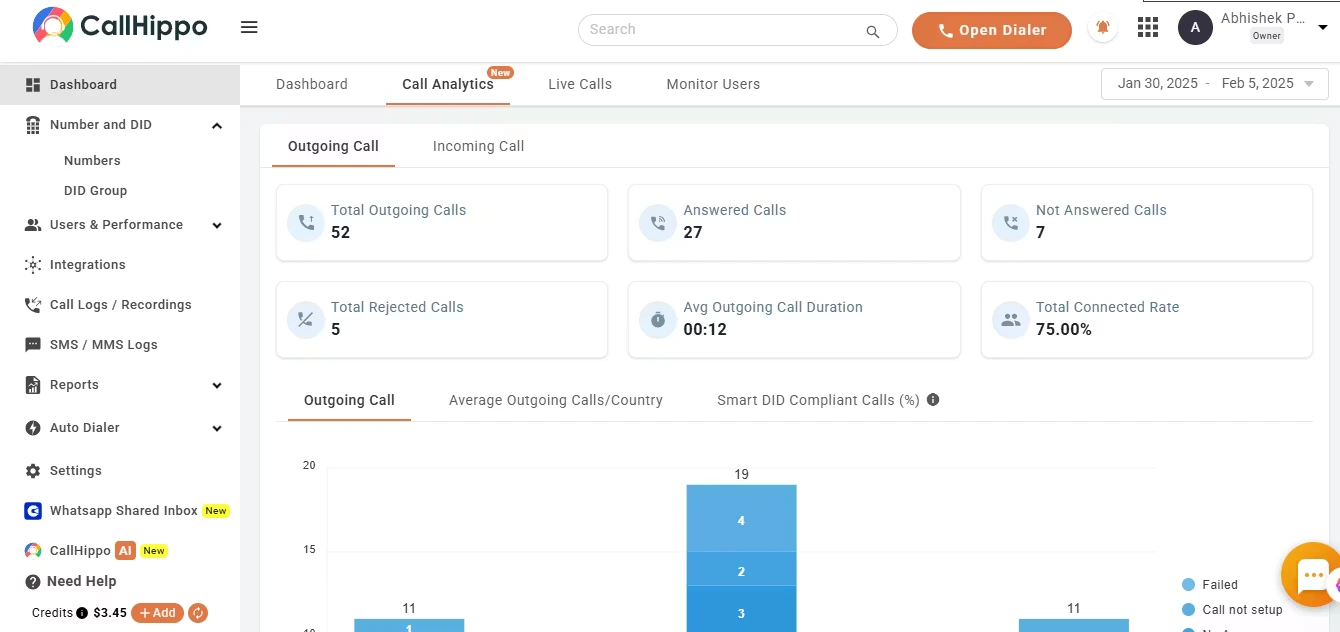
CallHippo, founded in 2016, operates in over 100 countries and serves a loyal customer base of more than 5,000 users. The platform offers telephony solutions, such as predictive dialers, real-time call analytics, and omnichannel messaging, and covers calls, SMS, and instant messaging.
This is an alternative to Grasshopper with crystal-clear audio through redundant servers, with a 99.95% uptime SLA, which is less than 53 minutes of downtime per year. Businesses can add users, numbers, and countries instantly as they grow. There are no hardware limits or IT tickets required.
Features
- Multi-device access – Call forwarding, voicemail, access via browser, desktop, or mobile.
- AI voice agent – Automated call answering, lead qualification, meeting booking, and query resolution.
- IVR and smart routing – Caller menus and automatic call direction to appropriate agent or team.
- Conversation intelligence – Transcription, sentiment analysis, call scoring, keyword tracking, and actionable insights.
- Omni-channel communication – Unified inbox for voice, SMS, email, and chat.
Integrations
- Zapier
- Salesforce
- Shopify
- Slack
- Pipedrive, and more
Pricing
- Basic: $1/user/month
- Starter: $25/user/month
- Professional: $39/user/month
- Ultimate: $55/user/month
Free trial
Yes, 10 days.
Why is it a good alternative?
- Advanced call management features – This Grasshopper alternative includes tools like call whispering, barging, smart IVR, and detailed call analytics, which Grasshopper doesn’t natively provide.
- Better international call support – Offers virtual numbers in many countries and more affordable global calling plans.
- Scalable for sales and support teams – With features like power dialers, call performance dashboards, and multi‑location setups, CallHippo serves growing teams better.
Potential drawbacks of CallHippo
- Call quality varies by region – Some users report inconsistent call clarity or latency in certain global locations, which can be a limitation for international teams.
- Support response times can lag – While support exists, response speed can be slower than expected during peak times, which impacts teams when they face urgent issues.
- Pricing can climb with users/features – As you scale users and add advanced features, the per‑seat cost becomes higher than simpler VoIP options.
Best for
Sales and support teams needing cloud calls, analytics, and instant scaling.
9. Zoom Phone
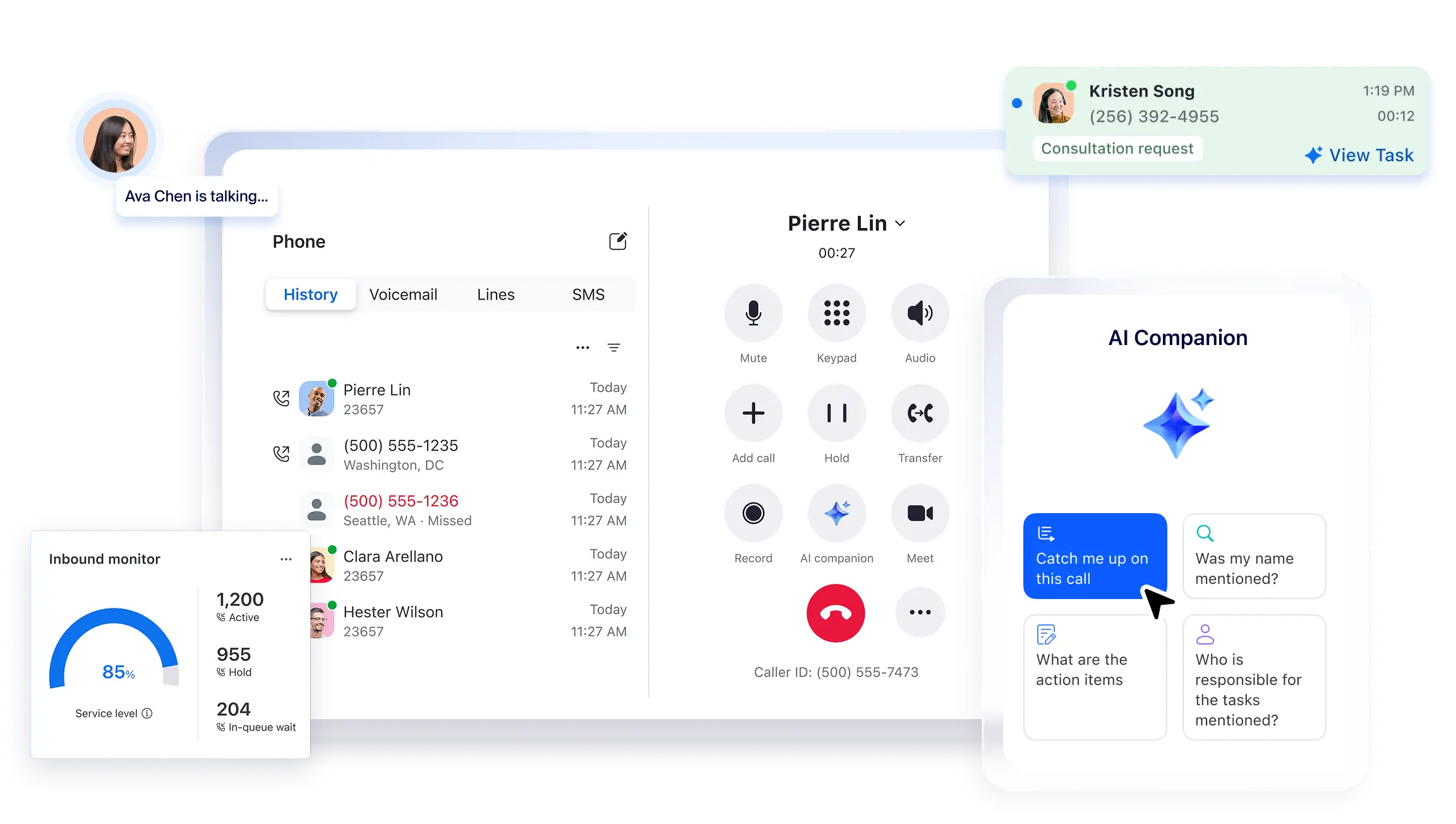
Zoom Phone is a cloud-based business phone service that provides unlimited domestic calls, SMS, voicemail transcription, call recording, and connections to popular business applications. It became part of Zoom’s unified communications platform in 2019 and reached four million users by 2022.
The service covers domestic phone lines in 47 countries. Users can answer calls, transfer them, route them to the right person, or turn them into a Zoom meeting when a longer discussion is needed. Call notes can also be shared directly in Zoom Chat, which helps teams stay on the same page across conversations.
Features
- Call distribution & queues – This competitor routes incoming calls to available agents and places overflow callers in a queue.
- Supervision tools – Managers can join calls silently, provide guidance, or take over when needed.
- Team chat – Group messaging with file sharing, images, voice notes, formatted text, GIFs, emojis, and presence indicators.
- Video conferencing – From 30 minutes on basic plans up to 30 hours on advanced tiers.
- AI features – Automatic meeting notes, speaker identification, summaries, and live question support during calls.
Integrations
- Salesforce
- Microsoft Teams
- Slack
- Bullhorn CRM
- HubSpot, and more
Pricing
- US & CA Unlimited: $18/user/month
- Pro Plus: $24/user/month
- Business Plus: $29/user/month
Free trial
Yes, 30 days.
Why is it a good alternative?
- Integrated phone + video platform – Combines business calling with Zoom Meetings and chat in one app.
- Advanced call handling & supervision – Offers call queues, call delegation, whisper/barge/takeover, and advanced routing.
- Scalable for larger teams – Supports enterprise‑level deployments across multiple countries and departments.
Potential drawbacks of Zoom Phone
- Requires Zoom account/licensing – Performs best when paired with a full Zoom subscription, which increases total cost compared with basic VoIP systems.
- Reporting and analytics are basic – While solid for call logs, deeper performance analytics require third‑party tools for business intelligence.
Best for
Teams using Zoom for both calls and meetings, especially contact centers or support teams that need video conferencing.
10. Zadarma
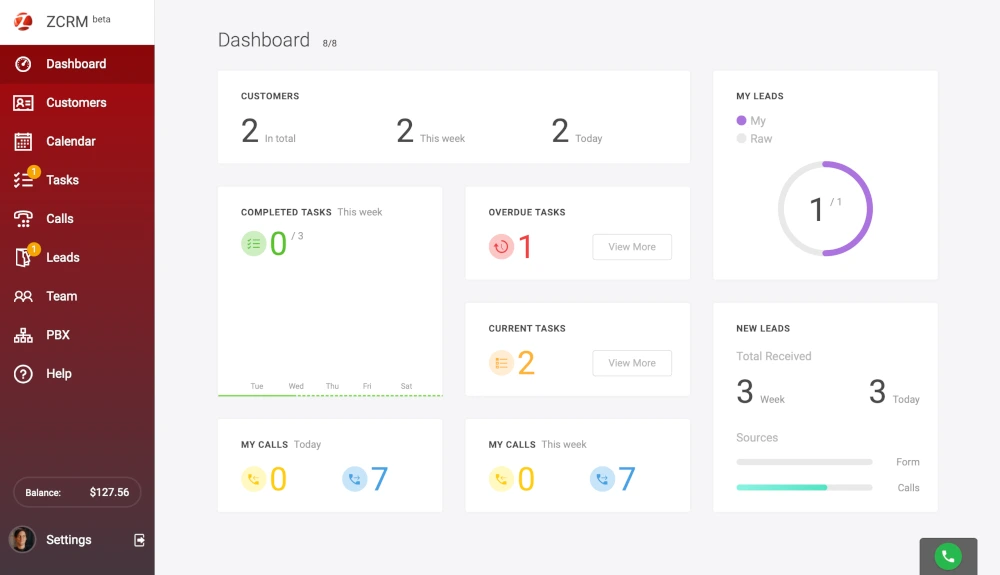
Zadarma has operated since 2006 and now serves clients in more than 160 countries. The company offers cloud communication tools, access to major VoIP networks, a broad set of virtual phone numbers, and support at any hour.
For security, Zadarma uses a multi-channel user-verification API and holds the ISO/IEC 27001 certificate, so data stays under strict control. The platform also fits with several AI systems, which allows firms to add automation.
Features
- IVR menus – Voice menus within the PBX, ranging from 4 to 12, depending on the plan.
- Concurrent outgoing calls – From 4 to 8 simultaneous calls, automatically routed to the appropriate manager.
- Video conferencing – From 2 hosts/20 participants up to 10 hosts/100 participants.
- AI agent minutes – 100 minutes in Office and 200 minutes in Corporation plans.
Integrations
- Salesforce
- Zoho
- HubSpot
- MS Teams
- Zendesk, and more
Pricing
- Standard: $0/month (5 users)
- Office: $44/month (10 users)
- Corporation: $88/month (20 users)
Free trial
The standard plan is free and acts as a trial of the platform.
Why is it a good alternative?
- More flexible call routing and PBX features – This Grasshopper alternative provides customizable IVR menus and internal routing based on rules and agent availability.
- Multi‑channel communication support – Includes tools like video conferencing, AI agent minutes, and simultaneous outgoing calls, which Grasshopper does not natively provide.
- Stronger security and enterprise‑grade controls – With certification and advanced user verification, Zadarma offers a higher compliance and reliability posture.
Potential drawbacks of Zadarma
- Occasional call quality inconsistency – Some users report variability in audio clarity or dropped calls in certain regions, likely due to route quality differences.
- Platform complexity for small teams – With many settings (IVR, PBX, multi‑host conferencing), beginners may find the interface more complex compared to Grasshopper’s simplicity.
- Advanced features tied to higher tiers – Some capabilities require mid‑to‑upper pricing plans, which increases total cost.
Best for
Companies that need a global VoIP provider with solid security and integrations with AI tools.
Level Up Your Team’s Communication Today
Overall, Grasshopper is a strong option for small to midsize businesses. It’s quick to set up, competitively priced, and provides the core features of a business phone system, including basic call routing, voicemail, and faxing. However, there are other services that build on its weaker points and offer more advanced tools and greater flexibility. We’ve highlighted some of the best options here to make things simpler for you.
A better alternative to Grasshopper is Omnivoice. For SMBs ready to move beyond the basics, it proves to be a more capable, future-proof solution. Explore a setup that grows with your business!
FAQ
If you've looked into the best alternatives to Grasshopper and decided to change services, canceling is simple. However, Grasshopper has a strict no-refund policy, so you won’t get money back for unused time. After your plan ends, all data will be deleted within 90 days, and untransferred numbers may be moved to another carrier. Make sure to transfer numbers before canceling.
Yes, but it uses VoIP-based 911 tied to the registered business address. The location cannot be automatically tracked like a mobile carrier.
No. Grasshopper does not provide an option to export call records or message history. If you're going to switch from Grasshopper, you must transfer contacts manually, but all call logs and messages remain on their servers.


FAST • SECURE • RELIABLE
business communications